

When a customer hands you their credit card, a complex, split-second process kicks off. Your point-of-sale (POS) system securely captures their card details, zips them through a payment gateway to their bank for an approval, and—voilà—the funds are on their way to your account. It sounds simple, but this single action has come to define the modern customer experience.
Why Getting Card Payments Right is a Game-Changer for Restaurants
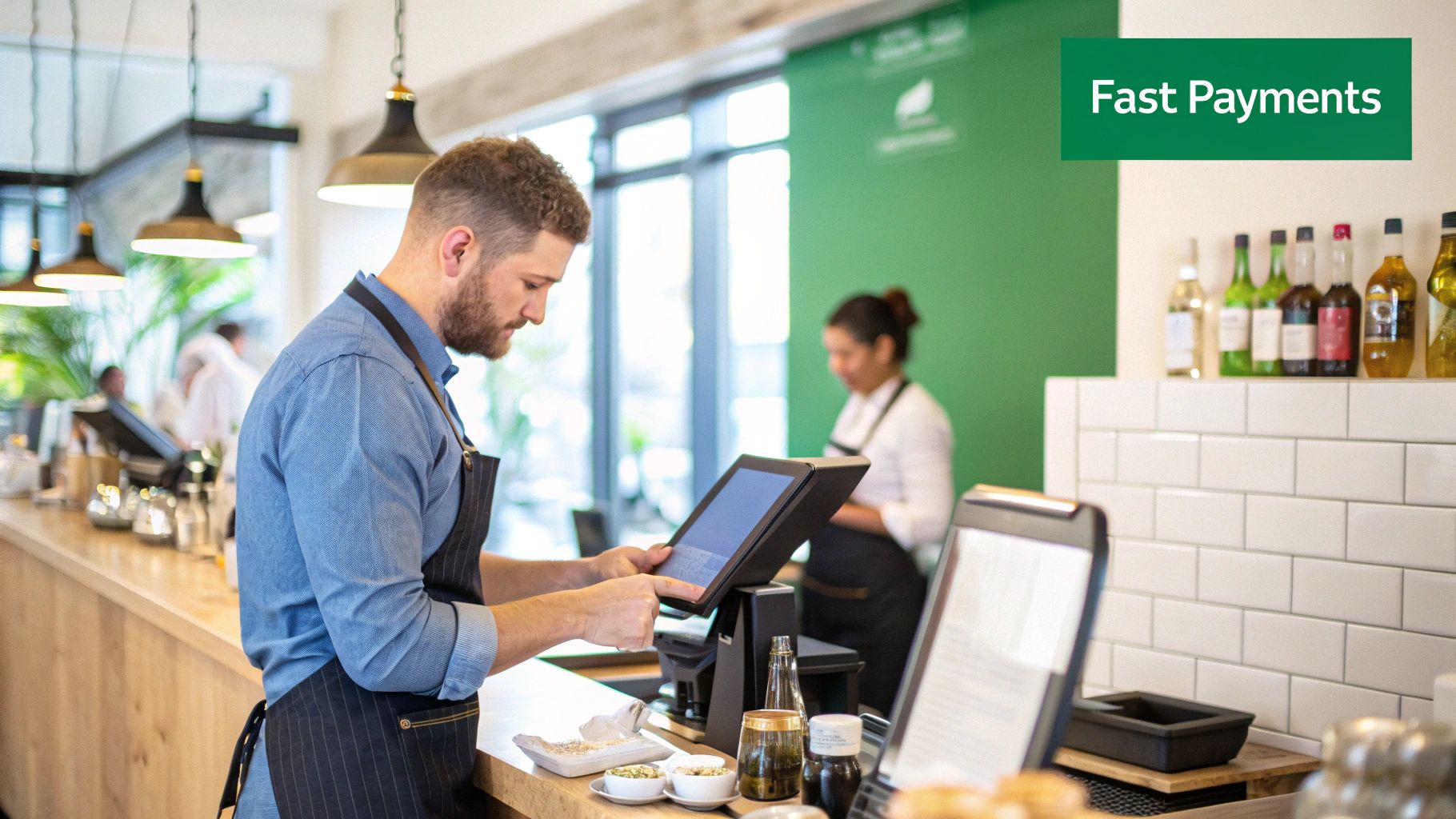
In today's restaurant world, knowing how to process credit card payments quickly and securely isn't just a nice-to-have; it's absolutely critical. Guests expect the payment process to be fast and flexible, no matter if they're sitting at a table, ordering from your website, or just grabbing a quick coffee. A clunky, slow payment system doesn't just annoy customers—it can bring your entire service to a grinding halt.
This guide will walk you through everything you need to know, from the gear that makes it all work to the security standards that keep your business and your customers safe. We'll show you how an all-in-one system like TackOn Table can streamline the whole thing by integrating a mobile POS with seamless payment processing, saving you both time and headaches.
This isn't just a small shift in how we do business. The global credit card payments market was valued at a staggering USD 622.76 billion in 2024 and is expected to rocket past USD 1,433 billion by 2034. Read the full research on credit card payment market trends.
The Key Players in Every Transaction
Before we get into the nuts and bolts, it helps to understand who’s actually involved every time a customer pays with a card. It’s a bit of a crowded stage, but each player has a critical role in moving money from their wallet to your bank in just a few seconds.
Here's a quick look at the essential participants who make every single credit card payment happen.
| Participant | Role in the Transaction |
|---|---|
| The Cardholder | This is your customer, the one initiating the purchase. |
| The Merchant | That's you! Your restaurant, cafe, or food truck. |
| The Acquiring Bank | Your business bank account that receives the funds. |
| The Issuing Bank | The customer's bank; they issued the card and approve the funds. |
| The Card Network | The big names like Visa and Mastercard that connect the banks and set the rules. |
| The Payment Processor | The tech company that securely handles the data, like TackOn Table. |
Understanding these roles helps demystify what happens behind the scenes. It also highlights the value of having a unified system.
When your restaurant POS also acts as your payment processor, you're simplifying a complex network. Instead of juggling multiple vendors for hardware, software, and support, you get one point of contact. This makes running your business so much easier.
As a Toast vs Clover alternative, TackOn Table offers this kind of all-in-one simplicity without the hefty price tag or complicated setup. It's built to give you effortless control over every transaction, ensuring each one is smooth, secure, and profitable. Ready to simplify your payments?
Start Your Free Trial
Choosing the Right Restaurant POS and Payment Hardware
Before you can swipe, tap, or dip a single card, you need the right tools for the job. This isn't just about grabbing any old card reader. It's about building a complete payment system that fits how you run your restaurant, whether you're a bustling cafe, a food truck on the move, or a full-service dining room. This system really boils down to two key pieces: the physical hardware that takes the payment and the smart software that makes it all work.
On the hardware side, you need reliable mobile card readers that can accept every way a customer wants to pay. That means chip cards (EMV), tap-to-pay (NFC for things like Apple Pay and Google Pay), and the old-school magnetic stripe. These readers are usually paired with tablets, which become the command center for your POS system, letting your team take orders, manage tables, and close out checks from anywhere on the floor.
But honestly, the hardware is only half the story. The software is where the real magic happens.
Why an All-in-One Restaurant POS Is a Game-Changer
In the past, restaurant owners had to duct-tape their payment systems together. You’d get your payment processing from one company, buy a POS from another, and then cross your fingers they’d play nicely with each other. This kind of patchwork setup is a nightmare to manage and almost always leads to higher fees and reports that are impossible to make sense of.
An integrated, all-in-one system like TackOn Table cuts through all that noise. Instead of juggling different vendors, you get one platform where your Restaurant POS, payment processing, and management tools all live together in harmony.
For a busy cafe owner, this means you can set up for in-store and online orders without the usual headache. Everything runs through one central dashboard, giving you a crystal-clear view of your finances and total control over your business.
This simplicity isn't just a nice-to-have; it's essential. Accepting credit cards is a must-do for any business today. In the US alone, an estimated 94% of merchants take them, which adds up to somewhere between 11 and 14 million businesses. With that many people expecting to pay with a card, your setup has to be flawless. You can read more about credit card acceptance rates in the US to see just how standard it's become.
The TackOn Table Advantage: Simple, Smart, and Built for You
Going with an all-in-one platform is a strategic move that directly impacts how efficiently you run your business and, ultimately, your bottom line. We designed TackOn Table specifically for the unique grind of the food service world, delivering a powerful system that won't break the bank.
Here’s what makes our approach different:
- Easy Setup: Forget spending days on the phone with tech support. You can get your entire system—hardware and software—up and running in minutes. We firmly believe you shouldn't need an IT degree to use powerful tools.
- True Mobile POS: Put a lightweight, handheld device in your servers' hands so they can fire orders and take payments right at the table. This speeds up table turns and makes for happier guests.
- Multi-Location Control: Whether you have one food truck or a dozen cafes, you can manage menus, see sales in real-time, and check on staff across all your locations from a single account. It's a level of control that many of the clunky, legacy systems just can't offer.
- Affordability & Simplicity: We believe in transparent pricing without the sneaky hidden fees that are so common in this industry. It’s what makes TackOn Table such a great Toast vs Clover alternative.
Our system is built to adapt to your style of service. Whether you're running a packed full-service restaurant or a quick-service coffee spot, having the right hardware and integrated software working together makes every transaction smooth and secure. For a deep dive into how we compare to the big names, check out our full restaurant POS comparison guide.
Ready to see how an all-in-one system can make payment processing the easiest part of your day?
Book a Demo Today
Taking Payments in Any Restaurant Scenario
Let's get practical. How you take a credit card payment isn't a one-size-fits-all process; it completely depends on where the customer is—at the table, at the counter, or even miles away at home. A smooth payment experience is the last, and often most memorable, part of their meal. Getting it right is non-negotiable for keeping your operation running efficiently and your guests happy.
The secret to handling every situation is a flexible, mobile-first POS system. With an integrated platform like TackOn Table, you can take payments just as easily at a cozy two-top as you can at a bustling counter or for a delivery order. The goal is always the same: a fast, secure, and error-free transaction for both your staff and your customers.
To see how it all comes together, think of your payment process as a single, well-oiled machine.
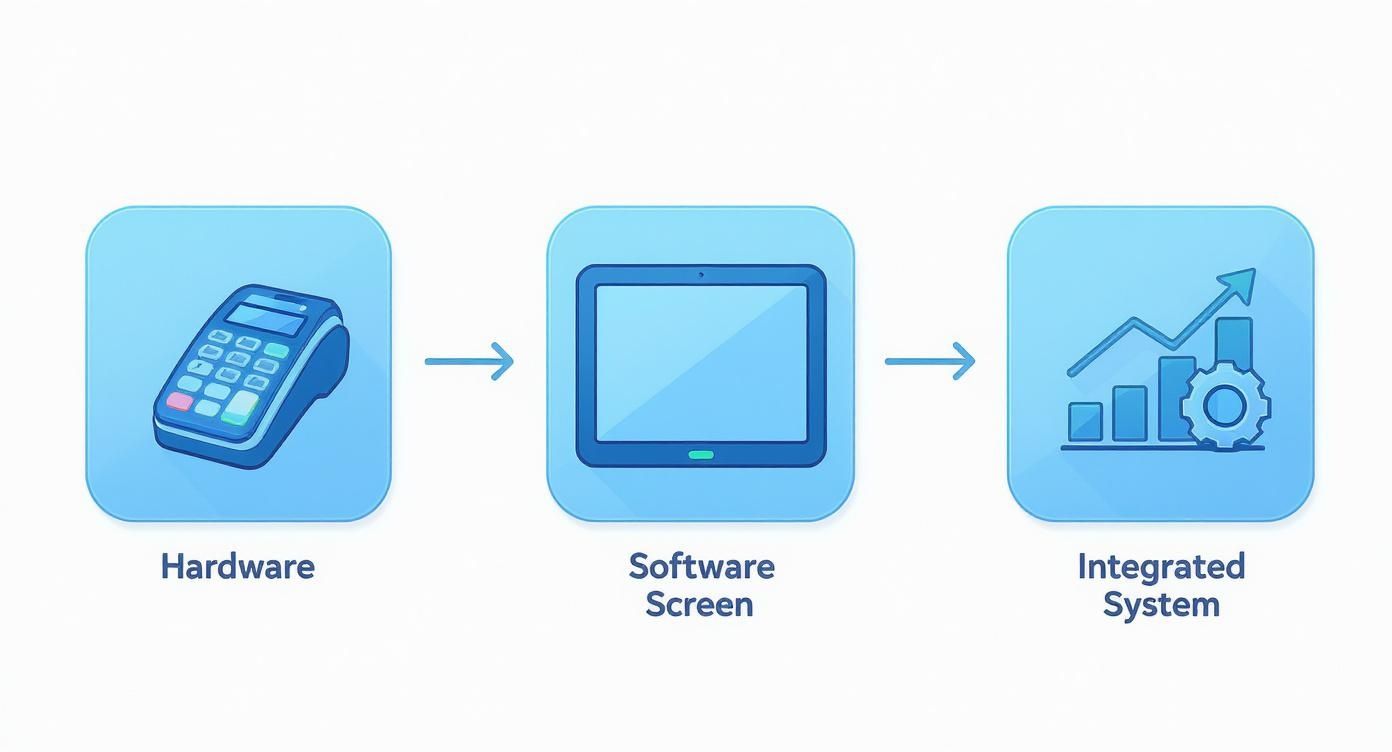
As you can see, modern payment processing isn't about juggling different tools. It’s about how seamlessly your hardware and software communicate to get the job done.
Nailing Tableside Service with a Mobile POS
In a full-service restaurant, that final interaction at the table can make or break the entire experience. Nobody likes the awkward wait while their server runs a credit card to a fixed terminal in the back. It’s a classic bottleneck that slows down your whole dining room. This is exactly where a mobile POS changes the game.
With a handheld device from TackOn Table, your servers bring the entire payment process directly to the guest.
- Split Checks Effortlessly: Your server can split the bill by item or divide it evenly among guests right on the screen. No more running back and forth to fix a simple request.
- Immediate Payment and Tipping: Customers can tap, dip, or swipe their card, select a tip, and get an email receipt in under a minute.
- Increased Server Efficiency: By cutting out the travel time to a terminal, servers can focus on what matters—taking care of other tables, upselling desserts, and turning tables faster.
This isn't just about speed. When the customer's card never leaves their sight, it builds a huge amount of trust and makes them feel more secure.
For any restaurant that relies on turning tables to hit revenue goals, the efficiency boost from pay-at-the-table technology is massive. You can learn more about how our system is designed specifically for the pace of full-service restaurants and how it directly impacts your bottom line.
Streamlining the Rush with Café Management Software
For quick-service spots, cafes, and food trucks, speed is king. When that lunch line starts snaking out the door, every second counts. You need to keep people moving without fumbling orders or payments.
TackOn Table's café management software is built for these high-volume moments. A customer-facing display lets guests see their total, add a tip, and pay with contactless options like Apple Pay or Google Pay with a quick tap of their phone. It’s not only faster but also drastically reduces the chance of a cashier punching in the wrong amount.
Managing Online and Curbside Orders with Ease
For online and curbside orders, the payment happens long before the food ever leaves the kitchen. When a customer orders through your integrated TackOn Table online ordering site, their payment is securely authorized right then and there.
This "pay-first" model has some serious perks:
- Reduced No-Shows: The order is already paid for, which nearly eliminates the risk of someone placing a big order and never showing up to get it.
- Synced with Your Kitchen: As soon as payment goes through, the ticket fires directly to your kitchen display system (KDS). Your team can start cooking immediately.
- Simple Reconciliation: All your sales data—whether from online, delivery, or in-person transactions—flows into a single dashboard. This makes your end-of-day closeout so much simpler than trying to piece together reports from different systems.
No matter where your customer is, a unified payment system makes every interaction feel consistent and professional.
Understanding Payment Security and PCI Compliance
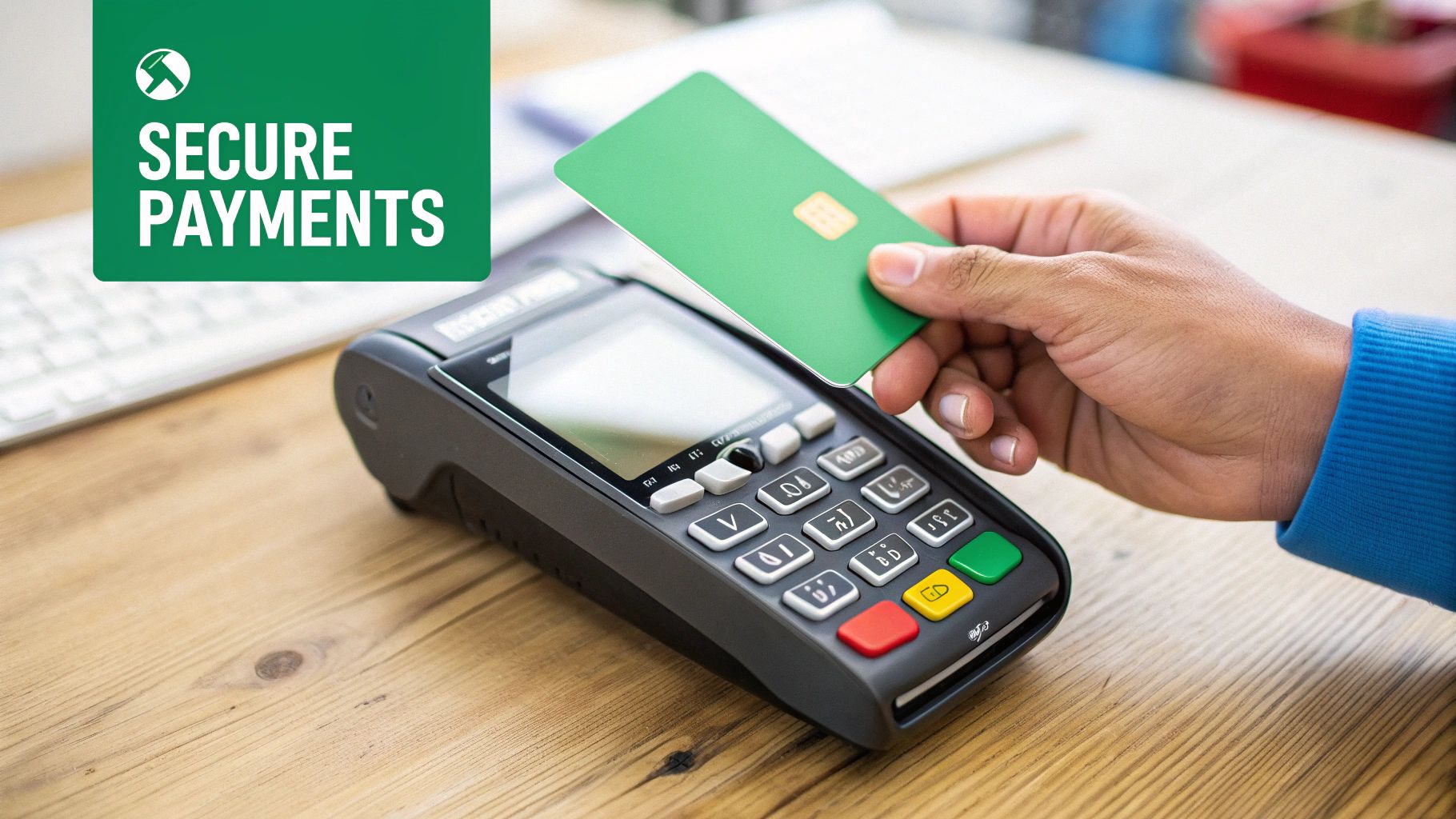
Let's be honest: handling customer card data is a massive responsibility. Every time a guest pays, you’re not just moving money—you're the guardian of their sensitive financial information. This is where security standards like PCI Compliance enter the picture, and while the term sounds technical and a bit intimidating, it doesn't have to be a headache.
The smartest move you can make is to choose a modern POS system that basically acts as your security partner. An all-in-one platform like TackOn Table is designed to handle the heavy lifting for you, baking top-tier security into the DNA of every single transaction. This isn't just about avoiding the crippling fines of a data breach; it's about building the fundamental trust that keeps your guests coming back again and again.
With credit cards now making up 35% of all consumer payments, your guests simply expect their data to be safe. And as we see contactless payments grow to 50% of all in-person transactions, the need for ironclad security has never been more critical. You can discover more insights about these consumer payment trends to see just how prevalent card payments have become.
What Are Encryption and Tokenization?
You don’t need a degree in cybersecurity to grasp the concepts that keep your restaurant safe. Two key technologies are working behind the scenes in a secure system like TackOn Table: end-to-end encryption (E2EE) and tokenization.
Picture this: a customer taps their card on your tableside terminal. From that exact moment, E2EE scrambles their card data into an unreadable code. This code stays locked down as it travels from your device, through the payment networks, and to the bank.
Tokenization then adds another powerful layer of protection. Once the encrypted data reaches the secure payment processor, the actual card number is swapped out for a unique, randomly generated "token." This token is what your system stores for things like recurring billing or refunds—not the real card number.
This one-two punch of encryption and tokenization is a game-changer. It means sensitive cardholder data is never actually stored on your local POS terminals, tablets, or servers. For a restaurant owner, this drastically reduces your risk and simplifies your PCI compliance burden.
Demystifying PCI and SOC 2 Compliance
The Payment Card Industry Data Security Standard (PCI DSS) is essentially a rulebook created by the major card brands (Visa, Mastercard, American Express, etc.). If you accept cards, you have to play by these rules. Failing to do so can result in staggering fines, sometimes ranging from $5,000 to $100,000 per month.
Similarly, SOC 2 is another crucial security framework. It verifies how a service provider—like your POS company—handles customer data, focusing on principles like security, availability, and confidentiality.
Picking a POS provider that is already PCI and SOC 2 compliant is the single most important security decision you'll make. It means their hardware, software, and network have already been through rigorous audits and certified to meet the highest industry standards. Instead of trying to build a secure payment environment from scratch, you get to inherit the compliance of your trusted partner.
This is where a fully integrated system truly shines. TackOn Table provides:
- Built-in PCI and SOC 2 compliance, lifting that huge responsibility from your shoulders.
- End-to-end encryption on every single transaction, from our mobile POS to the processor.
- Advanced security tools like multi-factor authentication and role-based access to control what your staff can see and do.
When your POS provider builds security directly into the platform, protecting your business becomes second nature. You get the peace of mind to focus on what you do best—creating amazing food and experiences—knowing that every payment is secure.
Your PCI Compliance Checklist Simplified
Navigating the 12 core requirements of PCI DSS can feel overwhelming. The table below breaks down how choosing an integrated, compliant POS solution like TackOn Table helps you check the boxes without needing to become a security expert yourself.
| Requirement Area | How TackOn Table Helps You Comply |
|---|---|
| Build and Maintain a Secure Network | We manage the network and firewall configurations, ensuring data is protected behind secure, audited systems. You don't have to configure servers. |
| Protect Cardholder Data | With E2EE and tokenization, sensitive card data never resides on your local devices. This single step satisfies multiple core requirements. |
| Maintain a Vulnerability Management Program | We continuously update and patch our systems to protect against the latest threats, so you don't have to manage antivirus software or system updates. |
| Implement Strong Access Control Measures | Our system restricts data access based on user roles and requires unique IDs for each person. You control who sees what. |
| Regularly Monitor and Test Networks | TackOn Table’s infrastructure is regularly tested and monitored for vulnerabilities by security professionals as part of our compliance. |
| Maintain an Information Security Policy | We provide documentation and support to help you create and maintain a security policy that aligns with your compliant POS setup. |
Ultimately, by partnering with a compliant provider, you're not just buying a piece of software; you're adopting a complete security posture that protects your business, your reputation, and your customers.
Ready for a POS that puts your security first?
How to Handle Voids, Refunds, and Chargebacks
The moment a guest pays isn't always the end of the story. In the controlled chaos of a busy restaurant, orders get changed, mistakes happen, and sometimes, a customer will dispute a charge long after they’ve left.
Knowing how to handle these payment adjustments is just as important as taking the initial payment. This is where you’ll run into voids, refunds, and the one every operator dreads: chargebacks.
Dealing with these situations gracefully isn't just about shuffling money around. It's about protecting your hard-earned revenue, keeping your merchant account in good standing, and most importantly, keeping your customers happy. An integrated Restaurant POS like TackOn Table can turn these potentially stressful moments into a simple, manageable workflow right from your dashboard.
The Difference Between Voids and Refunds
First, let's clear up the difference between a void and a refund. They both end with the customer not being charged, but they happen at very different times and have a different impact on your books and your fees.
Think of a void as hitting the “undo” button. It cancels a transaction before it’s been settled in your daily batch. This is your go-to when you catch a mistake on the spot—maybe a server accidentally keyed in $250 instead of $25.00. Because the money hasn't actually been transferred from the customer's bank yet, a void just erases the pending authorization. No harm, no foul.
A refund, on the other hand, is a reversal. It happens after a transaction has been settled and the funds have landed in your account. You'd issue a refund if a guest calls the next day to complain about their takeout order and you decide to make it right. The money is pulled from your merchant account and sent back to their card, which can take a few business days to show up.
With a system like TackOn Table, you can handle both in seconds:
- To void a payment: Just find the open transaction in your daily report, select it, and hit "void." It’s an immediate cancellation with no fees attached.
- To issue a refund: Pull up the completed order in your sales history. You can process a full or partial refund right from the transaction details, giving you the flexibility to handle any situation.
Tackling the Dreaded Chargeback
A chargeback is a whole different beast. This is the most serious kind of payment dispute because it’s initiated by the customer directly with their bank, cutting you out of the loop entirely.
The bank immediately pulls the funds from your account while they investigate the claim. Unfortunately, chargebacks are becoming more common and can be a huge drain on your time and money.
We see a few common reasons for restaurant chargebacks:
- Customer Dissatisfaction: The guest felt the food or service didn’t meet their expectations and chose to dispute the charge instead of calling you.
- Unrecognized Charge: Your restaurant’s name on their bank statement is confusing—maybe it shows your legal LLC name instead of your DBA.
- Actual Fraud: Someone used a stolen credit card at your restaurant.
The best defense against chargebacks is a good offense. Modern POS systems with clear transaction descriptions and easy-to-read digital receipts can stop many disputes before they even start.
When a chargeback hits, the clock starts ticking. You have a very short window to respond and prove the charge was legitimate. This is where having an all-in-one system is a lifesaver. All the proof you need is right there. You can instantly pull up the digital receipt, the timestamped order, and any notes your staff added.
To win a chargeback dispute, you need to submit this "compelling evidence" back to the bank. A strong case always includes a copy of the signed or digital receipt and a clear summary of the transaction. Having this organized and ready to go dramatically increases your chances of getting your money back. TackOn Table keeps all this data at your fingertips, making it a powerful and affordable Toast vs Clover alternative for managing every single part of your payment process.
Ready to take control of your transactions from start to finish?
Making Sense of Fees and Daily Sales Reconciliation
After the last guest leaves and the kitchen goes quiet, one crucial task remains: figuring out what you actually earned. Honestly, untangling the web of credit card processing fees can feel like a nightmare, but getting a handle on it is vital for your restaurant's profitability. And reconciling your daily sales? That’s your first line of defense against costly errors that can quietly eat into your margins.
It might seem complicated, but let's break it down into plain English.
Cracking the Code on Processing Fees
When you get your monthly statement, you’re not looking at one single fee. The cost for every single swipe, dip, or tap is actually a cocktail of three different charges.
- Interchange Fees: This is the big one, making up the largest chunk of your costs. Card networks like Visa and Mastercard set these rates, which are paid back to the customer's bank to cover the risk and hassle of approving the sale. You'll notice these rates fluctuate—a premium rewards card, for instance, costs you more to process than a standard debit card.
- Assessment Fees: Think of this as a brand fee. It’s a much smaller percentage that goes directly to the card networks (Visa, Mastercard, etc.) just for using their system.
- Processor Markup: This is what your payment processor charges for their services. It's the only part of the fee that's actually negotiable and can vary wildly from one provider to another.
This is where having an all-in-one system like TackOn Table really changes the game. We're big believers in transparent, no-nonsense pricing. Instead of getting hit with a dozen confusing markups, you get one clear rate. It’s a much more affordable and predictable way to operate compared to systems like Toast or Clover.
By bundling our Restaurant POS with payment processing, we cut out the middlemen and pass those savings directly to you. This simple, integrated approach makes it much easier to forecast your costs and protect your profit margins.
Wondering what that actually looks like for your bottom line? You can use our free savings calculator to get an instant estimate based on your current sales.
The Critical Habit of Daily Reconciliation
Beyond the fees, daily sales reconciliation is a non-negotiable habit for any sharp restaurant owner. All it means is matching the sales total from your POS with the batch report from your payment processor. You're simply confirming that the money you think you made is what’s actually heading to your bank account.
This daily check-in is your safety net. It helps you catch discrepancies right away.
Did a server forget to close out a check? Was a big payment accidentally voided instead of refunded? Trust me, finding these mistakes the same day is a whole lot easier than digging through records weeks later when the details are fuzzy.
An integrated system like TackOn Table transforms this once-tedious chore into a quick, straightforward review at the end of the night. Since all your sales data—tableside, counter, and online—is already in one place, your POS report and payment batch report are already in sync. No more exporting spreadsheets and trying to manually match up numbers from different systems. It’s all right there, giving you a clear financial snapshot of your day in just a few minutes.
This simplified process gives you peace of mind and frees you up to focus on what you'd rather be doing—running your restaurant.
Ready for a POS that simplifies your finances?
Frequently Asked Questions About Processing Credit Card Payments
When you're running a busy restaurant, you don't have time to sort through jargon. You just need clear answers that help you run your business better. Here are some of the most common questions we get from operators like you.
How Can I Speed Up Payments During a Rush?
When you're slammed, the last thing you need is a payment bottleneck. The fastest, most effective way to keep things moving is with a mobile POS system that accepts contactless payments, like TackOn Table.
Servers can take payments right at the table, or customers can quickly tap their card or phone at the counter. This completely eliminates the back-and-forth to a fixed terminal, which is a game-changer for turning tables faster and keeping guests happy.
Is There Any Way to Lower My Processing Fees?
There absolutely is. Your best bet is to find a provider that offers transparent, straightforward pricing. Many restaurant owners find that an all-in-one system, like TackOn Table, can lock in better rates because the POS software and payment processing are bundled together.
This approach cuts out the surprise markups and extra fees from third-party processors, and it makes your monthly statement a whole lot easier to understand.
Do I Really Need Different Systems for Online and In-Person Orders?
You definitely shouldn't. A modern café management software should bring all your sales channels together. When your in-person, online, and mobile payments all flow into one unified platform like TackOn Table, life gets much simpler.
You get one set of reports, your daily close-out is a breeze, and your customers get a smooth, consistent experience whether they're ordering at the counter or from their couch.
What Happens If My Internet Goes Down? Can I Still Take Payments?
Yes, but only if your POS is built for it. You need a system with a reliable offline mode. For instance, TackOn Table allows you to keep swiping and accepting credit card payments even when your Wi-Fi drops.
All the transaction data is stored securely right on the device. As soon as your connection is back, it processes everything automatically. You never have to turn away a customer or miss out on a sale.
Ready to see how an all-in-one system can simplify every part of running your restaurant? TackOn Table delivers the simplicity, affordability, and power you need to thrive.
See how TackOn Table works for your restaurant. Same-day call →