

The best POS system for a small restaurant is more than just a high-tech cash register. It’s a cloud-based command center that ties together your ordering, payments, and business data into one simple, affordable package. It’s what helps you run the show, from the front door all the way back to the kitchen.
What a Modern Restaurant POS System Actually Does
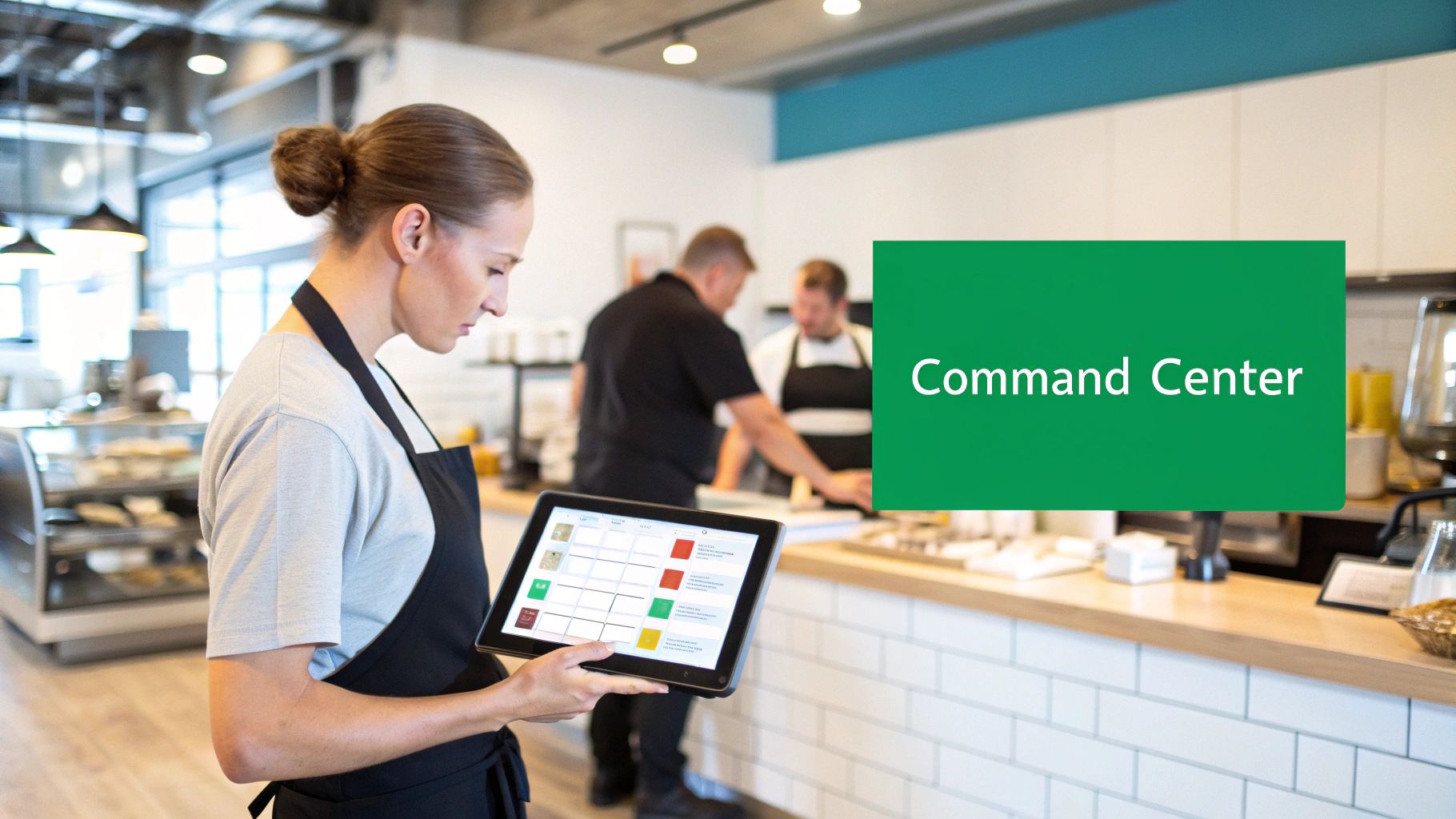
If you're still picturing a clunky, oversized cash register, it's time for an update. Today's point-of-sale (POS) system is the digital nervous system of your restaurant, connecting every moving part into a single, well-oiled machine. It’s the hub where orders, payments, inventory, and staff management all come together.
Think about the workflow. A server takes an order on a tablet, and that order instantly appears on the kitchen display. At the same time, the system deducts the ingredients from your inventory and logs the sale for your end-of-day reports. This isn't just about convenience; this seamless flow of information slashes errors, speeds up service, and gives you a live look at how your business is performing at any given moment.
To put it simply, a modern POS system does a lot more than just ring up sales. Here's a quick look at what's happening under the hood.
Core Functions of a Modern Restaurant POS System
| Core Function | How It Helps Your Small Restaurant |
|---|---|
| Order Management | Fires orders directly to the kitchen, tracks modifications, and manages dine-in, takeout, and delivery from one screen. |
| Payment Processing | Securely accepts credit cards, mobile wallets (like Apple Pay), and gift cards, whether at the counter or tableside. |
| Inventory Tracking | Automatically deducts ingredients as items are sold, helping you prevent stockouts and reduce food waste. |
| Staff Management | Tracks employee hours, manages user permissions, and ties sales data to specific servers to measure performance. |
| Reporting & Analytics | Delivers real-time data on your best-selling items, busiest hours, and overall sales trends so you can make smarter decisions. |
These functions work together to give you a level of control that was once out of reach for small operators.
More Than Just a Transaction Tool
A powerful POS system gives you the data to stop guessing and start making informed business decisions. By tracking every single order and payment, it uncovers insights that can truly move the needle. It's no wonder the global restaurant POS market is projected to hit $17.87 million by 2030. Learn more about restaurant technology adoption trends.
For small but ambitious restaurants, the right system is a game-changer. Platforms like TackOn Table are built specifically for operators like you, offering a complete solution that’s powerful but not complicated. It gives you the tools to grow without the sticker shock or overwhelming complexity of legacy systems.
A great POS doesn't just process sales; it provides the operational clarity you need to manage your small restaurant effectively, control costs, and improve the guest experience from the moment they walk in.
With a system like TackOn Table, you get:
- Mobile POS Freedom: Take orders and payments right at the table, on the patio, or even in a pop-up line with a lightweight handheld device.
- Effortless Setup: You can get up and running in minutes, not days. Our intuitive design means your staff can pick it up and go.
- Multi-Location Control: Manage menus, pricing, and reports for one restaurant or one hundred from a single, central dashboard.
- All-in-One Simplicity: From orders to inventory, everything you need is in one place, working together seamlessly.
Picking the right restaurant POS is one of the most important decisions you’ll make for your business. It's the foundation for efficiency, growth, and ultimately, your profitability.
What Your Small Restaurant POS Absolutely Must Have
When you're picking a POS system for a small restaurant, it's easy to get distracted by flashy features. But let's cut through the noise. What really matters are the core tools that save you headaches and put more money in your pocket. A few non-negotiable features are the bedrock of any smart, profitable restaurant. Nail these, and you're set up for a much smoother operation.
First and foremost: payments have to be rock-solid. Your POS needs to securely and reliably take every form of payment your customers might use—credit cards, debit cards, and especially mobile wallets like Apple Pay and Google Pay. This isn't just about convenience anymore; it's a basic expectation that builds trust and keeps the line moving.
Customer habits have changed for good. Contactless payments are now standard, with 63% of Americans regularly using them. It's no surprise that nearly half of all restaurant owners are planning to invest more in this tech. Plus, handheld mobile POS devices can process a transaction 20% quicker than a clunky, old-school terminal. You can dive deeper into current POS trends on chowbus.com to see where the industry is heading.
Mobile POS and Tableside Ordering
This brings us to the game-changer: the mobile POS. This single feature frees your team from being chained to a counter. They can take orders and payments right at the table, out on the patio, or wherever your customers are. For a small restaurant, the impact is immediate—faster service, quicker table turnover, and a much better connection with your guests.
Think about it. Instead of a server juggling a notepad and running back to a terminal, they fire off an order to the kitchen instantly from a tablet. This simple change slashes the risk of mistakes and gives them more time to focus on the customer, which means bigger tips and more regulars. We built TackOn Table with a mobile-first mindset, so this isn't an add-on; it's just how our system works.
A POS system without strong mobile capabilities is like a kitchen without a sharp knife—you can make it work, but you're leaving a massive amount of efficiency and potential on the table.
Real-Time Inventory and Staff Controls
Finally, let's talk about the two things that can sink a restaurant if you're not careful: inventory and staff management. Your POS has to handle both. Imagine knowing your ingredient levels in real-time because the system automatically deducts them the second a dish is ordered. This isn't a "nice-to-have"; it’s how you stop 86'ing popular items and cut down on expensive food waste.
Good staff controls are equally critical. A solid POS should let you:
- Set specific permissions for each employee to keep sensitive data locked down.
- Track sales by server so you can see who your all-stars are.
- Make clocking in and out a breeze for accurate, headache-free payroll.
Many systems, like Toast and Clover, make you pay extra for these crucial tools. At TackOn Table, we include them from the start. As a top Toast vs Clover alternative, we believe every restaurant deserves these fundamentals without a complicated price tag. It's this all-in-one approach that makes our café management software so powerful.
Ready to see how these features can change your day-to-day? Start your free trial or book a personalized demo and see the TackOn Table difference for yourself.
How the Right POS Adapts to Your Restaurant Type
A coffee shop and a fine-dining bistro both serve customers, but that’s where the similarities end. Their day-to-day operations are worlds apart. A generic, one-size-fits-all POS system just won’t cut it; it forces you to work around its limitations instead of it working for you. The best POS system for a small restaurant is one that bends and molds to your specific style of service.
Think about a food truck during the lunchtime stampede. The name of the game is speed. A nimble system like TackOn Table, running on a mobile device, lets your staff take orders right down the line and accept tap-and-go payments on the spot. You keep the queue moving, and every second shaved off a transaction is another happy customer served.
A modern POS is the central nervous system of your operation, connecting all the critical parts, as you can see below.
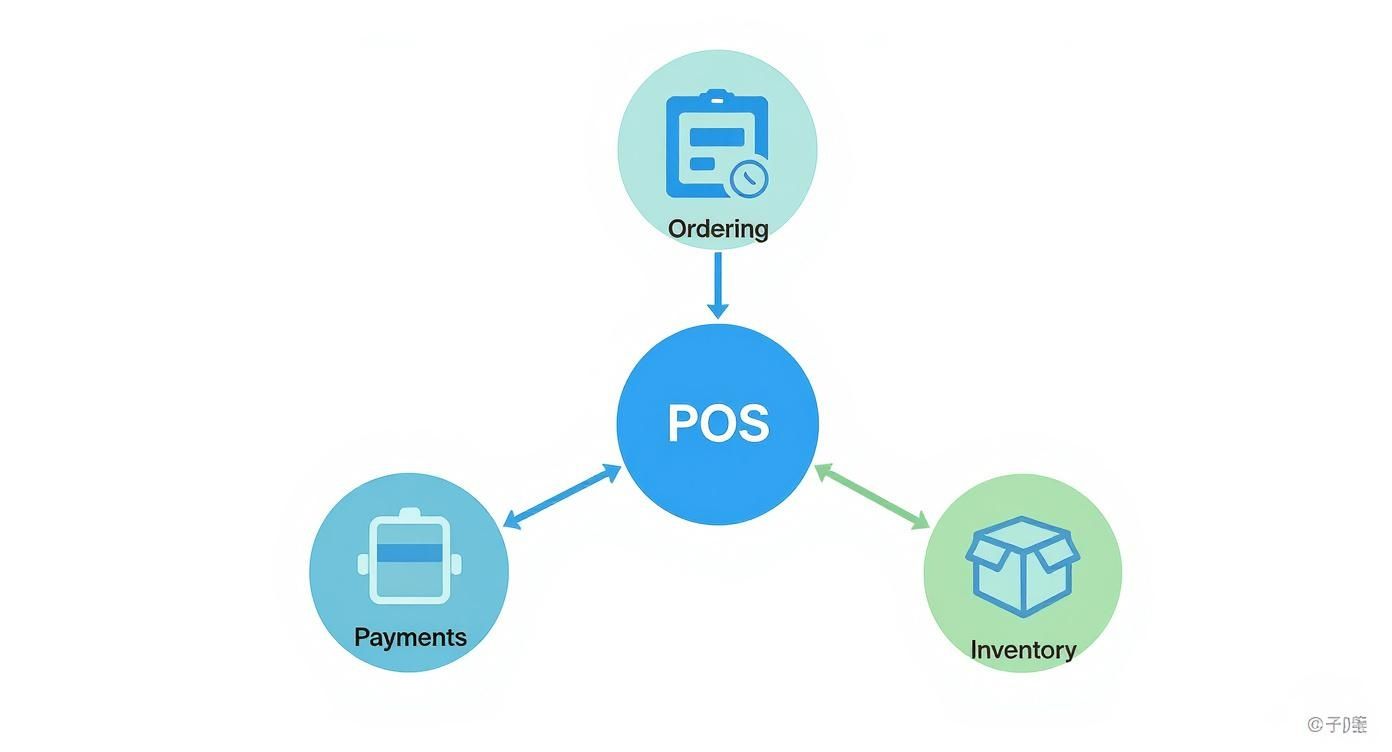
This setup shows how ordering, payments, and inventory are all tied together. Whether you're running a food truck or a dining room, these core functions have to communicate seamlessly.
For Quick-Service Restaurants and Cafés
In a QSR or café, every moment counts. Your café management software has to be dead simple, with an interface a new hire can pick up in minutes. You need big, clear, customizable buttons for your best-sellers and all their modifiers—no more punching in "extra shot, oat milk, half-sweet vanilla" by hand.
A truly adaptable POS means your counter service is just as streamlined as your drive-thru. It’s about having a tool that fits the task at hand, whatever that looks like from one minute to the next.
This is where a system with an easy setup, like TackOn Table, makes a real difference. You can configure the workflow to match how your team actually works, letting you focus on pulling the perfect espresso shot and chatting with your regulars. The tech just works.
For Full-Service Dining and Food Trucks
Now, picture a busy full-service dining room on a Saturday night. The vibe is different, but the pressure for accuracy is just as intense. When servers use a mobile POS, they can stay on the floor, engaging with guests and answering questions. Orders are fired to the kitchen instantly from the tableside, which can boost order accuracy by over 95% and help you turn tables faster. You can dive deeper into how this works in our guide to full-service restaurant solutions.
A food truck has its own unique challenges. It needs a rugged POS that can handle spotty Wi-Fi with offline capabilities and process payments in a flash to manage huge crowds at festivals. The flexibility and multi-location control of a system like TackOn Table is crucial here, proving that one smart platform can handle completely different operational demands. It's this all-in-one capability that makes it such a strong Toast vs Clover alternative for owners who refuse to be boxed in.
Choosing the right system means finding a partner that gets these nuances. See how TackOn Table can adapt to your unique restaurant by booking a personalized demo or starting your free trial today.
Understanding the True Cost and ROI of Your POS
When you’re looking at a POS system for your small restaurant, it’s tempting to zero in on that monthly subscription fee. But that’s just the tip of the iceberg. The real cost is a mix of hardware, software, and those pesky payment processing fees. Some companies are notorious for burying extra charges in the fine print, so finding a transparent partner is half the battle.
A modern POS isn't just another bill to pay—it's an investment. The right question isn't "how much is it?" but "how much will it make me?" A smart system should pay for itself, and then some, by making your restaurant more efficient and profitable.
Beyond the Price Tag: Calculating Your Return
Think about all the tiny financial leaks a restaurant springs every day. An order gets punched in wrong and sent to the kitchen? That's wasted food and money down the drain. A table sits empty for an extra 10 minutes waiting for the check? That's lost revenue you can never get back. A good POS system is designed to plug these leaks.
Here’s a look at how a system like TackOn Table delivers a real, measurable return on your investment:
- Increased Order Accuracy: When servers send orders straight from the table to the kitchen using a mobile POS, human error drops dramatically. That means less food waste and happier customers.
- Faster Table Turnover: Taking payments right at the table shaves precious minutes off every transaction. During a dinner rush, that time adds up to more seated guests and higher sales.
- Smarter Inventory Control: Knowing exactly what you have in stock in real-time stops you from over-ordering and lets you catch potential spoilage before it hits your bottom line.
These small wins compound quickly. You can actually run the numbers yourself with our free tool to calculate your potential savings with TackOn Table and see what a difference it could make.
Shifting your mindset from cost to ROI is the most important thing you can do. A truly affordable POS doesn’t just have a low monthly fee; it actively generates more revenue by optimizing every single part of your operation.
Finding a POS That’s Both Affordable and Powerful
The good news is that the POS market has opened up, giving independent restaurant owners some fantastic, budget-friendly choices. With around 95% of small businesses bringing in less than $1 million a year, the demand for flexible and secure POS systems has pushed companies to innovate. You no longer have to sacrifice powerful features for a price you can actually afford. You can explore more on these small business POS trends to see how the landscape has changed.
This is where TackOn Table really shines. We offer simple, clear pricing and we’ll never lock you into a long-term contract. You get a complete, all-in-one platform packed with the features you need to run and grow your restaurant.
Many operators think they have to go with big, expensive names to get the features they need. That’s just not true anymore. Here’s a quick look at how we stack up.
Feature Comparison: TackOn Table vs. Legacy Systems
| Feature | TackOn Table | Toast / Clover |
|---|---|---|
| Contract | Month-to-month, no long-term commitment | Often requires 2-3 year contracts |
| Hardware | Use your own iPads or get affordable kits | Requires expensive proprietary hardware |
| Core POS Software | All-in-one platform included | Tiered pricing, core features can be add-ons |
| Online Ordering | Commission-free, built-in | Often an extra monthly fee or per-order commission |
| Customer Support | Dedicated support for all plans | Support levels vary by subscription tier |
| Payment Processing | Transparent, competitive flat rates | Complex rates, often with hidden fees |
The takeaway is simple: you can get all the robust functionality of the legacy systems without the high costs and restrictive contracts.
Ready to see how an affordable, powerful POS can impact your bottom line? Start your free trial or book a personalized demo to see TackOn Table in action.
Your Smooth POS Implementation Checklist
The thought of swapping out your old cash register or clunky POS for a brand-new system can be daunting. Let's be honest, nobody has time for a complicated tech project. But getting a modern POS system for a small restaurant up and running is far less painful than you might think. A little planning goes a long way, ensuring you can minimize downtime, get your team on board quickly, and start reaping the rewards right away.
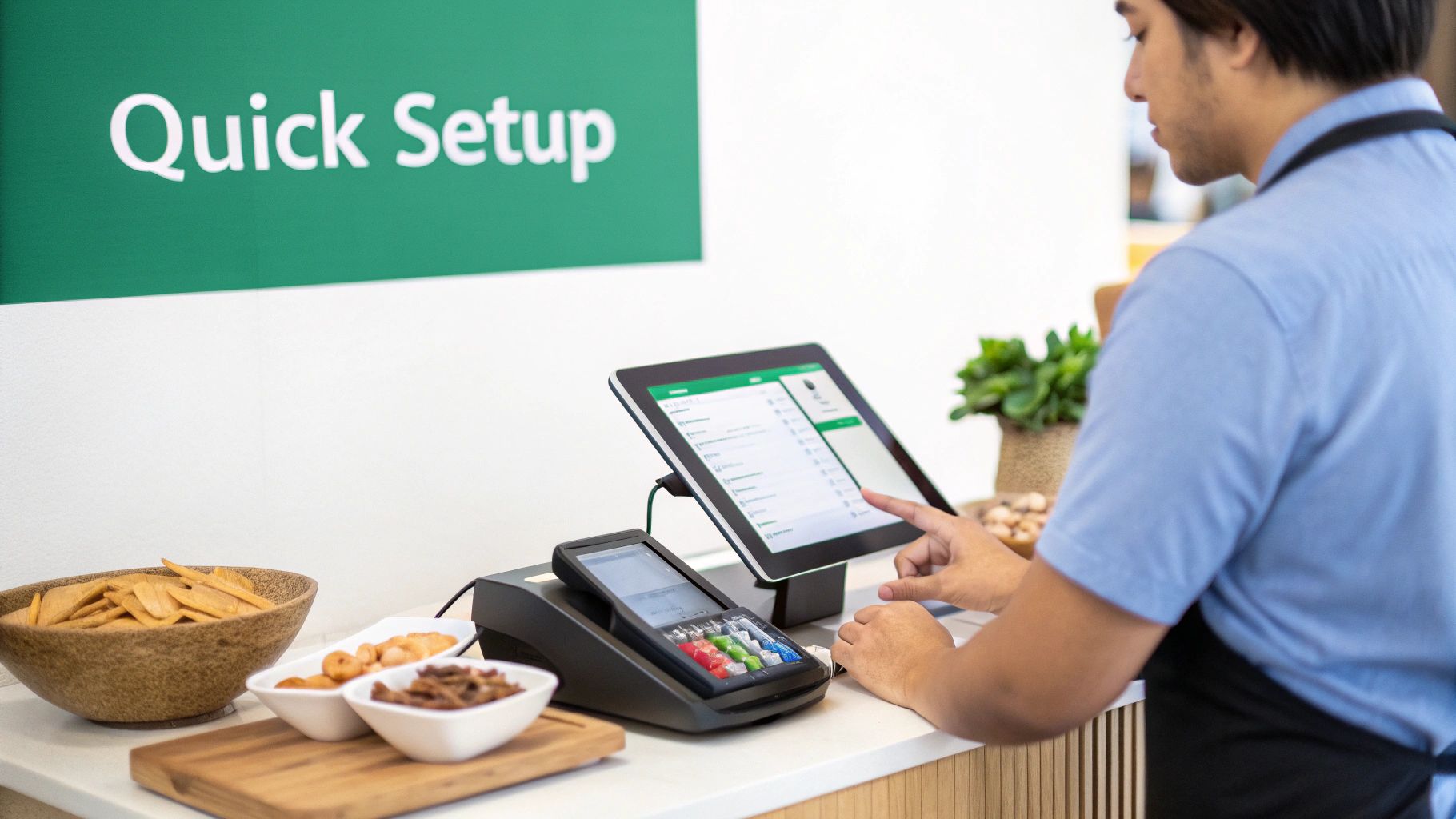
You don’t need to be an IT guru. Modern systems like TackOn Table are designed for a genuinely easy setup—most restaurants get it done in under 30 minutes. It’s more like setting up a new smartphone than installing complex software. The process is intuitive and guided, built for people who are masters of hospitality, not hardware.
Phase 1: Pre-Launch Planning
Before a single piece of hardware shows up, the most important work happens on your computer. This prep work is the secret to a stress-free launch. Get this right, and the rest is a piece of cake.
Your first job is to get your menu digitized. This means:
- List Every Item and Modifier: Create a complete list of every dish, drink, side, and special request option you offer.
- Set Prices and Taxes: Double-check that all your pricing is current and that the local tax rates are programmed in correctly.
- Organize into Categories: Group everything logically—Appetizers, Mains, Desserts, Drinks. This makes it incredibly fast for staff to navigate the system during a dinner rush.
Nailing this step means that the moment you unbox your new system, your menu is ready to be loaded in, and you're practically ready for service.
Phase 2: Setup and Onboarding
Once your hardware is plugged in, it’s time to get your crew comfortable. This part is all about building confidence, not about memorizing a technical manual. A simple, clean interface is your biggest asset here.
The goal of training isn't to create POS experts overnight. It's about empowering your staff to handle the core tasks—taking an order, splitting a check, and running a card—with absolute confidence before the first customer walks in.
With TackOn Table, getting your team up to speed is simple. We always suggest running a few "mock service" drills. Have your servers take orders from each other, fire them off to the kitchen display or printer, and practice closing out different kinds of checks. A little hands-on practice in a no-pressure environment works wonders.
Phase 3: Go-Live and Support
On opening day with the new system, make sure you have a lifeline. While a modern restaurant POS is built to be reliable, knowing that help is just a phone call or a chat message away brings a lot of peace of mind. Before you open, confirm you know how to reach your provider's support team.
Think of it this way: the switch to a new POS is a small hurdle that leads to massive gains. By following these straightforward steps, you’re setting your restaurant up for smoother shifts, happier employees, and a much clearer view of your business's health.
Ready to see how simple a powerful POS can be? Start your free trial or book a personalized demo and see TackOn Table in action.
Why TackOn Table Is the Smart Choice to Grow With
Picking the right POS system for a small restaurant feels less like buying software and more like finding a business partner. You need a system that will be with you for the long haul—one that's simple enough for today but powerful enough for tomorrow. That’s exactly why we built TackOn Table.
We designed our platform to be an all-in-one powerhouse, giving you the freedom of a mobile POS for tableside ordering and the control to manage all your locations from one central hub. The best part? The easy setup gets you up and running in minutes, not days. We stripped away the complexity you often find in other systems, so you can just focus on what you do best.
Your POS should let you worry about food and guests, not fight with technology. TackOn Table is the operational backbone that lets you bring your vision to life, confidently and affordably.
Our system is built to fit how you actually work, whether you're running a bustling café, a nimble food truck, or a growing restaurant group. You get a truly scalable solution with fair, straightforward plans, which you can see on our pricing page. No hidden fees, no surprises.
Ready to see how simple growth can be? Start your free trial or book a personalized demo today.
Frequently Asked Questions About Restaurant POS Systems
Picking a new POS system for your small restaurant is a big deal, and it’s completely normal to have a few lingering questions. To make sure you feel totally confident moving forward, we've pulled together some of the most common questions we hear from restaurant owners, along with some straight-to-the-point answers.
What’s the Best Type of POS System for a Small Restaurant?
For most small restaurants, the best bet is a cloud-based, all-in-one system. You want something affordable, easy to get up and running, and built to grow with you. Look for systems like TackOn Table that roll everything you need—mobile ordering, payments, inventory—into one simple platform. This saves you from the headache and cost of trying to stitch together a bunch of different tools that don't talk to each other. It just works.
How Much Should I Actually Budget for a New Restaurant POS?
The price tag can be all over the place, but most modern systems work on a subscription model, usually running somewhere between $50 to $150+ per month for each terminal. The key is to find a company with transparent pricing that spells out exactly what you're getting for that fee. No hidden charges for support or payment processing!
The cheapest POS isn't the one with the lowest monthly price. It's the one that delivers the most value without trapping you in a long contract or making you buy expensive, clunky hardware you don't need.
We built TackOn Table to be a powerful but affordable option specifically for small businesses, so you see a real return on your investment, fast.
Can I Just Use an iPad as My POS?
Yes, absolutely! Using an iPad or another tablet is a really smart and budget-friendly move, especially for cafes, food trucks, and smaller restaurants. A mobile POS (mPOS) like TackOn Table is designed to run perfectly on tablets. This gives you all the power of a traditional terminal right in your hand for things like tableside ordering. It dramatically cuts your upfront hardware costs and gives you the kind of flexibility your staff and customers will love.
How Painful Is It to Switch from My Old POS?
With the right partner, switching can be surprisingly quick and painless. A smooth transition really comes down to planning your menu import, getting your hardware set up, and walking your staff through the new system. Platforms like TackOn Table are designed for an easy setup that keeps your downtime to a minimum. The whole point is to get your team comfortable and running the new system confidently in as little as an hour, not days.
Ready to see how a modern, flexible POS can completely change how you run your restaurant? TackOn Table delivers the simplicity, affordability, and power your small restaurant needs to really succeed.
Start your free trial or book a personalized demo today and see the difference for yourself.
See how TackOn Table works for your restaurant. Same-day call →