

Picking the right POS system for your small business isn't about finding the one with the most bells and whistles. It's about finding a platform that makes your life easier, not more complicated. For a restaurant, café, or food truck, the sweet spot is an all-in-one system that handles quick orders, seamless payments, and simple menu updates without a steep learning curve or a shocking price tag. At TackOn Table, we've built our solution to be that perfect fit: affordable, adaptable, and incredibly simple to use.
How to Choose the Right Restaurant POS System
Think of your Point of Sale (POS) system as the central nervous system of your business. It’s one of the most important decisions you'll make because it connects your front-of-house staff, your kitchen crew, and your customers. The right restaurant POS feels like a reliable team member, making service faster and giving you the data you need. The wrong one? It’s a constant source of headaches and slowdowns.
The trick is to look past flashy feature lists and zero in on how a system actually solves your day-to-day problems. Whether you're running a slammed quick-service joint or a laid-back local café, the mission is always the same: serve people well and keep the business healthy.
Start With Your Core Needs
Before you even start looking at popular brands, take a minute to think about your daily grind. Where are the bottlenecks? What frustrates your staff the most?
- Speed and Order Flow: Is your number one goal to fire orders to the kitchen instantly? If so, you need a dead-simple interface and a solid mobile POS for taking orders right at the table.
- Payment Flexibility: Do your customers want to pay with everything from tap-to-pay cards to Apple Pay? Non-negotiable, then, is a system with fully integrated, modern payment processing.
- Inventory Control: Are you losing money on wasted ingredients or struggling to keep track of stock? A POS with real-time inventory tracking can literally save you thousands of dollars.
- Multi-Location Management: Got plans to open a second or third spot? You'll need a system that lets you manage menus, pricing, and reports for all locations from one central dashboard. With TackOn Table, powerful multi-location control is a standard feature, not a costly add-on.
This flowchart breaks down how to think through these needs and connect them to the right features.
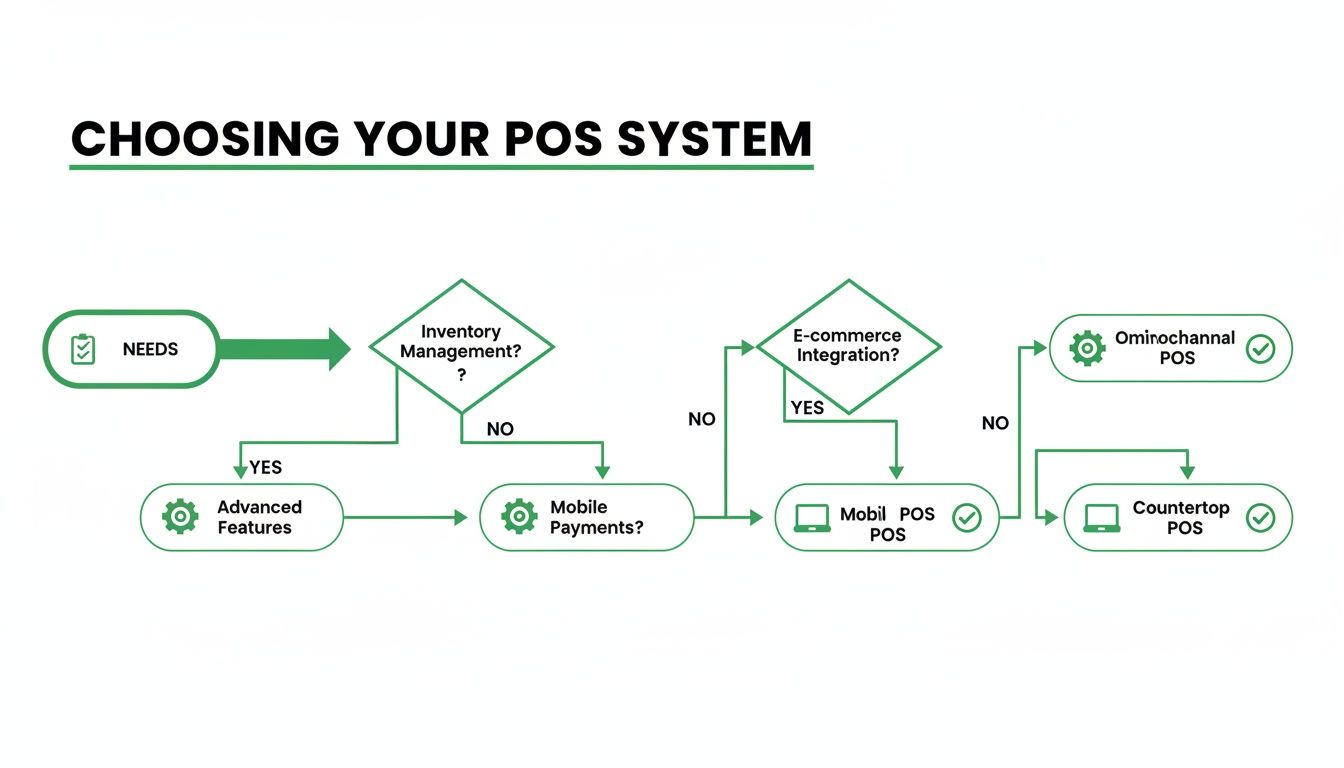
As the chart shows, a smart decision always starts with a clear understanding of your operational needs, long before you get distracted by specific software features.
A solid POS is a day-one necessity for anyone diving into the food and beverage world. For those focused on a particular niche, having the right operational tools is make-or-break.
A modern POS should do more than just take money. It should be a partner in your operation. The best systems, like TackOn Table, are built to be simple, flexible, and affordable—an all-in-one tool that can grow right alongside your business.
This guide will give you a straightforward framework for making your decision, helping you find the best restaurant POS or café management software that truly fits your vision.
At-a-Glance POS Decision Framework
Choosing a POS isn't a one-size-fits-all process. The "best" system for a full-service restaurant will be overkill for a food truck, and vice-versa. This table breaks down what truly matters for different types of food businesses.
| Key Criterion | Why It Matters for Your Restaurant | Ideal For (QSR, Cafe, Food Truck, Full-Service) |
|---|---|---|
| Speed & Interface | Raw speed is everything when lines are long. An intuitive UI reduces training time and errors. | QSR, Food Truck, Cafe: A simple, visual interface is critical for high-volume, quick turnover. |
| Order Flow & Modifiers | How easily can you handle "extra pickles, no onion"? A smooth workflow prevents kitchen mistakes. | Full-Service, Cafe: Must handle complex, multi-course orders and detailed modifications with ease. |
| Integrated Payments | A unified system for payments and orders reduces errors, speeds up checkout, and simplifies reconciliation. | All Types: A non-negotiable for modern businesses. Look for tap-to-pay and mobile wallet support. |
| Inventory Management | Tracks ingredient usage in real-time to control food costs, reduce waste, and manage purchasing. | Full-Service, Multi-Location: Essential for managing high costs and complex menus. Helpful for all. |
| Hardware Footprint | Do you need a lightweight tablet or a full-blown terminal with multiple printers? | Food Truck, Cafe: A small footprint is key. Tablets and mobile readers are ideal. QSR: Needs durable terminals. |
| Support & Onboarding | When your system goes down during a rush, you need help now. Good support is a lifeline. | All Types: Crucial for everyone, but especially for owners who aren't tech-savvy. |
Ultimately, your choice should map directly to how your team works and how your customers order.
Ready to see how an all-in-one POS can simplify your operations? Book a personalized demo of TackOn Table to discover how easy it can be.
What to Look for in a Small Business POS System
When you're choosing a POS system for your small business, you're not just buying a cash register. You're investing in the central nervous system of your entire operation. A basic system just takes money, but the right system helps you manage orders, keep an eye on inventory, and actually understand your business on a much deeper level. These are the make-or-break features that will either help you grow or hold you back.
The goal is to find a platform that brings all these critical jobs together under one roof. Juggling a patchwork of different apps and software subscriptions is a recipe for headaches and wasted time. The right POS should feel like a natural extension of your team, not another hurdle to overcome. That all-in-one simplicity is the core philosophy behind TackOn Table.
Seamless Order and Table Management
For any restaurant, cafe, or food truck, the flow of orders is everything. A clunky, confusing interface can bring a packed house to a grinding halt, leaving you with frazzled staff and annoyed customers. Your POS has to be fast and intuitive, ensuring orders are fired to the kitchen correctly the first time, every time.
This is where tools like a mobile POS become absolutely essential. When servers can take orders right at the table, service gets faster and those costly mistakes from scribbled notes practically disappear. A well-designed system will also handle the tricky stuff—like complex modifications ("extra sauce, no onions") and split checks—without creating a traffic jam at the terminal.
Flexible and Secure Payment Processing
Your customers expect to pay how they want, whether that's with a tap of their card, a scan of their phone, or good old-fashioned cash. A modern POS needs integrated payment processing that handles all major credit cards, EMV chips, and contactless payments like Apple Pay and Google Pay. That integration is the key; it kills manual entry errors and makes closing out at the end of the night so much simpler.
Security is just as important. Your POS is handling sensitive customer data, so it must be PCI compliant to protect everyone from fraud and data breaches.
Your POS is the guardian of your customers' payment information. A system with end-to-end encryption and robust security protocols isn't a luxury; it's a fundamental requirement for building trust and protecting your business from liability.
Real-Time Inventory and Menu Control
Profit margins in the food industry are razor-thin. One of the most powerful ways to protect them is with solid inventory management. A POS with real-time inventory tracking automatically subtracts ingredients from your stock as you sell dishes, giving you an accurate, live look at what you have on hand.
This feature alone lets you:
- Reduce Waste: Get low-stock alerts so you don't over-order perishable items.
- Control Costs: Track ingredient-level costs to make sure your menu is priced for profit.
- Prevent Stockouts: Avoid ever having to tell a customer you're out of a bestseller during the dinner rush.
This ties directly into how you manage your menu. With a cloud-based system like TackOn Table, you can update menus, 86 an item, or push out a happy hour special across every single device instantly, no matter where you are. For anyone running more than one shop, this centralized multi-location control is a total game-changer, ensuring consistency and saving hours of admin work. Our guide on choosing restaurant management software goes even deeper into these operational wins.
This all-in-one simplicity is what really separates a powerful system from a basic one. Instead of fighting with separate tools for orders, payments, and inventory, a platform like TackOn Table combines them into one affordable, easy-to-use solution. It lets you focus on what really matters: your food and your customers.
Ready to see how an integrated system can transform your operations? Book a free demo and discover how TackOn Table makes powerful restaurant management simple.
Toast vs Clover Alternatives: Comparing the Top Restaurant POS Systems
Picking the right POS system for your restaurant isn't about ticking off features on a generic checklist. It’s about understanding how a platform actually performs when things get hectic. A real, head-to-head comparison shows you the critical differences in speed, simplicity, and cost that can either streamline your day or cause constant headaches.
Let's put the top contenders side-by-side, zeroing in on the scenarios that restaurant, café, and food truck owners deal with every single day. You'll see how a modern, all-in-one solution like TackOn Table measures up as a powerful Toast vs Clover alternative. The goal isn't just to compare features, but to see how they solve real problems—from conquering the morning rush to confidently opening a second location.
Pricing and Affordability: What Are You Really Paying For?
For any small business owner, unpredictable costs are a nightmare. So many legacy POS systems draw you in with the promise of "free" hardware, but what they don't advertise are the long-term contracts, high processing rates, and hidden fees for features you thought were standard. It's a classic bait-and-switch.
-
The Old Way (Toast, Clover): This approach often locks you into multi-year contracts and forces you to buy their proprietary hardware. Want online ordering or decent reporting? That'll be extra. This model gets expensive fast, especially as your business grows.
-
A Smarter Approach (TackOn Table): We believe in transparent, straightforward pricing. Our all-in-one platform includes core features like mobile ordering, inventory, and multi-location management from the start—no expensive add-ons. You get predictable monthly costs without the surprise charges that chip away at your profits. TackOn Table's advantage is clear: we prioritize affordability and simplicity for the independent business owner.
Cash flow is everything for a small restaurant. Choosing a POS with clear, all-inclusive pricing isn't just about the bottom line. It's about having the financial predictability you need to grow sustainably.
Implementation and Setup: Time Is Money
Getting a new POS system online shouldn't require a degree in computer science. The time and energy it takes to set up a system and train your staff directly impacts your business. An intuitive system means your team can be productive from day one.
Think about a busy café trying to cut down its morning wait times. The owner wants to introduce tableside ordering to speed things up.
-
Complex Implementation: Systems like Toast often come with proprietary hardware and a more involved setup. While the system is powerful, it can mean more downtime during the switch and a steeper learning curve for staff who are already maxed out during peak hours.
-
Simple and Fast Setup: TackOn Table was built for rapid deployment. Our easy setup can get you fully operational in under 30 minutes, and you can often use hardware you already have, like an iPad. The interface is so intuitive that your staff can start taking orders with a mobile POS almost immediately, improving table turnover and cutting down on mistakes.
This difference is huge. For a small business that can’t afford to shut down for a complicated installation, a fast and easy setup is a game-changer.
POS System Showdown for Restaurants and Cafes
To see how these differences play out, here’s a direct comparison of the features that matter most to small restaurants, cafes, and food trucks.
| Feature | TackOn Table | Toast | Clover |
|---|---|---|---|
| Pricing Model | Transparent monthly fee, no hidden charges. | Tiered plans, often requires long-term contracts and proprietary hardware. | Tiered plans, hardware purchase required, numerous app market fees. |
| Setup Time | Under 30 minutes, self-service friendly. | Professional installation often required, can take days or weeks. | Can be self-setup, but integrating third-party apps adds complexity. |
| Hardware | Works on iPads and standard Android devices. | Requires proprietary Toast hardware. | Requires proprietary Clover hardware (Flex, Mini, Station). |
| Online Ordering | Included in all plans. Commission-free. | Available as a paid add-on. | Available through the Clover App Market, often with additional fees. |
| Multi-Location | Included standard, with a simple, centralized dashboard. | Premium feature, typically requires a higher-tier plan. | Supported, but can be complex to manage across different hardware setups. |
| Support | 24/7 support included for all users. | Tiered support; advanced support may cost extra. | Support levels vary by plan and reseller. |
| Best For | QSRs, cafes, food trucks, and small multi-location businesses seeking simplicity and affordability. | Full-service restaurants and large chains needing extensive, customized features. | Retail and service businesses that also handle food service, relying on an app ecosystem. |
This side-by-side view makes it clear: while all three are capable systems, TackOn Table is built from the ground up to give small, independent operators the powerful tools they need without the complexity and high costs of legacy providers.
Adaptability and Multi-Location Control: A System That Grows With You
As your business expands, your POS needs to keep up. A system that’s perfect for one food truck should scale effortlessly to manage a small chain of cafes. This is where centralized multi-location control becomes absolutely essential.
Imagine a small pizzeria opening its second shop. The owner needs to keep the menu consistent, manage employees at both stores, and see combined sales reports without jumping through hoops.
With TackOn Table, the owner can log into one dashboard and update the price of pepperoni on both menus instantly. They can compare sales data side-by-side and manage staff permissions from anywhere. This centralized command center ensures brand consistency and efficiency, all without needing complex enterprise software. In contrast, some competitors treat multi-location management as a premium add-on, creating another layer of cost and complexity.
This shift toward accessible, cloud-based tools is transforming the industry. The global POS market is set to explode, growing from around USD 38.56 billion in 2025 to over USD 110.22 billion by 2032. Cloud systems, which already hold about 59% of the market share, are driving this growth. You can read more in this detailed POS market analysis from Fortune Business Insights. This trend proves why flexible, cloud-native systems like TackOn Table are quickly becoming the new standard.
For an even deeper dive into how we stack up against the competition, take a look at our TackOn Table vs Clover and Square restaurant POS comparison.
Ultimately, the best POS for your business is the one that removes friction, not creates it. By focusing on affordability, simplicity, and adaptability, TackOn Table delivers a robust, all-in-one solution designed to support your operations today and scale with your vision for tomorrow.
Ready to see how a POS can be both powerful and simple? Start your free trial of TackOn Table and feel the difference.
Matching a POS System to Your Business Needs
Choosing a point-of-sale system isn't a one-size-fits-all decision. The frantic pace of a food truck and the deliberate, detailed service of a sit-down bistro demand entirely different tools. A system that’s a rockstar in one environment could easily become a bottleneck in another, which proves the "best" POS is simply the one that fits your reality on the ground.
Figuring this out from the start saves you from the headache of investing in a platform that fights your workflow instead of fueling it. Let’s look at the distinct needs of different restaurant models to see what really matters.
Best Restaurant POS for Quick-Service (QSRs)
In the QSR world, every second is money. Long lines are a profit-killer, and order accuracy is non-negotiable. The goal is simple: get customers through the ordering and payment process as fast as humanly possible, whether they're at the counter, in the drive-thru, or using a kiosk.
Your POS has to be built for this high-volume, high-pressure environment. That means:
- An Intuitive Interface: Your crew should be able to fly through orders with just a few taps on a visual menu that’s dead simple to navigate during a rush.
- Rapid Payment Processing: Fast, integrated payment terminals that seamlessly handle tap-to-pay and mobile wallets are essential for keeping the line moving.
- Kitchen Display System (KDS) Integration: Orders have to fire to the kitchen instantly and accurately. No more shouting or misreading handwritten tickets.
TackOn Table’s streamlined interface and powerful mobile POS were designed for exactly this, baking speed and accuracy into every single transaction.
Top POS Software for Full-Service Dining
A full-service restaurant is a different beast entirely. Here, the guest experience is a journey, and the POS has to support a multi-stage flow—from seating guests and taking complex orders to timing courses and splitting checks five different ways.
The right POS for a full-service spot acts as the central nervous system, connecting servers, hosts, and the kitchen. It needs to manage the floor plan, track every order’s status, and handle complex billing without ever dropping the ball.
The focus shifts to features like table management, where your servers get a live visual map of the dining room to track table status and manage reservations. The ability to modify orders on the fly, split checks by person or item, and transfer tabs between the bar and a table is absolutely critical. Our guide on choosing the right full-service restaurant management software goes deeper into how these features create an unforgettable guest experience. This is where TackOn Table shines, giving you robust table management and flexible check-splitting tools in one clean platform.
Best Café Management Software for Coffee Shops
A great cafe POS has to blend the raw speed of a QSR with the personal touch of a neighborhood spot. That morning rush demands lightning-fast transactions, but building a loyal customer base requires more than just a quick caffeine fix.
Your priorities should be:
- Lightning-Fast Checkout: A simple, uncluttered interface for ringing up those standard coffee and pastry orders is non-negotiable.
- Integrated Loyalty Programs: You need to be able to sign up new customers for a rewards program in seconds and let them easily track their points. This is what keeps them coming back.
- Easy Menu Customization: Adding a seasonal pumpkin spice latte or a new daily sandwich shouldn't require a call to tech support. It should take seconds.
With TackOn Table, loyalty features are built right in—not some pricey add-on—and you can update your menu from any device, whenever you want.
Essential POS for Food Trucks
Food trucks operate in a world of their own. Space is tight, internet can be sketchy, and your hardware better be tough enough to handle life on the road. The best POS for a food truck is compact, resilient, and ready to work anywhere.
An offline mode is absolutely essential, ensuring you can keep taking payments even when your Wi-Fi or cellular signal disappears. The hardware has to be small—think an iPad and a compact card reader—with a battery that can outlast a busy festival day. TackOn Table's mobile POS runs perfectly on an iPad, offering the reliability and offline functionality that food truck owners need to thrive anywhere.
No matter your business model, the right system is one that adapts to you, not the other way around.
Ready to find a POS that fits your unique needs perfectly? Book a demo of TackOn Table and see how our adaptable platform can support your business.
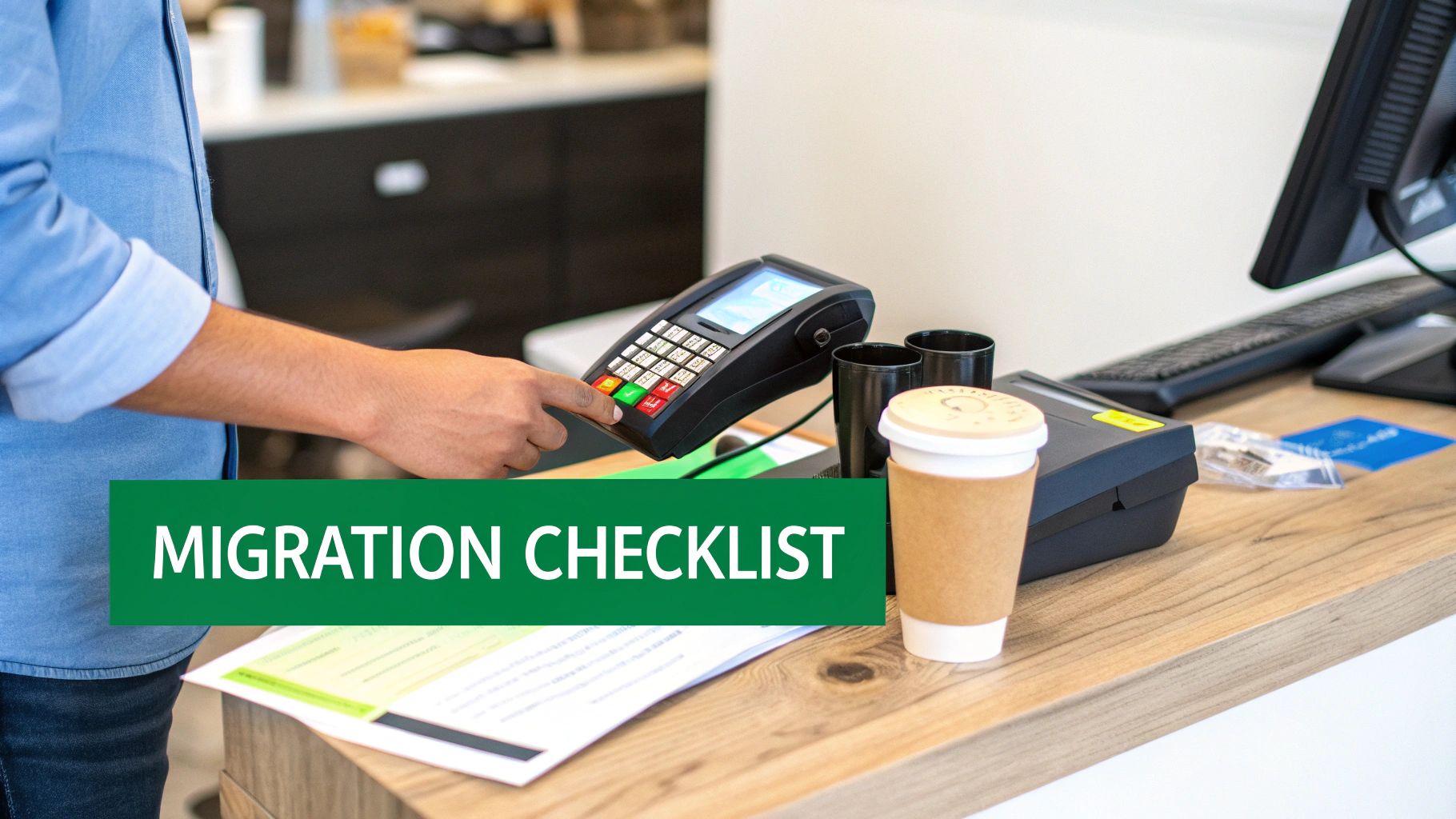
Your POS Migration and Setup Checklist
Switching your restaurant's POS system is a big move, but it doesn't have to be a headache. A smooth changeover really comes down to solid planning and picking a system that’s built for simplicity. This checklist breaks the entire process down into manageable steps, guiding you from your old setup to a much more powerful, all-in-one solution.
With a partner like TackOn Table, which is known for its easy setup, you can be up and running in less than 30 minutes. That means less downtime and a team that gets comfortable with the new system right away. Let's walk through the process, from initial prep to what happens after you go live.
Phase 1: Pre-Launch Preparation
Before you flip the switch, you need to lay the groundwork. This first phase is all about taking stock of what you have now and getting your data ready so nothing important gets lost along the way. A little methodical work here will save you from major issues down the road.
When planning your POS migration and setup, a detailed checklist is indispensable. Similarly, you can download a comprehensive commercial kitchen equipment checklist to ensure smooth operations when outfitting your kitchen.
Here’s what to focus on before launch:
- Data Backup and Export: First things first, get your critical information out of the old system. This means your sales history, customer lists (especially for loyalty programs), and all of your employee data.
- Hardware Compatibility Audit: Take a look at your current gear—iPads, printers, card readers. Will it work with the new system? Flexible platforms like TackOn Table are often compatible with standard devices, which can save you a ton of money.
- Menu and Inventory Preparation: Get your menu finalized with every modifier, price, and high-quality photo. You'll also want your complete inventory list ready to go for a quick and accurate import.
Phase 2: Implementation and Go-Live
This is where the action happens. You’ll be setting up the new system and training your staff. The goal is to get this done quickly and confidently, which is exactly why choosing an intuitive POS with great support is so crucial.
A complicated setup process can cost you days of revenue and create lasting frustration for your staff. The best POS system for a small business should feel empowering from the moment you unbox it, with a clear, guided process that gets you selling fast.
Follow these steps for a smooth rollout:
- System Configuration: Start by building out your floor plan, importing your menu and inventory, and setting up different user roles and permissions for your team.
- Hardware Installation: Get all your hardware components connected and tested. This includes the terminals, any kitchen display systems (KDS), and the payment readers.
- Staff Training: Run hands-on training sessions with your crew. Make sure you cover the core tasks they'll do every day, like taking orders, processing payments, and handling common situations like split checks or applying discounts.
Phase 3: Post-Launch Success
You're live! But the job isn't quite done. This last phase is about fine-tuning your setup and really starting to use the new tools to improve how you operate and grow your business.
- Monitor and Solicit Feedback: For the first few weeks, check in with your staff constantly. Find out if they're running into any snags or if there are spots where they could use a little more training.
- Configure Key Reports: Get your most important reports set up. Think daily sales summaries, low-inventory alerts, and employee performance dashboards. This is how you start making decisions based on real data.
- Leverage New Features: Now’s the time to explore the cool new stuff. Dive into features like online ordering or the built-in loyalty program to give your customers a better experience and open up new ways to bring in revenue.
By following this checklist, you can turn a potentially stressful migration into a smart upgrade that sets your restaurant up for the future.
Ready to experience a POS designed for a fast, stress-free setup? Book a demo of TackOn Table and see how simple it can be.
Why TackOn Table Is Built for Business Growth
Picking the right POS system for your small business is more than just ticking off features on a checklist. It's about finding a real partner for your growth, a tool that actually makes your day-to-day life easier, not more complicated. We built TackOn Table around three principles that hit on the biggest headaches for restaurant, café, and food truck owners: affordability, simplicity, and scalability.
We just don't believe that powerful software should come with a confusing and unpredictable price tag. Our all-in-one platform cuts out the surprise fees and pricey add-ons you see everywhere else. We include the essentials, like mobile ordering and multi-location management, right out of the box. This gives you a clear, affordable way to run your business without constantly worrying about the bill.
Designed for Simplicity and Speed
Let's be honest, your time is the one thing you can't get more of. A POS system that takes weeks to learn is a resource drain you simply can't afford. That's why we designed TackOn Table with a clean, intuitive interface and an easy setup that can get you up and running in under 30 minutes.
This focus on simplicity means your team can start taking orders and serving customers with confidence from their very first shift. With our mobile POS, servers can handle everything right at the table, which has been shown to cut down on order errors by as much as 95% and keeps service moving. For any food business, that's a massive advantage.
“The best technology is the kind you don’t have to think about. A great POS system should feel like a natural extension of your team, making every task faster and easier so you can focus on your food and your customers.”
This philosophy is baked into every aspect of our design. It's all about ensuring you spend less time fighting with software and more time building your business.
A True Partner in Your Growth
As your business grows, your goals will change, and your POS system needs to be able to keep up. TackOn Table was engineered to grow right alongside you, whether you’re launching your first food truck or getting ready to open a second café.
Our built-in multi-location control gives you a single dashboard to manage menus, track sales, and oversee staff across every location. Having this scalable foundation from the start means you can expand without facing a costly and disruptive system overhaul later on. Essentially, we give you the powerful tools of an enterprise system but with the cost and simplicity a small business needs.
See for yourself why growing businesses are making the switch. Book a personalized demo and discover a simpler way to manage your restaurant.
Frequently Asked Questions About POS Systems
Picking the right POS system for your small business can feel like a huge decision, but getting straight answers to a few key questions can make all the difference. Here’s what we hear most often from restaurant and cafe owners just like you.
What’s the single most important feature in a Restaurant POS?
Every restaurant has its own quirks, but if you boil it down, three things matter most: reliability, speed, and ease of use. A system that just works without glitches, keeps up with your busiest rush, and is simple enough for a new hire to learn in minutes is worth its weight in gold.
Once you have that solid foundation, a few other features are absolutely essential for any modern food business:
- Integrated Payments: The ability to take any card, tap-to-pay, or digital wallet payment quickly and securely is a must.
- Live Inventory Tracking: This is your secret weapon against waste and 86'd items. It helps you manage food costs and know exactly what you have on hand.
- Clear Reporting: You can't make smart business decisions in the dark. Good reporting tells you what's selling, who your best servers are, and when you're busiest.
How much should I actually expect to pay for a POS?
POS system pricing is all over the map, and it can be confusing. Some companies offer "free" hardware but then stick you with a long-term contract and high processing fees you can't negotiate. Others hit you with a big upfront bill for hardware and charge a monthly software subscription.
The real goal is to find transparent pricing. An all-in-one system like TackOn Table often ends up being more cost-effective because everything—software, support, and payment processing—is bundled together. You get a predictable monthly cost without any nasty surprises.
You can see exactly what that looks like by checking out our straightforward POS system pricing.
Can I use the hardware I already own with a new system?
This really depends on the provider. A lot of the big, traditional systems from companies like Toast or Clover force you to buy their specific, proprietary hardware. This not only locks you into their world but also adds a hefty sum to your startup costs.
The good news is that more flexible, modern systems are built to work with common devices you probably already have, like iPads or standard card readers. TackOn Table is designed for adaptability, meaning you can often use your existing hardware. This saves you money and makes the switch much faster and smoother. Just be sure to confirm compatibility before signing on the dotted line.
Ready to see how a POS system that's affordable, flexible, and genuinely easy to use can change your day-to-day operations? TackOn Table was built to help independent restaurants grow, without the headaches or hidden fees. Take the next step toward a simpler, more profitable business.
Book a Personalized Demo