

At its core, a POS transaction is that key moment when a customer settles their bill. But for a modern restaurant, café, or food truck owner, it’s so much more than just a payment. Think of it as the single most important piece of data your business creates—every single sale tells a story, and with the right tools, you can use that story to grow.
What POS Transactions Really Mean for Your Restaurant
When a customer pays for their meal—whether with a credit card, a tap from their phone, or even cash—your point-of-sale system is doing more than just moving money around. It’s capturing a snapshot of a specific moment in your business.
Each transaction is like a single data point. On its own, it’s just one meal sold. But when you put them all together with a system like TackOn Table, they paint a crystal-clear picture of your entire operation. You start to see your busiest hours, which dishes are flying out of the kitchen (and which ones are duds), and how well your team is managing the floor.
This isn't just a restaurant thing; it’s the engine of modern business. The global POS market hit nearly $47 trillion in 2021 and is on track to approach $59 trillion by 2025. At the same time, cash is quickly becoming a thing of the past. For restaurants, having a handle on digital payments isn't just important—it's essential for survival. You can dig into the numbers in the latest global payments report from FIS Global.
More Than Just a Payment
A great POS system turns a simple payment record into a powerful strategic tool. It's the difference between just collecting money and actively growing your business with solution-focused insights.
Here’s what that looks like in the real world:
- Operational Clarity: You can see sales data as it happens, letting you make smarter calls on staffing for the dinner rush or ordering more produce for the weekend.
- Menu Optimization: Easily spot your best-sellers and your money-makers. This is how you fine-tune your menu to boost profit margins.
- A Better Guest Experience: TackOn Table’s mobile POS terminals let you take payments right at the table. Guests love the convenience, and you'll turn tables faster.
- Simplified Accounting: Forget spending hours buried in spreadsheets. An all-in-one system automates your end-of-day reports, cutting out the guesswork and human error.
Every transaction gets its own unique reference number. Knowing what is a transaction ID is crucial for those times you need to track down a specific payment or sort out a discrepancy. With a system like TackOn Table, all of this data is captured automatically, giving you the insights you need to grow. For full-service restaurants, this means every payment becomes a chance to get a little bit better.
The Journey of a Card Payment From Table to Bank
When a guest taps their card or phone to pay for their meal, the transaction feels instantaneous. But behind that simple tap is a rapid, complex journey that moves money from their bank account to yours. Getting a handle on this process, often called the payment lifecycle, helps you understand what your POS is really doing behind the scenes.
Think of it as a three-act play, all happening in the blink of an eye.
This process isn't just about moving money anymore. A modern POS turns every single payment into valuable data you can use to make smarter decisions for your restaurant.
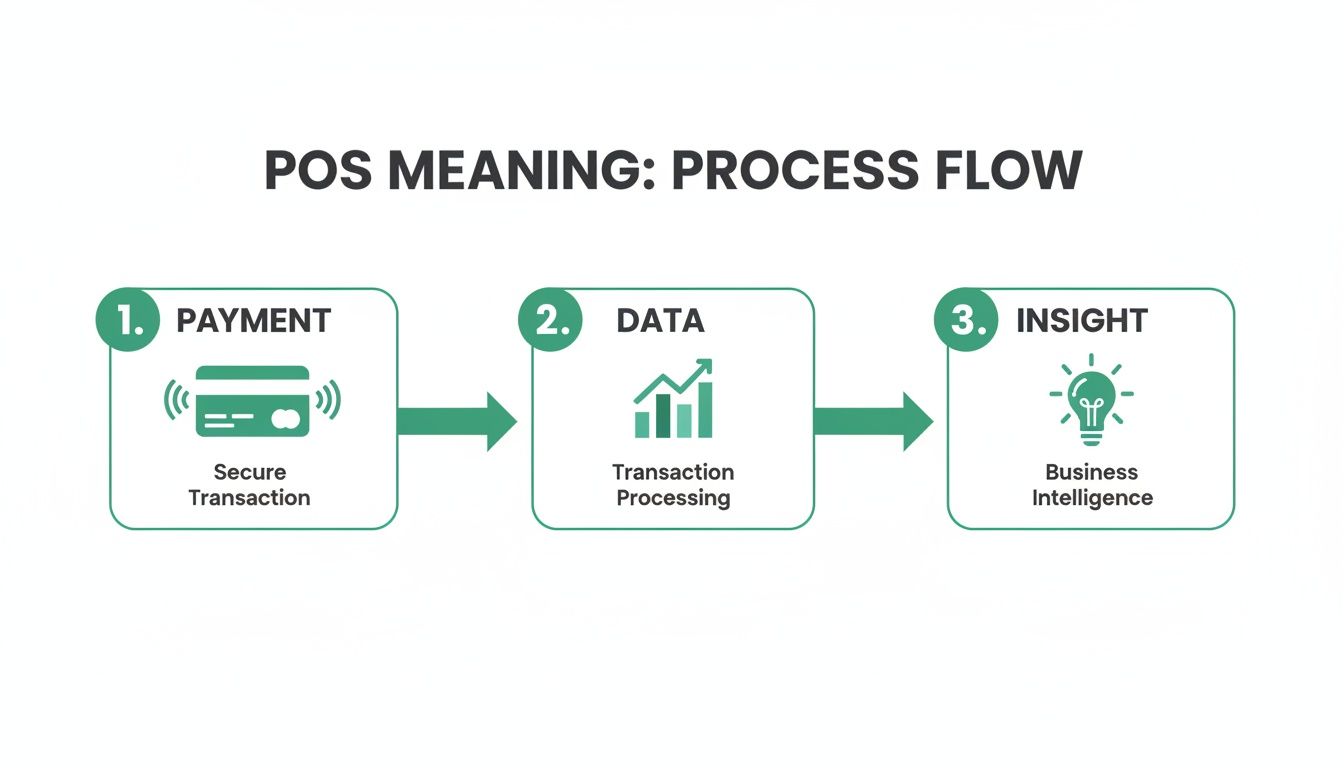
As you can see, the transaction is just the beginning. The real power comes from turning that payment data into actionable insights that fuel your restaurant's growth.
Let's break down the journey step-by-step.
The Restaurant POS Transaction Lifecycle
From the moment a customer pays to the moment the money hits your bank, a lot has to happen. This table walks through the entire lifecycle in the context of a busy restaurant.
| Stage | What Happens | Restaurant Example |
|---|---|---|
| Authorization | Your POS terminal securely contacts the customer's bank (the issuing bank) to check if they have enough funds or credit available. The bank responds with an approval or decline and places a temporary hold on the approved amount. | A server takes payment for an $85 dinner. The card reader instantly sends a request to the customer's bank. The bank confirms the funds are available, puts a hold on the $85, and sends back an approval code. The receipt prints. |
| Capture | At the end of the day, all the approved authorizations are gathered into a single "batch." This batch is sent to your payment processor, officially kicking off the money transfer process with the card networks (like Visa, Mastercard, etc.). | At closing time, your POS system automatically bundles the $85 dinner charge with every other card payment from that day. This "batch" is then electronically sent for processing. |
| Settlement | This is the final step where the money actually moves. The card networks facilitate the transfer of funds from the customer's bank to your merchant bank. From there, the money is deposited into your restaurant's business bank account, minus any processing fees. This typically takes 1-3 business days. | A couple of days after that busy night, a deposit appears in your business bank account. The deposit includes the $85 from that specific dinner, along with all the other sales from that day's batch. |
This whole sequence is what ensures you get paid securely and accurately for every dish you serve.
Stage 1: Authorization
The first act is Authorization. When your server takes a payment, your POS sends a secure message to the customer’s bank. It’s essentially asking, “Hey, does this guest have enough money or credit for their meal?”
In seconds, the bank sends back a simple "yes" or "no." An approval code comes back with a "yes," and the bank immediately places a temporary hold on the funds. This all happens before the receipt is even done printing.
Key Takeaway: Authorization is not the final payment. It's a real-time check that confirms funds are available and "reserves" them for your restaurant, which is crucial for preventing a customer from accidentally spending that money somewhere else.
Stage 2: Capture
Next up is Capture. As your restaurant serves customers throughout the day, it collects dozens, maybe hundreds, of these individual authorizations. At the end of your business day, your POS system gathers all of them into one large file called a batch.
This batch is then sent over to your payment processor. This is the step that officially tells the card networks, like Visa or Mastercard, to start the formal process of moving money between the banks. With a system like TackOn Table, this is an automated end-of-day process, so you don’t have to worry about manually closing out.
Stage 3: Settlement
The final act is Settlement, and this is where you actually get paid. The card networks and banks work together to move the funds from all your customers' accounts over to your merchant account. This part of the process usually takes about 1-3 business days.
Once the money arrives in your merchant account, it’s transferred to your main business bank account. You'll see a deposit that reflects your batched sales from a few days prior. A powerful POS like TackOn Table—an excellent alternative to Toast or Clover—gives you detailed reports that make matching these deposits to your daily sales a breeze, ensuring your books are always accurate.
Ready to automate your payment lifecycle and get paid faster? Book a demo of TackOn Table today to see how our all-in-one system works.
Understanding Every Transaction Type at Your Restaurant POS
Thinking about POS transactions at your restaurant means looking way beyond just a simple sale. Every single day, you're juggling a whole menu of payment scenarios—from fixing a mistaken order on the fly to taking a deposit for a massive catering gig. Each of these is a unique transaction type, and your POS system has to be able to handle them all flawlessly.
On top of that, your guests' expectations are changing fast. Digital wallets are on track to make up a huge 30% of global POS payments by 2025. And after the pandemic, a massive 40% of North American restaurants rolled out contactless payment options almost overnight. If you want to keep up, you need to know your transaction types inside and out. The market is definitely moving quickly, as you can see in these global payment trends from McKinsey.
The Everyday In-Person Transactions
Let's break down the transactions you'll run into most often on your restaurant's POS and what they actually mean for your day-to-day business.
- Sale: This is your bread and butter. A customer buys a meal, their card is approved, and the money is set aside to be deposited into your account. Simple as that.
- Refund: A refund happens after the money from a sale has already been settled. Imagine a customer calls the next day to complain about their takeout order. You'd issue a refund, which sends the money back to their card, usually within a few business days.
- Void: Think of a void as hitting the "undo" button before a transaction is finalized for the day. A server punches in an order for the wrong table? They can void it on the spot. The pending charge just vanishes from the customer's bank statement like it never existed.
Key Takeaway: The difference is all about timing. A Void is for fixing mistakes made today, before you close out. A Refund is for returning money after a transaction has already been settled and batched. Getting this right is a huge deal for keeping your daily reports accurate.
Going Beyond the Basics: Advanced and Remote Transactions
Of course, a restaurant's financial life isn't just a straight line of simple sales. You've got bar tabs, online orders, and reservations to think about, and your POS needs to be flexible enough for all of it. This is where an all-in-one system like TackOn Table, a more versatile and budget-friendly alternative when comparing Toast vs Clover, really comes in handy.
Here are a few other essential transaction types you need to know:
- Pre-Authorization: This is your best friend for starting a bar tab or holding a table for a big party. A "pre-auth" puts a temporary hold on a customer's card for a certain amount, just to make sure the funds are there. It doesn’t actually charge them—the final, correct amount is captured only when they're ready to close out.
- Card-Present (CP): Pretty straightforward—this is any time the physical card is right there. We're talking swipes, chip dips (EMV), and taps. These are considered the most secure transactions and, because of that, usually come with lower processing fees.
- Card-Not-Present (CNP): This covers any payment where you don't have the card in hand. Think online ordering through your website, someone calling in a takeout order, or invoicing for a catering event. Because the risk of fraud is a bit higher, CNP transactions typically have slightly higher fees. This makes a secure payment gateway non-negotiable.
With a mobile POS like TackOn Table, your team can handle all of these scenarios directly at the table or even on the move for a delivery. It ensures every single payment is processed correctly and securely, no matter how or where it happens.
Ready to manage every payment type like a pro? Start your free trial and see how simple it can be.
How to Manage Restaurant Transaction Fees and Chargebacks
Let's be honest: accepting credit cards is non-negotiable for any restaurant today. But those convenience points come with a cost, and if you're not careful, payment processing fees and chargebacks can silently eat away at your bottom line. Getting a handle on these expenses is the first step to keeping more of your hard-earned cash.
Every time a guest swipes, dips, or taps their card, a small slice of that transaction goes to fees. It's not just one fee, though. It's a cocktail of different costs that get blended together.
- Interchange Fees: This is the biggest piece of the pie. It's paid to the bank that issued your customer's credit card and is set by the card networks (think Visa and Mastercard).
- Assessment Fees: A much smaller fee that goes directly to those card networks for the privilege of using their system.
- Processor Markup: This is what your payment processor charges for their services. It's the only part of the fee structure you can actually negotiate.
Merchant statements can be a nightmare to read, with all these different fees bundled together. That’s why TackOn Table is built on simple, transparent pricing. You get a clear picture of what you’re paying—no decoder ring required. Our affordability and simplicity mean you keep more of your revenue.
Tackling Costly Chargebacks
A chargeback is what happens when a customer disputes a charge directly with their bank, which then yanks the money right out of your account. It's a consumer protection tool, but for restaurants, it can be a huge headache, often triggered by service complaints or confusion over a charge.
Maybe a guest was unhappy with their steak, or maybe they just didn't recognize your restaurant's official business name on their bank statement. Either way, you don't just lose the money from the sale; you usually get hit with a penalty fee from your processor on top of it. If you want to dig deeper, there are great resources on Understanding chargeback fees and how to avoid them.
Key Insight: Your best weapon against a chargeback is a solid paper trail. A modern POS that keeps a detailed log of every order, payment, and timestamp gives you the hard evidence needed to fight—and win—an unfair dispute.
TackOn Table gives you exactly what you need to defend your sales. With detailed digital receipts and a complete order history at your fingertips, you have concrete proof to provide during a dispute. Our platform gives you the clarity and data to protect your revenue, making it a powerful and more affordable alternative to systems like Toast or Clover.
Ready to get a grip on your transaction costs and safeguard your profits? Book a demo of TackOn Table and see how our reporting tools can put money back in your pocket.
Protecting Your Business with PCI Compliant Payments
In the restaurant business, your guests' trust is everything. It's built on great food and a welcoming atmosphere, but it also relies on something less visible: the confidence that their payment information is completely safe with you. This is where PCI DSS compliance isn't just a technical detail—it's a cornerstone of your operation.
Think of the PCI DSS (Payment Card Industry Data Security Standard) as the mandatory rulebook for anyone who handles card payments. It's not a suggestion. It’s the baseline requirement for accepting credit or debit cards, and ignoring it can lead to serious trouble. We're talking steep fines, legal headaches, and a hit to your reputation that can be incredibly hard to come back from.
How Modern Security Protects Every Transaction
You don't need to be a security expert to grasp the basics of how modern payment systems keep data safe. Today's POS systems use powerful technologies to make sensitive card information completely useless to thieves, even if they somehow get their hands on it.
Here’s a simple look at the two most important layers of protection:
- End-to-End Encryption (E2EE): Picture this: the moment a customer taps their card, their payment data is locked inside a digital armored car. That armored car travels directly to the bank, and only the bank has the key. That’s essentially what E2EE does. It scrambles the data from the second it enters your terminal, making it unreadable to anyone else.
- Tokenization: After that first encrypted transaction goes through, the system swaps out the real card number for a unique, randomly generated code called a "token." This token acts as a stand-in for all future payments, so the actual card details are never exposed again. It’s like giving a valet a one-time-use key fob instead of the master key to your car.
The Bottom Line: You should never have to lose sleep wondering if your technology is secure. A modern POS system should handle all of this complex security work behind the scenes, giving you total peace of mind.
At TackOn Table, we've built our system with security as the foundation, not an afterthought. We provide built-in PCI and SOC 2 compliance from day one. We take care of the heavy lifting on data protection so you can get back to what you do best—crafting amazing experiences for your guests.
Ready to run your restaurant without the constant worry of data security? Book a demo to see how TackOn Table protects every single transaction.
Unifying Your Operations with All-in-One Café Management Software
Knowing what happens during a POS transaction is one thing, but connecting all those individual sales into a single, clear picture is where the magic really happens. A modern, all-in-one POS system does a lot more than just take payments—it becomes the central nervous system for your entire restaurant, bringing order to the daily whirlwind of operations.
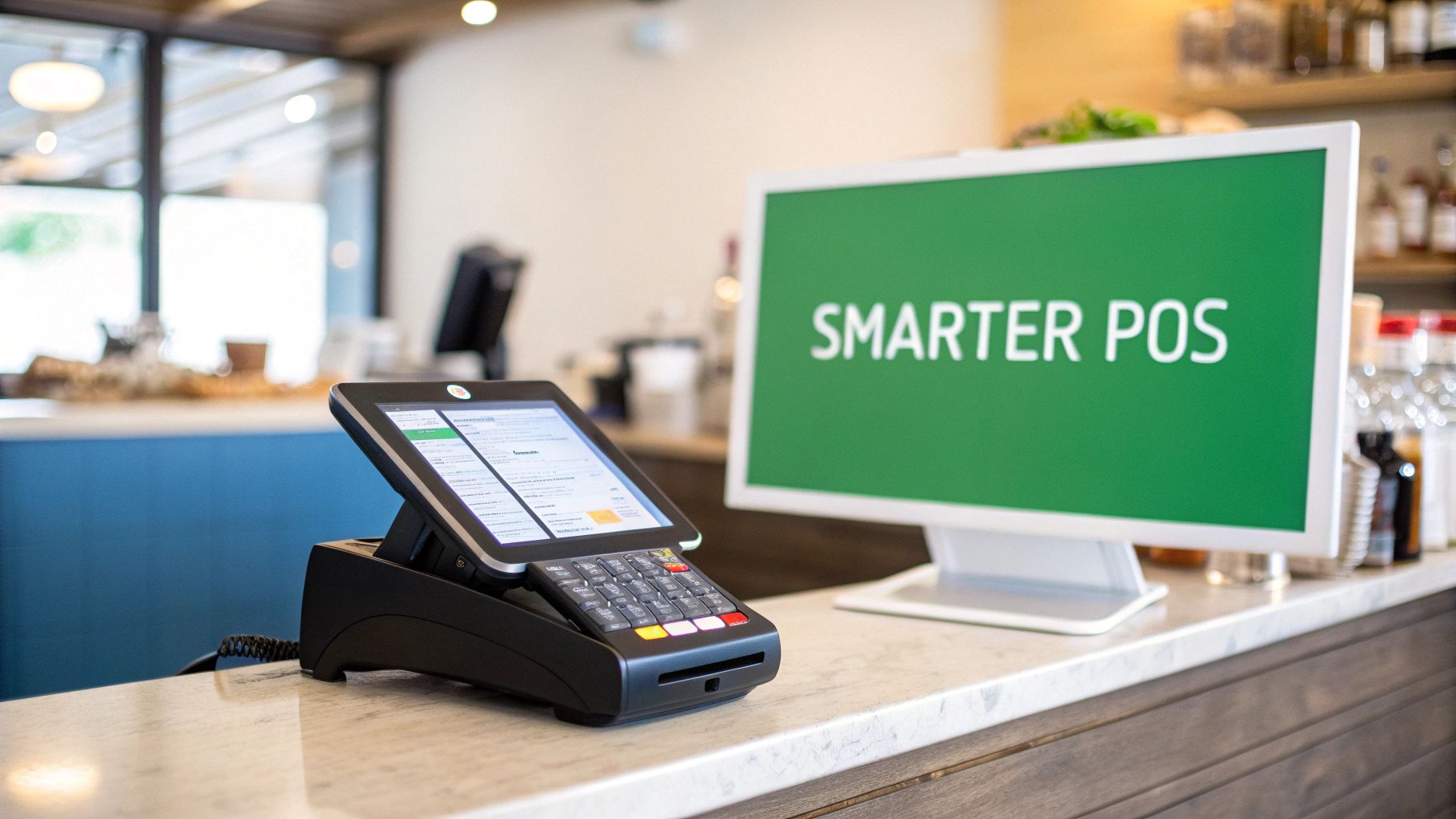
Too many restaurants are still stuck juggling disconnected tools. They might have one system for online orders, another for taking payments in-house, and maybe even a few spreadsheets to track inventory. This kind of patchwork setup is a recipe for manual data entry, a high risk of errors, and a fractured view of your business's true performance.
From Data Points to Actionable Insights
This is where an integrated system like TackOn Table completely changes the game. By bringing every part of your operation—from the front-of-house to the back office—under one roof, it turns all that raw transaction data into your most valuable strategic tool.
Think about what you could do if you could instantly see:
- Your top-selling menu items during the Saturday dinner rush.
- Your slowest hours on a Tuesday, giving you the perfect opening to run a special.
- Inventory levels that update in real-time with every single sale.
That’s the advantage of a unified system. It makes end-of-day reporting automatic, helps your team turn tables faster with mobile POS terminals for tableside ordering and payment, and slashes the kind of costly mistakes that eat into your profits.
A smart POS doesn't just record what happened; it shows you what to do next. It transforms sales figures into a clear roadmap for boosting profitability and improving the guest experience.
For a growing cafe or a food truck with multi-location control, this kind of centralized command isn't just nice to have—it's essential. Systems like TackOn Table provide a simpler, more affordable, and flexible alternative to complex platforms like Toast or Clover. With an easy setup and all-in-one simplicity, you can get your whole operation running smoothly without the usual tech headaches.
Ready to see how a unified POS can reshape your restaurant? Book a demo to discover how TackOn Table makes your data work for you.
Your POS Transaction Questions Answered
Diving into the weeds of payment processing can definitely stir up a few questions. Let's clear the air and tackle some of the most common things we hear from restaurant and café owners about POS transactions.
What's the Difference Between a POS Transaction and a Payment Gateway?
Think of your POS system—like one of TackOn Table's handheld terminals—as the storefront. It’s where the actual sale is rung up, where your customer hands over their card.
The payment gateway, on the other hand, is like a secure, armored truck. It takes the sensitive card details from your POS and safely whisks them over to the payment processor to ask, "Is this card good for the amount?"
So, the POS kicks things off, and the gateway is the secure messenger that connects your restaurant to the rest of the financial network.
How Can I Reduce Credit Card Processing Fees for My Cafe?
This is the big one, isn't it? While you can't change the base rates set by Visa or Mastercard, you absolutely have control over your total costs. The single most impactful move is picking a POS provider, like TackOn Table, that gives you a simple, flat-rate pricing model without a bunch of surprise fees.
Beyond that, great service is your best friend. Happy customers don't file chargebacks, which saves you money and headaches. It also helps to have a modern system that easily accepts lower-cost options that customers are already using, like mobile wallets or QR codes.
Why Does a Pending Transaction Take So Long to Settle?
Seeing a charge as "pending" just means the first checkpoint—Authorization—is complete. The customer's bank gave the thumbs-up and has put a temporary hold on the funds. It’s a promise to pay.
But the money isn't yours just yet. The transaction still needs to be bundled into your daily "batch" and formally Captured. After that, the banks work behind the scenes to move the funds, which is called Settlement.
This whole cycle usually takes about 1-3 business days. A well-designed system from TackOn Table handles all this automatically, making sure your money lands in your account as fast as the banking system allows. If you have more questions like these, feel free to check out our detailed restaurant POS FAQs.
Ready to stop worrying about payment processing and get back to running your business? TackOn Table gives you a powerful, all-in-one system with clear pricing and support that's always there when you need it.
Our solution offers the simplicity, affordability, and adaptability your restaurant, café, or food truck needs to thrive. Book a demo to see how we can make your operations run smoother or start your free trial today.