

A scanner gun for inventory is more than just a fancy gadget; it's a handheld tool that scans barcodes to instantly capture and digitize your stock information. For a busy restaurant, café, or food truck, this little device turns the headache of manual inventory counts into a quick, accurate, and strategic part of managing your business with your Restaurant POS.
Why Your Restaurant Needs an Inventory Scanner Gun
We’ve all been there: staring at a stack of invoices, a crowded storeroom, and the long night of counting ahead. Manual inventory isn't just slow—it's a breeding ground for errors that quietly eat away at your profits. It's like trying to run a chaotic dinner service without an expo screen. Things get missed, counts are off, and the whole operation suffers.
This is where a scanner gun for inventory changes the game. It’s not just about counting faster. It's about finally getting a firm grip on your biggest cost center: food. Think of the scanner as the crucial link between the boxes on your shelves and your digital management system, turning numbers into insights you can actually use.
From Manual Chaos to Digital Clarity
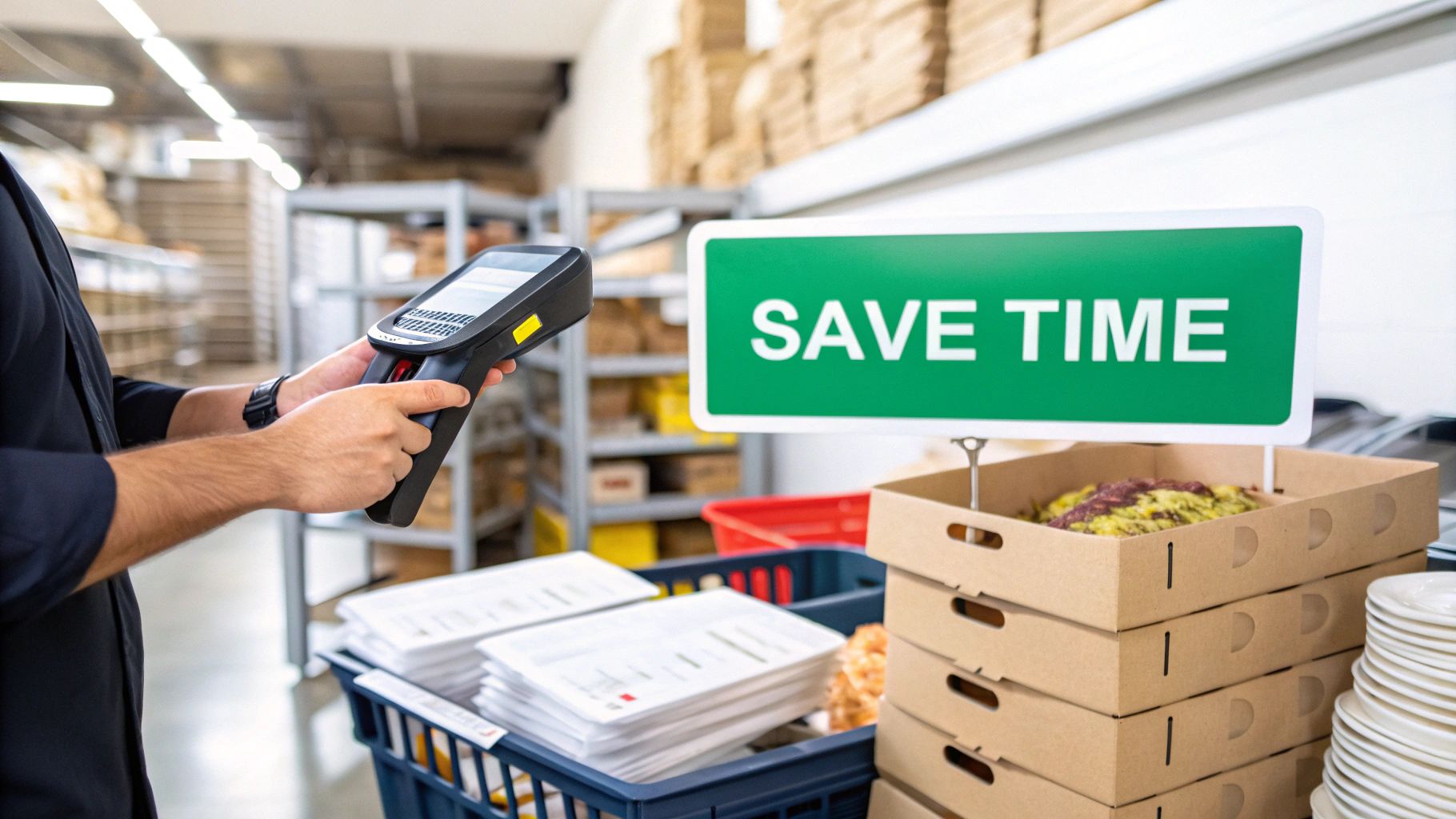
Bringing a scanner into your workflow helps you tackle some of the most common—and costly—problems in food service. Instead of guessing, you’ll know exactly what you have on hand. That means smarter purchasing and a lot less waste.
The immediate benefits are easy to see:
- Prevent Stockouts: You'll never have to 86 a signature dish again because someone forgot to reorder a key ingredient.
- Reduce Ingredient Waste: Easily spot slow-moving items and adjust your orders before they expire, directly protecting your bottom line.
- Free Up Valuable Time: Your team can ditch the clipboards and spend less time in the walk-in and more time focused on what matters—your guests.
Since they first hit the market, handheld scanners have become essential for restaurants looking for an edge. It’s not uncommon for businesses to see 25% quicker receiving processes alone. When you pair a scanner with an integrated system like TackOn Table, full-service restaurants can achieve up to 95% error reduction in their counts. Our unique, all-in-one platform is built for this kind of efficiency.
Moving toward automated inventory control is about more than just the initial equipment cost; it's a fundamental shift in operational efficiency. And a simple scanner gun is your first, most impactful step.
Getting to Grips with Scanner Guns for Your Restaurant POS
Choosing a scanner gun for inventory can feel a bit overwhelming. The market is flooded with tech jargon that doesn't mean much when you're just trying to run a restaurant. But honestly, the technology is simpler than it sounds. It all boils down to understanding a couple of core concepts and figuring out what works best for your day-to-day grind.
Let's break it down. Scanners really come in two main flavors: 1D and 2D.
A 1D scanner is the classic workhorse. It reads those traditional, linear barcodes—the familiar lines you see on nearly every product box from your suppliers. This type is perfect for the straightforward stuff, like zapping a case of tomatoes or a bag of flour as it comes through the door. Simple, fast, and effective.
Then you have the 2D scanner. This is the more advanced version that reads complex, two-dimensional codes like QR codes. This is a game-changer for anything you label internally—think prepped food containers, house-made sauces, or batch-cooked items. One quick scan of a 2D code can pull up the item name, who prepped it, the prep date, and its expiration. All that info in a single trigger pull.
Choosing Your Scanner Type: 1D vs. 2D Scanners
To make it even clearer, here’s a quick comparison to help you decide which scanner technology is the right fit for your restaurant's needs.
| Feature | 1D (Linear) Scanner | 2D (Imager) Scanner | Best For Your Restaurant |
|---|---|---|---|
| Code Type | Reads traditional, linear barcodes (like UPC codes). | Reads both 1D barcodes and 2D codes (like QR codes). | 2D offers more flexibility for future-proofing. |
| Data Capacity | Limited to a small amount of text or numbers. | Can store thousands of characters (item name, dates, notes). | 2D is superior for detailed internal tracking. |
| Scan Direction | Must be aligned perfectly with the barcode lines. | Can read codes from any angle, even if damaged or on a screen. | 2D is far more forgiving and faster in a busy kitchen. |
| Common Use | Checking in supplier deliveries with standard UPC labels. | Scanning internal labels on prepped food, batch items, or for marketing. | 1D is fine for just receiving, but 2D unlocks deeper inventory control. |
While a 1D scanner gets the basic job done, a 2D scanner is almost always the smarter investment for a modern restaurant. The ability to read codes from any angle and store detailed information on your own labels makes it invaluable for reducing waste and tightening up your processes.
How Will Your Scanner Connect to Your Restaurant POS?
Just as important as what you scan is how the scanner talks to your system. Connectivity isn't just a tech spec; it dictates your workflow and where you can physically do your work. The goal is to match the tool to the task so your inventory counts feel natural, not clunky.
Here are your main options:
Wired Scanners: These are the old faithfuls. They plug directly into your POS terminal with a USB cable and just work. They're perfect for a fixed station, like your back office desk where you process invoices or at a host stand.
Bluetooth Scanners: This is where you start to get some real freedom. These scanners connect wirelessly to a nearby device, like the tablet running your TackOn Table mobile POS. Picture this: a delivery arrives, and you can scan every box right on the pallet at the back door instead of lugging everything to a counter first.
Wi-Fi Scanners: For maximum range and flexibility, Wi-Fi scanners are the top tier. They connect directly to your restaurant's Wi-Fi network, giving you the freedom to roam anywhere you have a signal. This is ideal for covering large areas, like a sprawling walk-in freezer or a basement storeroom, without ever worrying about losing connection.
The right scanner gun isn't about having the fanciest tech; it's about having the most practical tech. The whole point is to create a seamless workflow that makes sense for your space and your team, from the delivery door to the pantry shelf.
This freedom to move around is where TackOn Table’s modern, mobile POS system really shines. We designed our platform to be an affordable and adaptable alternative to the restrictive, proprietary hardware you get from companies like Toast or Clover. Our system pairs beautifully with wireless scanners, letting you manage your entire inventory on a simple tablet, from anywhere in your restaurant.
This kind of adaptability means that whether you're running a tight food truck or a multi-location bistro, your technology works for you, not against you.
Key Features for a Restaurant Inventory Scanner
Not all scanners are created equal, especially when you're talking about the controlled chaos of a restaurant. Forget the generic feature list you'd see for an office gadget. In a food service environment, you need to think about what really matters when you're in the thick of it. Investing in the right scanner means getting a tool that can keep up with you and your team, shift after shift.
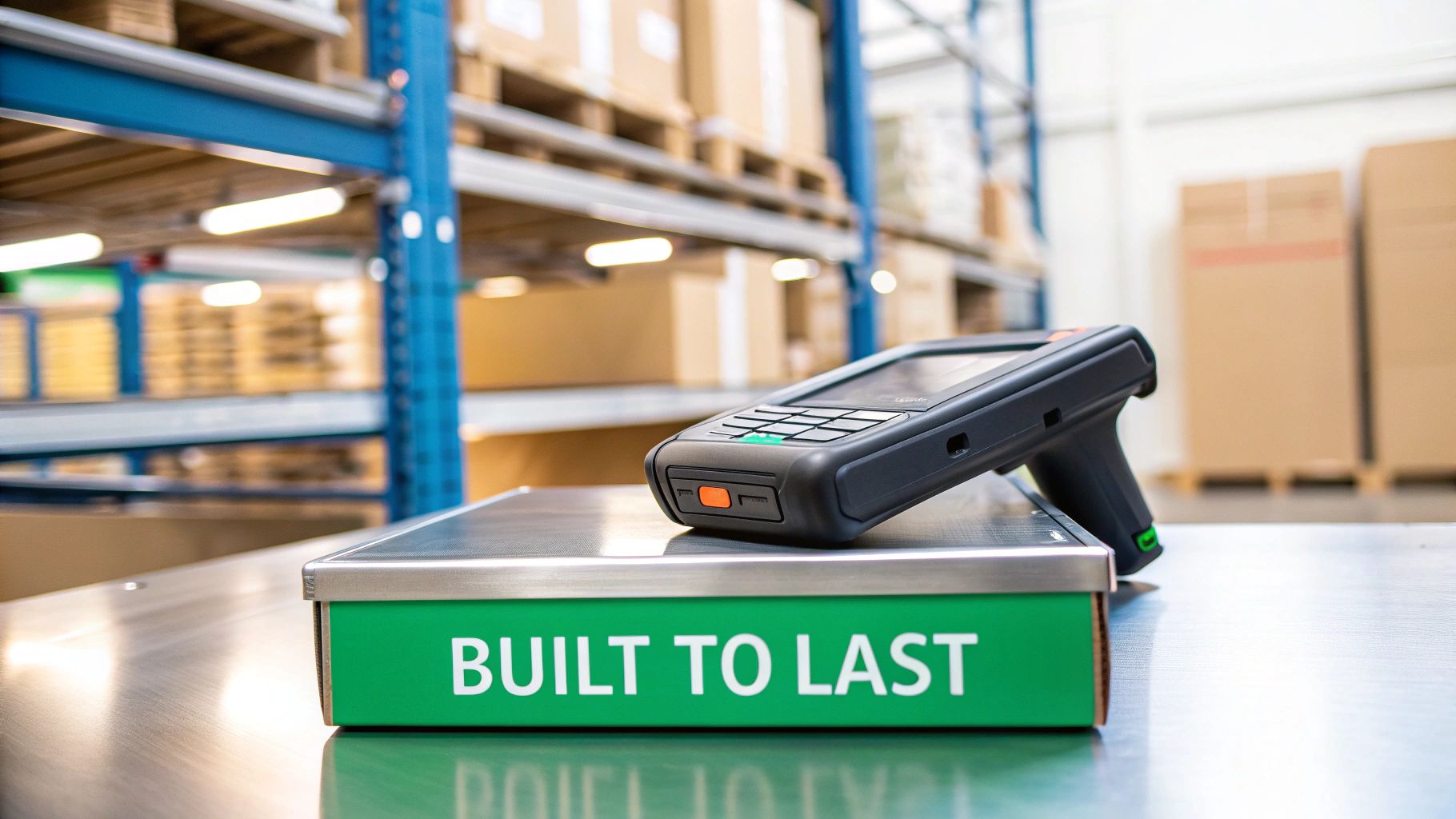
This is a big reason why purpose-built barcode scanners are taking over inventory tech. The global market isn't small—it hit USD 4.2 billion in 2024 and is expected to climb to USD 8.1 billion by 2033. For bustling restaurants and food trucks where turnover is constant, the right scanner can slash human error in stock counts by an incredible 90%. If you're curious about the numbers, you can explore more insights on the barcode scanner market.
Durability and Ruggedness
Let's be real: your stockroom isn't a clean, carpeted office. It’s a busy workspace with concrete floors, metal shelves, and the occasional spill. A standard, consumer-grade scanner just won't last long here.
What you need is a rugged scanner built to handle the environment. Look for a "drop spec" in the product details, which tells you it's been tested to survive repeated falls—for instance, rated for multiple drops from 6 feet onto concrete.
Also, pay close attention to the IP (Ingress Protection) rating. This simple two-digit number is a lifesaver. It tells you how well the device is sealed against solids (like flour dust) and liquids (like splashes or cleaning sprays). An IP54 rating or higher should be your minimum for any kitchen or storage area. It's the best way to make sure your investment is protected from the daily grind.
Battery Life and Power Management
There’s nothing worse than a scanner dying halfway through checking in a huge delivery. It’s not just an inconvenience; it completely torpedoes your workflow.
That's why you need a scanner gun for inventory with a battery that can easily power through a double shift. Many commercial-grade models boast 14 hours or more of continuous use from a single charge, which is exactly what you should be looking for.
Key Takeaway: Never overlook the power of a long-lasting, swappable battery. Being able to pop in a fresh battery and get right back to work—without waiting hours for a recharge—is what keeps your team moving and your counts accurate, no matter how hectic the day gets.
Scan Speed and Range
Imagine a supplier has just dropped off a pallet stacked high with boxes. This is where speed becomes your best friend. A high-performance scanner captures a barcode in a fraction of a second, transforming a painfully slow check-in process into a quick, satisfying task. This kind of efficiency is a major advantage when you compare modern systems to older, clunkier alternatives to Toast or Clover.
Here are the two performance specs that matter most:
- Scan Speed: This is how fast the scanner reads the barcode once you pull the trigger. For high-volume receiving, faster is always better.
- Scan Range: This is how far away the scanner can be and still get a good read. A longer range is a huge help for scanning items on high shelves without having to grab a step ladder.
A quality restaurant POS scanner that nails both speed and range directly saves you money on labor. At TackOn Table, we make sure our intuitive software pairs seamlessly with top-tier hardware, which you can check out on our TackOn Table hardware page.
Connecting Your Scanner to Your Café Management Software
A scanner gun is a fantastic piece of hardware, but on its own, it's just a fancy barcode reader. The real magic happens when it connects and communicates seamlessly with your cafe's management software. Think of the scanner as the eyes and ears of your operation, and your POS and inventory platform as the brain. If they aren't speaking the same language, nothing gets done.
This connection is what turns a simple scan into a powerful, automated event. Pulling the trigger shouldn't just input a number; it should kick off a chain reaction. It needs to instantly adjust your stock counts, flag low-inventory items, and feed real-time data into your cost and sales reports. That's where the value is.
Why a Unified System is Non-Negotiable
Trying to manage inventory with a scanner that doesn't talk to your POS is a recipe for disaster. You end up juggling the scanner, a separate spreadsheet, and your sales terminal, creating a messy, disconnected workflow. Every time you have to manually transfer that data, you open the door for typos, missed items, and costly mistakes. It’s slow, clunky, and completely defeats the purpose of having a scanner in the first place.
This is exactly the kind of chaos an all-in-one platform like TackOn Table is built to eliminate.
When your scanner gun for inventory and POS are built to work together, every scan, sale, and stock update lives in one place. This creates a single source of truth, ensuring your sales reports, ingredient usage, and on-hand inventory levels are always in sync. You get a real-time, no-nonsense view of your cafe's financial health.
We designed TackOn Table with plug-and-play simplicity in mind. The goal is to let you connect your hardware and get right back to business, not to force you to become an IT expert. For busy cafe owners, that time saved is invaluable. You can see more on how our system helps coffee shops thrive by checking out our comprehensive guide to cafe management software.
What Seamless Integration Looks Like in Action
Let's make this real. Imagine your weekly dairy delivery shows up. With a fully integrated system like TackOn Table, the receiving process is incredibly smooth and simple.
- Scan: You grab your wireless scanner and zap the barcode on the case of milk right as it comes through the door.
- Update: TackOn Table immediately recognizes the item. Your inventory for "Whole Milk" instantly jumps from 2 gallons to 12.
- Record: The system automatically logs the date and time, creating a clean digital paper trail for that delivery.
- Track: As your baristas craft lattes all week, each sale automatically deducts the right amount of milk from your inventory. You're tying ingredient usage directly to specific sales, in real time.
This isn't just about counting what you have; it's about understanding your entire operation. You can see exactly how fast you're going through key ingredients, pinpoint your most profitable menu items, and make purchasing decisions based on actual data instead of just a gut feeling. Inventory management stops being a chore and becomes a strategic tool that gives you a serious leg up on the competition.
Best Practices for Using Scanners in Your Restaurant
Getting a scanner gun for inventory is a smart move, but the real magic happens when you build solid, consistent workflows around it. To get the most out of your investment, your team needs a clear game plan for everything from receiving deliveries to doing daily counts. It's about turning a cool piece of tech into the engine of your inventory management.
The goal is a seamless flow from the physical scan to the digital update. This little chart breaks down exactly how a scanner and an integrated platform work together to make it happen.
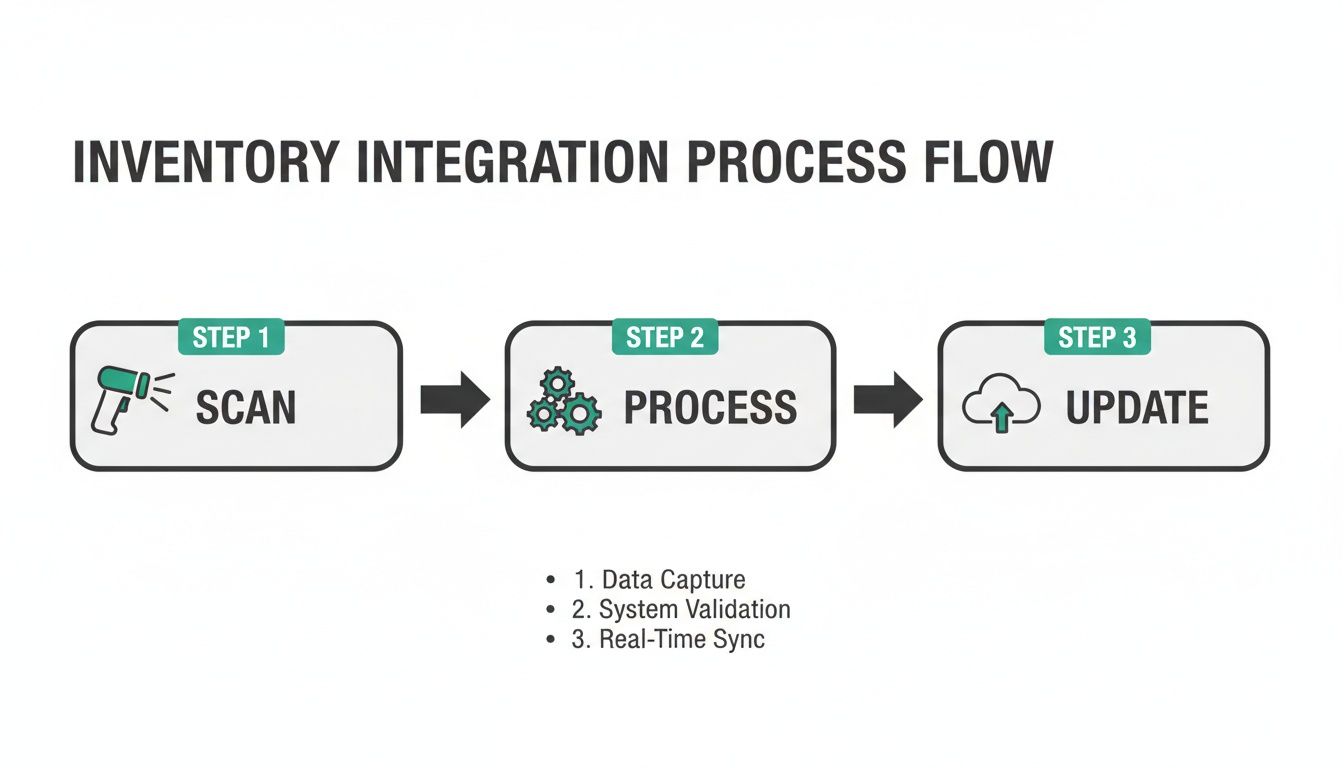
It really is that simple. Scan, Process, Update. This three-step dance is the core of modern inventory control, transforming a quick physical action into data you can actually use.
Establish Smart Scanning Workflows
Your inventory process needs to kick in the second a delivery truck pulls up. Don't let those boxes pile up in the corner. Create a routine where a designated team member immediately scans every single item into the system. This gets new stock logged accurately and into your digital records from the get-go.
Beyond receiving, get in the habit of doing quick cycle counts during lulls in service. Instead of dreading a monster end-of-month count, have your team scan a few high-turnover categories daily, like dairy, produce, or top-shelf spirits. This breaks a daunting job into bite-sized pieces and gives you a much clearer, real-time picture of what you actually have on hand.
Pro Tip: What about items without a barcode, like your signature house-made sauces or prepped veggie mixes? Simple. Create and print your own internal QR codes. A quick scan can then track the item, its prep date, and even its expiration, which is a game-changer for food safety and cutting down on waste.
Maintain Your Hardware and Secure Your Data
A scanner gun is built tough, but it's not invincible. It needs a little TLC. Get your team into the habit of wiping the scanner lens with a soft, microfiber cloth to keep it free from the dust and grease that can mess with its accuracy. Just as important, make sure your charging stations are clean and easy to access so the devices are always juiced up and ready to go.
Keeping your data secure is just as crucial as keeping the hardware clean. Inside your TackOn Table Café Management Software, you can set specific user permissions to control who on your team can make inventory adjustments. By limiting this power to managers or trusted senior staff, you create accountability and protect your stock data from accidental (or intentional) errors. After all, you want every change to be deliberate and traceable.
It's also a great idea to make sure all your shelf items have durable, clear identification labels. This is a surprisingly critical step for fast, error-free scanning, especially for goods stored in hot, steamy, or refrigerated kitchen environments.
This disciplined, tech-forward approach is exactly why the handheld scanner market is exploding, projected to grow from USD 3.2 billion in 2024 to USD 6.5 billion by 2034. Restaurants that switch from manual counts are slashing inventory errors by up to 95%. And for multi-location operations, integrating scanners with a central platform like TackOn Table gives them the real-time visibility needed to cut waste by an average of 25% across all their stores.
Upgrade Your Inventory Control with TackOn Table
A scanner gun is a fantastic tool for saving time, cutting down on errors, and protecting your bottom line. But let's be honest—the scanner itself is only half the battle. Its real power comes from the software it talks to.
This is where a system like TackOn Table really shines, especially when compared to more complex platforms like Toast or Clover. We built our all-in-one system specifically for the hustle of restaurants, cafes, and food trucks.
Our mobile-first approach means we're a perfect match for the wireless scanners we've been talking about. It frees up your team to manage stock wherever they are—from the back delivery door to the depths of the walk-in freezer. And with a setup that takes less than 30 minutes, we make modern inventory management something any business can actually use, not just dream about. TackOn Table’s affordability and simplicity set it apart as a leading Toast vs Clover alternative.
Your Path to Simpler Operations
TackOn Table is designed to make everything easier, whether you're doing daily counts at a single cafe or managing stock across multiple locations. Our unique multi-location control feature gives you one single, reliable source of truth for your entire operation.
Stop letting messy spreadsheets and tedious manual counts run your business. It's time to feel the clarity and control that comes from a system built to work with you, not against you.
We believe powerful restaurant POS technology shouldn't require a user manual the size of a phone book. It should be straightforward and flexible. You can see that philosophy in everything we do.
Ready to see how it all comes together? Take the next step toward smarter, simpler inventory management.
Book a demo or start your free trial today!
Frequently Asked Questions About Inventory Scanners
Let's dive into some of the questions I hear most often from restaurant and cafe owners who are thinking about adding a scanner gun to their inventory process. My goal here is to give you straight-up, practical answers to help you figure out what’s right for your spot.
What’s a Good Inventory Scanner Going to Cost Me?
You can expect to spend anywhere from $150 to $500 for a reliable scanner that can handle the chaos of a restaurant environment. The price tag really depends on what you need—things like 2D scanning, a rugged design that can survive a few drops, and wireless freedom will push you toward the higher end of that range. Sure, you can find cheaper options online, but I always advise investing in a commercial-grade model. They’re built for the reality of busy kitchens and bars, meaning your investment will actually last.
Will a Scanner Play Nice with My Current POS System?
This is the big one. Compatibility is everything. Most modern scanners connect via standard USB or Bluetooth, which is great, but that’s only half the story. For your inventory to update in real-time, your POS software has to understand what the scanner is telling it. Without that software handshake, a scan is just a meaningless string of numbers. We built TackOn Table specifically for this kind of plug-and-play simplicity. It’s designed to work right out of the box with tons of popular scanner models, so you can connect your hardware and get straight to work without any technical headaches. We’re all about creating an affordable and flexible platform—a real alternative to closed-off systems like Toast or Clover.
How Long Will It Take to Get My Staff Up to Speed?
Honestly, training your team on a scanner is incredibly quick—usually less than 30 minutes. The whole process is about as intuitive as it gets: point the gun, pull the trigger, and the item is logged. It’s that simple. When you pair it with a system designed for ease of use, like our Café Management Software, the learning curve is practically flat. Simple on-screen prompts walk your staff through everything, from checking in a new delivery to doing quick spot-checks on inventory. The simplicity is a huge win, making it easy for your team to adopt the new workflow without missing a beat.
Ready to stop guessing and start knowing exactly what’s in your storeroom? TackOn Table brings together powerful, easy-to-use software with the hardware that keeps your business moving.