

A Point of Sale (POS) system is so much more than a modern cash register. For any restaurant, café, or food truck today, it’s the command center, the very hub of your entire operation. At its simplest, a POS is the hardware and software that work together to handle transactions—but its real power lies in how it manages everything from taking an order to tracking your bottom line with all-in-one simplicity.
Your Restaurant's Central Nervous System
Think of your restaurant as a living, breathing body. The kitchen is its heart, your staff are the hands, and your customers are the lifeblood. Where does the POS fit in? It’s the central nervous system, connecting every part and making sure they all work together in perfect harmony. It’s the single source of truth that coordinates everything from the front-of-house to the back office.
If you’re just starting to explore your options, getting a solid grasp on What Is a POS System? is the first step. The term "Point of Sale" literally means the place and time a transaction happens. For a coffee shop, that’s the counter where a customer pays for their macchiato. For a food truck, it’s the service window where you take an order and payment.
But that simple definition barely scratches the surface of what these systems can do now.
More Than Just a Transaction Machine
A truly great restaurant POS system goes way beyond just processing payments. It’s an all-in-one platform that brings a sense of calm to the daily chaos of service, making complicated tasks simple and giving you a clear view of your whole business. This is where a solution like TackOn Table really makes a difference, giving you an affordable, simple, and adaptable command center for your restaurant, bar, or café.
The right system pulls every piece of your business together, giving you tools for:
- Effortless Ordering: Whether a server is taking orders on a mobile POS at the table or a customer is ordering from home, TackOn Table keeps everything accurate and in sync.
- Menu Management: Need to update today’s specials, change a price, or 86 an item? Do it once from a single dashboard and it updates everywhere, instantly.
- Inventory Control: Automatically track what you’re using in real-time. This helps cut down on waste and makes sure you never run out of a key ingredient mid-rush.
- Staff Coordination: Manage schedules, track hours, and control what each employee can access to keep your team organized and accountable.
- Customer Relationships: Build simple loyalty programs and collect valuable feedback to turn first-time visitors into regulars.
A modern POS isn’t just about ringing up sales; it’s about understanding your business from the inside out. It transforms raw data into actionable insights that help you make smarter decisions about your menu, staffing, and marketing.
Core Components of a Modern Restaurant POS System
To make sense of it all, it helps to break a POS system down into its essential parts. Here’s a quick look at the hardware and software that form the backbone of a modern restaurant setup.
| Component | Function in a Restaurant Setting | TackOn Table Advantage |
|---|---|---|
| POS Terminal/Tablet | The primary screen for entering orders, managing tables, and processing payments. Can be a fixed station or a mobile iPad. | TackOn Table runs on standard tablets, keeping hardware costs low while offering full mobility for tableside service. |
| Payment Processor | The hardware and service that securely handles credit/debit card transactions, including tap-to-pay and mobile wallets. | We provide integrated, secure payment processing with transparent rates, so there are no surprises. |
| Kitchen Display System (KDS) | A screen in the kitchen that displays incoming orders digitally, improving accuracy and ticket times by replacing paper tickets. | Our KDS syncs instantly with the front-of-house, ensuring clear communication and faster order fulfillment. |
| Receipt Printer | Prints customer receipts and order dockets for the kitchen or bar staff, providing a physical record of the transaction. | Our system is compatible with a range of reliable, high-speed thermal printers for seamless operation. |
| POS Software | The brain of the operation. This is the application that manages your menu, inventory, sales data, and customer information. | Our software is cloud-based, intuitive, and designed to be an all-in-one solution without overwhelming you with features you don't need. |
These components work together to create a cohesive system that simplifies daily tasks and gives you the information you need to grow.
The All-in-One Simplicity Advantage
Many owners, especially those running smaller spots like cafes or food trucks, worry that powerful software means a complicated setup and a hefty price tag. That’s a common myth, usually based on experiences with older, clunky legacy systems. The best platforms today are designed to be simple, affordable, and adaptable.
TackOn Table, for instance, was built for an easy setup that you can complete in less than 30 minutes. You can get up and running without needing an IT degree. This focus on an all-in-one, user-friendly experience means you spend less time fighting with technology and more time doing what you love—serving great food and drink. Check out our powerful yet simple restaurant management solutions that are built to grow with you.
At the end of the day, your POS system should be your most valuable employee—one that works 24/7 to guarantee accuracy, boost efficiency, and give you the data you need to succeed.
The Journey from Cash Box to Cloud POS
To really get a feel for what a modern restaurant POS can do, it helps to look back at how we got here. It wasn't always touchscreens and cloud data. The whole story starts with a simple, persistent problem that plagued restaurant and bar owners for centuries: theft.
Back in the day, you had a cash box and a lot of hope. This "honor system" was a breeding ground for mistakes and sticky fingers, making it a nightmare to track sales accurately or protect your bottom line. The first real breakthrough came from a saloon owner who was fed up with losing money.
From Incorruptible Cashiers to Electronic Registers
In 1879, James Ritty invented the first mechanical cash register, which he brilliantly named 'Ritty’s Incorruptible Cashier.' You know the one—it had that classic bell that rang every time the drawer opened. It was a game-changer. For the first time, owners had a solid way to log every sale and keep staff honest. In fact, early adopters reported that their losses dropped by as much as 20-30%. By 1910, these mechanical marvels were in about half of all U.S. retail shops. You can dig into more historical POS software statistics to see the full picture.
That invention kicked off decades of slow but steady progress. The 20th century brought us bulky electronic cash registers (ECRs). They added some basic reporting, but each machine was its own little island of data. This meant managers had to manually pull numbers from every register and add them up at the end of the night—a tedious job just asking for errors.
These early systems solved one problem—basic transaction security—but created new ones. They were clunky, cost a fortune upfront, and gave you zero real insight into your business without hours of manual paperwork.
You can see a pattern here. Each new piece of technology was built to solve a real-world restaurant problem. The goal has always been the same: gain more control, get more accurate numbers, and just find smarter ways to run the business.
The Game-Changing Shift to the Cloud
The biggest leap by far was the move from clunky, on-site hardware to the cloud. This wasn't just another upgrade; it completely changed the role a POS plays in a restaurant, cafe, or food truck.
Instead of keeping all your precious business data on a single, vulnerable computer in the back office, a cloud-based POS system tucks it away safely on remote servers. That one change opened up a world of possibilities that were pure fantasy with the old legacy systems.
For restaurant owners, this shift brought three huge wins:
- Access from Anywhere: With a cloud POS like TackOn Table, you're no longer chained to the restaurant. You can check sales reports from your couch, update the menu from your phone, or see how all your locations are doing from a single dashboard.
- Better Security and Reliability: Your data is constantly backed up, encrypted, and safe from things like hardware crashes, fires, or theft. Forget needing an in-house IT wizard to manage servers or worrying about losing everything overnight.
- Affordable and Easy to Grow: Cloud systems typically run on a subscription model, so you don't have to shell out thousands of dollars upfront for hardware and software licenses. This puts powerful tools in the hands of everyone, from a solo food truck to a growing franchise, letting the system grow right alongside your business.
This move to the cloud set the stage for the flexible, do-it-all platforms we have today. It’s what allows a simple solution like TackOn Table to combine the convenience of a mobile POS for tableside ordering with the serious control of multi-location management, all in one easy-to-use package. The long road from a simple cash box has led us to a tool that lets you run your entire business with confidence.
Ready to see what a modern, cloud-based POS can do for you? Start a free trial and experience the simplicity firsthand.
Finding Your Fit with Different Types of Restaurant POS Systems
Choosing a point of sale system isn't a one-size-fits-all decision. The right platform really depends on your business model—whether you're running a bustling café, a fine-dining restaurant, or a fleet of food trucks. Getting a handle on the main categories is the first step toward finding a system that works for you, not against you.
The jump from a simple cash box to today's cloud-based command centers is a huge leap, showing a clear move toward more flexible and powerful tools for restaurant owners.
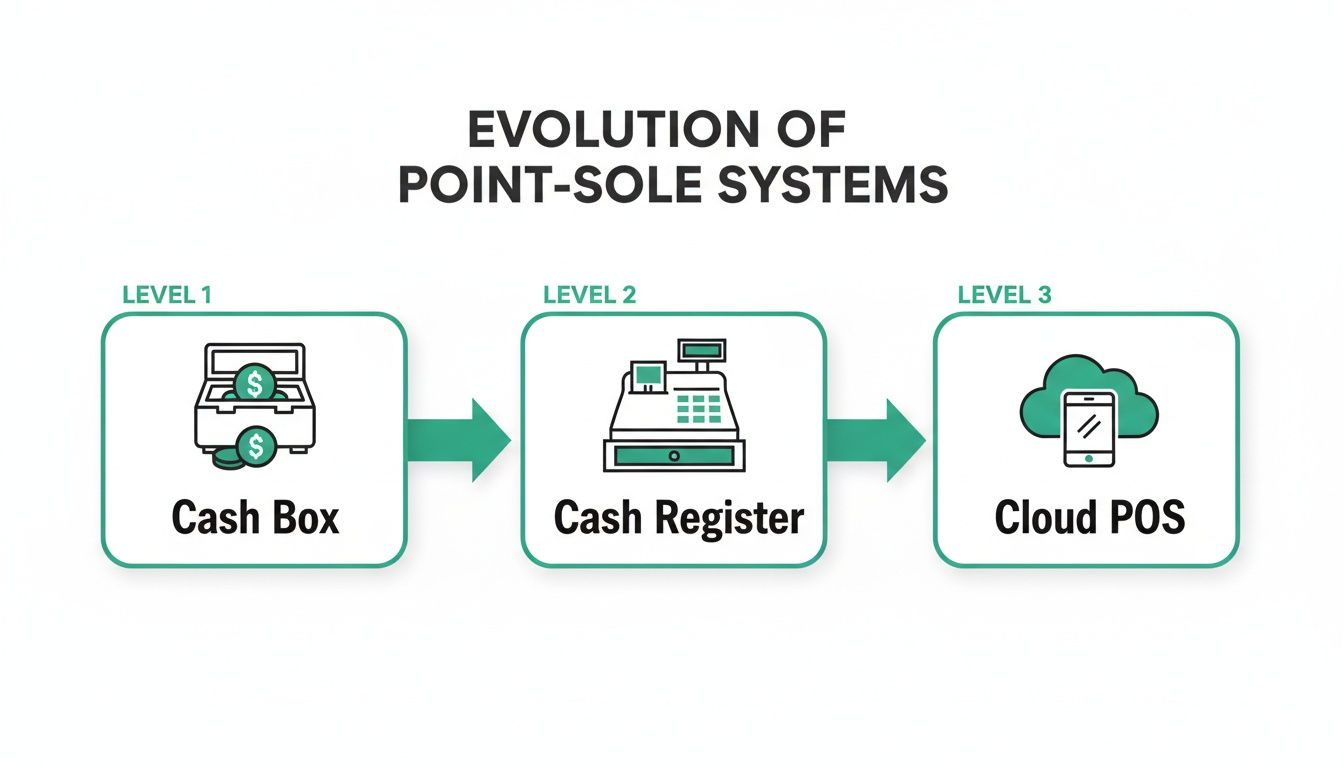
This journey really shows the shift from isolated, manual tools for taking cash to intelligent, connected systems that can manage your entire operation from anywhere. Let’s break down the main types you’ll come across.
Legacy On-Premise POS Systems
On-premise systems are the old guard of the POS world. Picture a bulky terminal hardwired to a local server humming away in your back office. All your critical data—sales figures, inventory counts, employee hours—lives right there on that one piece of hardware inside your restaurant.
While this once felt like the most secure option, it comes with some serious baggage. If that server crashes, you could lose everything in an instant. You're also physically chained to your location; checking reports or updating the menu means you have to be on-site. These systems often demand a hefty upfront investment and specialized IT support for every little update or maintenance task.
Cloud-Based Restaurant POS
Cloud-based POS systems, like TackOn Table, are the new standard for a reason. Instead of storing data on a local server, everything is hosted securely online. This one simple difference unlocks huge advantages in flexibility, affordability, and overall control.
Here’s what that actually means for your daily grind:
- Run Your Business From Anywhere: Access your sales data, manage inventory, or update your menu from any device with an internet connection. This is a game-changer for owners who need to manage multi-location control without cloning themselves.
- Always Up-to-Date: The software updates happen automatically in the background. You get the latest features and security patches without having to lift a finger.
- Easier on the Wallet: Most cloud solutions run on a subscription model, which means you don't have to sink a ton of cash into hardware and software licenses upfront. This makes powerful tech accessible to businesses of any size.
- Grows With You: Adding a new terminal or opening a new location is as simple as logging into your account. The system scales with your ambition, not against it.
Think of a cloud-based POS as the central hub for your entire operation—one that’s always on and always accessible. It gives you the power to run your business with confidence, whether you're at the counter or on vacation.
The Rise of Mobile POS (mPOS)
A mobile POS (or mPOS) isn't just another type of system; it's a whole new way of doing business that cloud technology made possible. An mPOS essentially turns a standard tablet or smartphone into a powerful, handheld terminal for taking orders and payments absolutely anywhere. This tech really took off around 2010 and has completely changed the game for customer service in restaurants. In fact, using a mobile POS can reduce average ticket times by 30-50%, which directly boosts table turnover and your bottom line.
For a food truck, it means busting long lines on a busy Saturday. For a cafe, it enables tableside ordering and payment, creating a much smoother experience for your guests. For a sit-down restaurant, it frees up your servers to spend more time with customers instead of running back and forth to a stationary terminal. This flexibility is what modern restaurants need to juggle dine-in, curbside pickup, and delivery all from a single kitchen. To see how this works in a fast-paced environment, check out our solutions for full-service restaurants.
Ultimately, TackOn Table combines the solid reliability of a cloud platform with the nimbleness of a mobile POS. With an easy setup you can handle yourself and an all-in-one feature set, it provides an adaptable and affordable solution built for the real-world challenges of today's food service industry.
On-Premise vs Cloud-Based Restaurant POS: A Comparison
To make the choice clearer, it helps to see the two main types of systems side-by-side. The differences in cost, flexibility, and day-to-day management are pretty stark.
| Feature | On-Premise (Legacy) POS | Cloud-Based POS (like TackOn Table) |
|---|---|---|
| Data Storage | On a local server inside your restaurant | Securely online, accessible from anywhere |
| Upfront Cost | High (hardware, software licenses, installation) | Low (subscription-based, often includes hardware options) |
| Accessibility | On-site only; must be at the restaurant to access data | Remote access from any internet-connected device |
| Software Updates | Manual, often requires a technician and can be costly | Automatic and included in the subscription |
| Security | Your responsibility; vulnerable to physical damage and theft | Managed by the provider with regular security updates and data backups |
| Scalability | Difficult and expensive to add new terminals or locations | Simple and affordable; scales easily as your business grows |
| Support | Often requires paying for a third-party IT technician | Typically included in the subscription with 24/7 support options |
As you can see, cloud-based systems offer a modern, more agile approach that aligns with the dynamic nature of the restaurant industry. While legacy systems were once the only option, today's technology gives owners far more power and control for a fraction of the cost.
Essential POS Features for Modern Restaurants
It’s one thing to know the different types of POS systems, but what really matters is what a system can actually do for you. A great POS is defined by its features—the specific tools that bring order to the chaos of a busy service. These aren't just flashy add-ons; they are the gears that keep your restaurant's engine running at full speed.
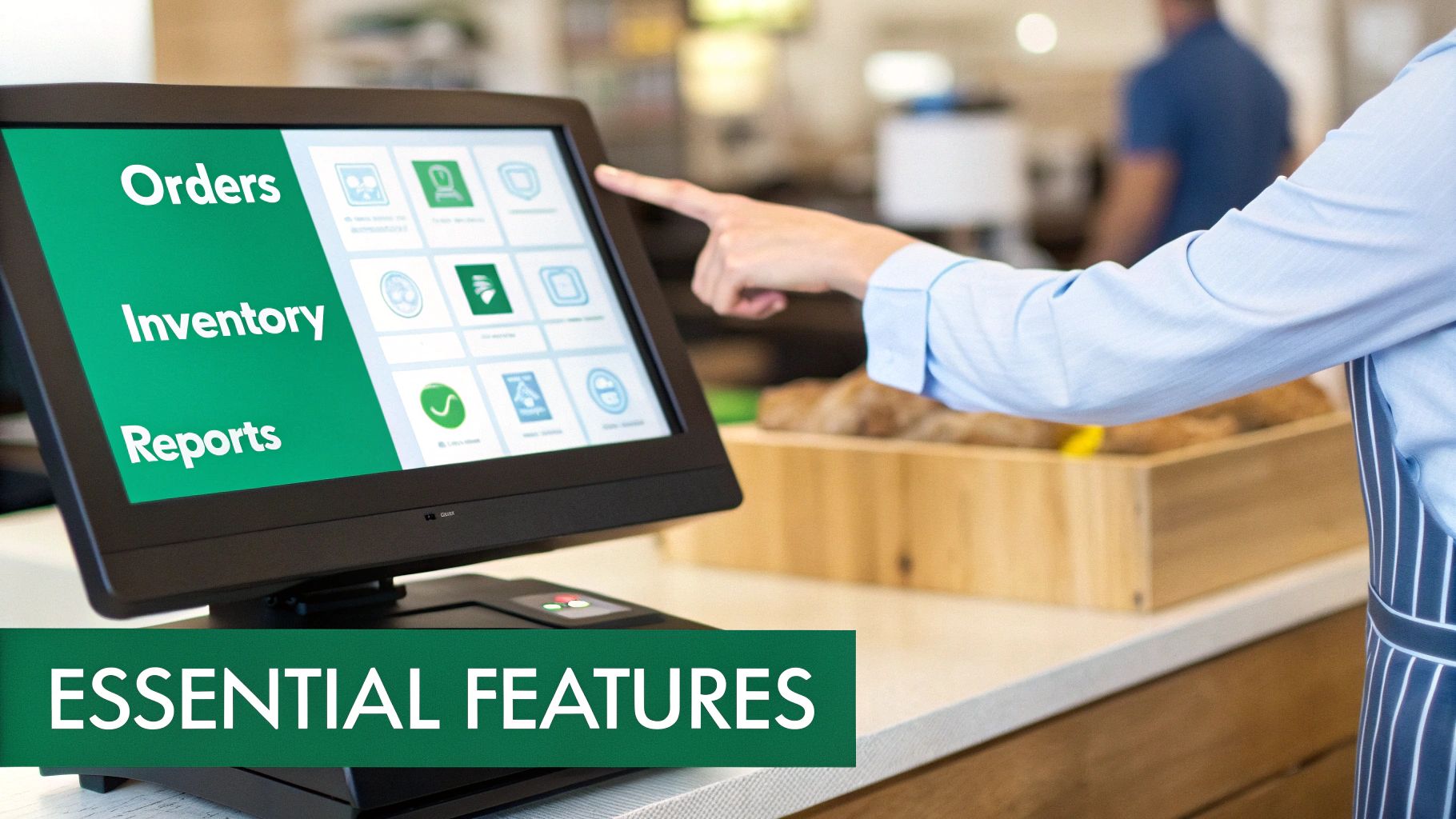
From handling a complicated order to making sense of your sales trends, the right features give you control, clarity, and the power to make smarter business decisions. Let's dig into the non-negotiable features every modern restaurant, café, or food truck needs to thrive.
Seamless Order Management
At its heart, a restaurant POS has to nail order management with both speed and precision. This goes way beyond just punching in a burger and fries. It's about capturing every detail correctly and sending it to the kitchen instantly.
Look for features like:
- Custom Modifiers: Effortlessly handle special requests like "no onions," "extra sauce," or "gluten-free bun." An intuitive system like TackOn Table lets your staff add these modifiers with just a few taps, making sure the kitchen gets it right and the customer leaves happy.
- Kitchen Display System (KDS) Integration: Paper tickets are a recipe for disaster. They get lost, smudged, and misread. A KDS displays orders digitally in the kitchen the moment they’re entered, slashing ticket times and virtually wiping out errors.
- Mobile POS Functionality: Give your servers a mobile POS, and they can take orders right at the table. This one change speeds up service, boosts table turnover, and improves the whole guest experience by keeping servers on the floor where they're needed most.
Flexible and Secure Payment Processing
Getting paid should be the easiest part of the meal. A modern POS has to offer a variety of secure and convenient payment options to meet customers where they are. Today's diners expect flexibility, and your system has to deliver.
This means supporting:
- Contactless Payments: From tap-to-pay cards to mobile wallets like Apple Pay and Google Pay, offering contactless options is no longer a perk—it's a baseline requirement for quick and hygienic transactions.
- Splitting Checks: The dreaded phrase, "can we split this?" shouldn't send your staff into a panic. A good POS makes splitting checks by item, amount, or number of guests a breeze, turning a painful task into a simple one.
- End-to-End Encryption: Every single transaction must be protected. Look for a system with rock-solid, built-in security features that keep customer data safe and your business PCI compliant.
A POS system’s true value is measured in its ability to handle the small details that make a big difference. Effortless payments and accurate orders are foundational to a great customer experience and a profitable business.
Real-Time Inventory Tracking
One of the biggest profit killers for any food business is waste. A powerful POS with integrated inventory management gives you a live look at your stock levels, helping you make smarter purchasing decisions and cut down on spoilage.
A modern system offers features that are a game-changer for following inventory management best practices. For example, when a server sells a steak dinner, the system automatically subtracts one steak, a portion of potatoes, and a side of asparagus from your count. This gives you ingredient-level tracking that stops you from selling an item you just ran out of and helps pinpoint exactly where your money is going.
Employee Management Tools
Your staff is your biggest asset, and your POS should help you manage them well. Built-in employee management tools bring structure and accountability to your team, saving you a ton of time on administrative grunt work.
Keep an eye out for these key features:
- Time Clock Functionality: Staff can clock in and out right on the POS terminal. This creates accurate digital timesheets that make payroll almost painless.
- Role-Based Permissions: Control who can access what. A server might only need to place orders and process payments, while a manager can get into sales reports, handle voids, and manage inventory. This is crucial for protecting sensitive business data.
- Performance Tracking: See who your top performers are by tracking sales per employee. This data is pure gold for training, scheduling, and rewarding hard work.
Powerful Reporting and Analytics
Finally, a POS should transform your daily sales data into a roadmap for growth. Comprehensive reporting and analytics are what separate a simple cash register from a true business management tool. Instead of guessing what’s working, you’ll know.
With a platform like TackOn Table, you can easily pull reports that show:
- Top-Selling Items: Pinpoint your most popular and profitable dishes to make smarter menu decisions.
- Sales Trends: See your busiest days and hours so you can optimize staffing levels and run promotions when they’ll have the biggest impact.
- Labor Costs vs. Sales: Compare your labor expenses to your revenue in real-time, ensuring you're running a lean, efficient operation.
These features, all working together with all-in-one simplicity, are what make a POS system the command center of your restaurant. Ready to see how these tools can transform your business? Book a demo to explore TackOn Table’s powerful, user-friendly features.
How a POS System Directly Impacts Your Bottom Line
It’s easy to see a point-of-sale system as just another piece of equipment—a necessary cost of doing business. But a modern POS is so much more than that. Think of it as the financial command center of your restaurant, directly connecting every order, every ingredient, and every staff action to your profitability.
For any restaurant owner, the only question that really matters is, "What's the return on this investment?"
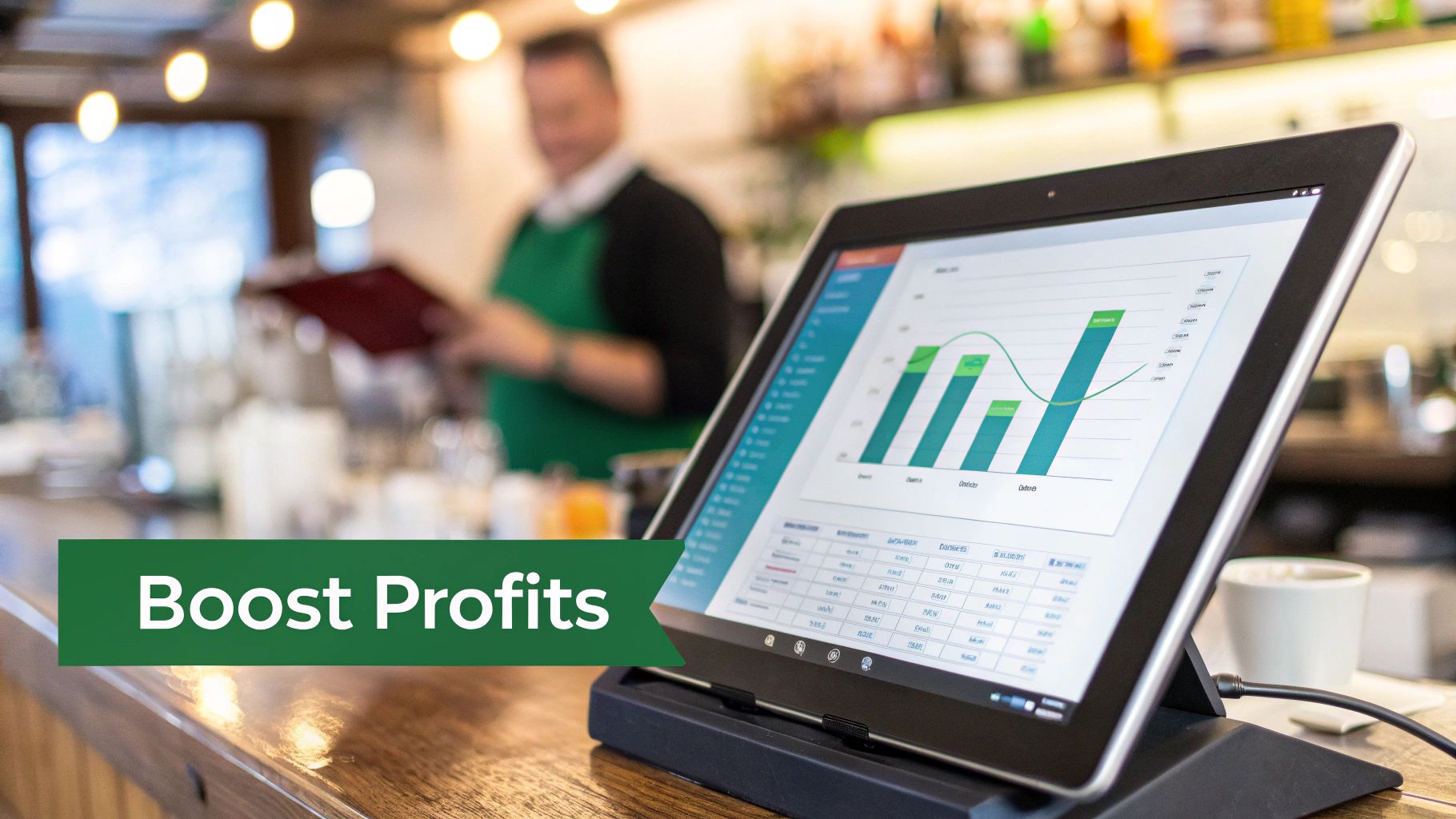
The answer is simple. A system like TackOn Table drives profit in three tangible ways: by making your entire operation run smoother, plugging common financial leaks, and giving you new ways to bring in more cash. It’s all about working smarter to grow your business.
Boost Efficiency and Serve More Guests
In the restaurant world, time is money. Faster service means turning more tables during that chaotic dinner rush, which boosts your sales per hour and keeps guests happy. A good POS is designed to hunt down and eliminate those little bottlenecks that slow everything down.
Take a server using a mobile POS device. They can punch in orders and take payments right at the table, completely cutting out the time-consuming trips to and from a fixed terminal.
- Faster Table Turns: With tableside ordering and payment, you shrink the dead time after guests finish their meals. Shaving just a few minutes off each table can easily add up to serving several extra parties every single shift.
- Fewer Order Errors: When an order is fired directly from a tablet to the kitchen display system (KDS), mistakes from bad handwriting or a misheard request become a thing of the past. That means fewer comped meals and more satisfied customers.
This jolt of speed and accuracy creates a much smoother flow for your entire operation, letting you squeeze every drop of revenue out of your busiest hours.
Cut Costs and Reduce Waste
Profit isn't just about how much money you make; it's also about how much you don't lose. A powerful POS system gives you the tools to stop the most common ways restaurants bleed cash, from food waste to employee theft. These small savings add up fast and make a real difference to your bottom line.
Precise, real-time inventory tracking is the perfect example. The system automatically subtracts ingredients from your stock count the second an item is sold, giving you an up-to-the-minute look at what you have on hand.
A great POS system acts as your financial watchdog. It gives you the data you need to protect your razor-thin margins and see exactly where every dollar is going, so you can make smart cuts without sacrificing quality.
This data helps you stop over-ordering, minimize spoilage, and avoid the dreaded moment you have to 86 a popular dish on a Saturday night. Plus, detailed sales reports and cash management features create accountability, making it much harder for theft to go unnoticed.
Curious about what you could be saving? Run the numbers with our easy-to-use ROI tool.
Increase Sales with Smarter Tools
Beyond just ringing up sales, a modern POS is an active part of your sales team. It’s packed with features designed to increase your average check size and keep customers coming back for more.
- Upselling and Cross-Selling Prompts: You can set up your system to give staff a little nudge with smart suggestions. A customer orders a burger? A prompt can remind your server to ask, "Would you like to add bacon to that?" It’s a simple, low-pressure way to boost each sale.
- Integrated Loyalty Programs: Building a loyal customer base is the key to long-term success. With a built-in loyalty program, you can easily reward your regulars and gather contact info, giving you a direct line to your best customers for marketing.
When you combine these efficiency boosts, cost-cutting measures, and sales-driving tools, a system like TackOn Table becomes the engine of your growth strategy. It delivers a clear, measurable return by turning your daily grind into genuine opportunities for profit.
How to Choose and Set Up Your First Restaurant POS
Deciding to get your first POS system—or switching from an old one—is a huge move. Think of it less like buying software and more like finding a long-term partner for your business. The best way to start is by taking a good, hard look at what your restaurant actually needs to thrive.
Whether you run a busy little café, a quick-service restaurant, or juggle several locations, the goal is the same: you need a system that makes your life easier, not more complicated. Start by mapping out your daily routine and pinpointing the biggest headaches. Is it the mad rush at the counter during the lunch peak? Are inventory counts always a little off? Or maybe you're struggling to keep your team in sync across different branches? The answers to these questions will build your must-have feature list.
Key Factors in Your Decision
As you start looking at different systems, especially if you're exploring Toast vs Clover alternatives, try to zero in on what really matters for your daily grind and your bottom line. Your priorities should be simplicity, flexibility, and solid support.
Here are the critical factors to dig into:
- Ease of Use: Your staff has to pick it up fast. A clean, intuitive interface means less time spent on training and fewer mistakes when you’re slammed. TackOn Table is built for an easy setup that takes less than 30 minutes, so you can get back to business right away.
- Scalability: The system you pick today needs to be able to keep up with your ambitions for tomorrow. Look for a solution with flexible plans and tools like multi-location control that won't box you in as you grow.
- Customer Support: When something goes sideways in the middle of a dinner service, you need help, and you need it now. Reliable, 24/7 support isn't just a nice-to-have; it's essential. We provide free, white-glove onboarding and dedicated support so you're never left hanging.
- Transparent Pricing: Sneaky fees and confusing contracts can turn a supposedly "affordable" system into a nightmare. Look for clear, upfront pricing with no long-term lock-ins. It shows the company is confident you'll want to stick around.
Your POS is more than a tool; it's the operational backbone of your restaurant. Choosing a partner who values simplicity and provides unwavering support is the key to unlocking its full potential and ensuring a smooth, stress-free implementation.
The TackOn Table Setup Advantage
We're firm believers that powerful café management software shouldn't be a pain to use. Our entire setup is designed to get you running with as little friction as possible. From the moment you sign up, our team is right there with you, guiding you through a simple, straightforward onboarding.
You won't need to hire an expensive IT crew or lose days messing with complicated settings. We do the heavy lifting so you can stay focused on what you do best: taking care of your customers. This commitment to all-in-one simplicity and real, hands-on support is what makes us different.
Don't settle for a system that just adds more to your plate. It's time to experience a POS actually designed to make your life easier and your business more profitable.
Ready to see how simple it can be? Book a demo today and discover the TackOn Table difference.
Frequently Asked Questions About Restaurant POS Systems
Still have a few things on your mind? You're not alone. Choosing the right POS is a huge decision for your restaurant, and it's smart to have all your questions answered before you commit. Let's clear up some of the most common ones we hear from owners.
Can I Just Use an iPad as a POS?
Absolutely. In fact, using tablets like iPads is now one of the most popular and cost-effective ways to run a modern restaurant POS.
Systems like TackOn Table are built from the ground up to run on devices you already know how to use. This turns a simple tablet into the command center for your entire operation—from taking orders tableside to processing payments and checking in on your business from home. Best of all, it keeps your initial hardware costs way down while providing the full power of a mobile POS.
What's a Restaurant POS System Going to Cost Me?
The price tag can swing wildly, but the good news is that cloud-based systems have made top-tier technology affordable for everyone. In the old days, a legacy system could mean shelling out thousands of dollars upfront just for the hardware and software licenses.
Today, modern solutions like TackOn Table operate on a simple subscription model. You pay a predictable monthly fee that typically covers the software, customer support, and all future updates. This shifts the cost from a massive one-time purchase to a manageable operating expense. Our commitment to affordability and simplicity means you get a powerful, all-in-one solution without hidden fees.
Think of the best POS system as an investment, not an expense. The right platform pays for itself over and over by boosting your efficiency, cutting down on waste, and giving you the data to make smarter sales decisions. It should deliver a clear return.
How Hard Is It to Switch from My Old System?
Switching your POS used to be a nightmare, but it really doesn't have to be that way anymore. When you partner with a company that’s focused on a smooth transition, the whole process can be surprisingly painless.
For instance, at TackOn Table, we've designed our system for an easy setup that takes less than 30 minutes. We handle the heavy lifting with free, white-glove onboarding to get your menu migrated over and walk you through every feature. Our entire goal is to get you up and running fast, without the headaches and downtime you're probably worried about.
Ready to see how an intuitive, powerful, and affordable POS can change the game for your restaurant? TackOn Table delivers the all-in-one simplicity you need with the dedicated support you deserve. Book a demo today and take the first step toward a smarter, more profitable business.