

Getting set up to accept contactless payments really boils down to two key pieces of gear: an NFC-enabled card reader and a Point of Sale (POS) system that can talk to it. The most straightforward path, especially for busy restaurants, cafés, or food trucks, is an all-in-one mobile POS like TackOn Table. It bundles everything you need—easy setup, multi-location control, and all-in-one simplicity—letting you take tap-to-pay and mobile wallet payments right out of the box.
Why Contactless Is Now a Must-Have, Not a Nice-to-Have
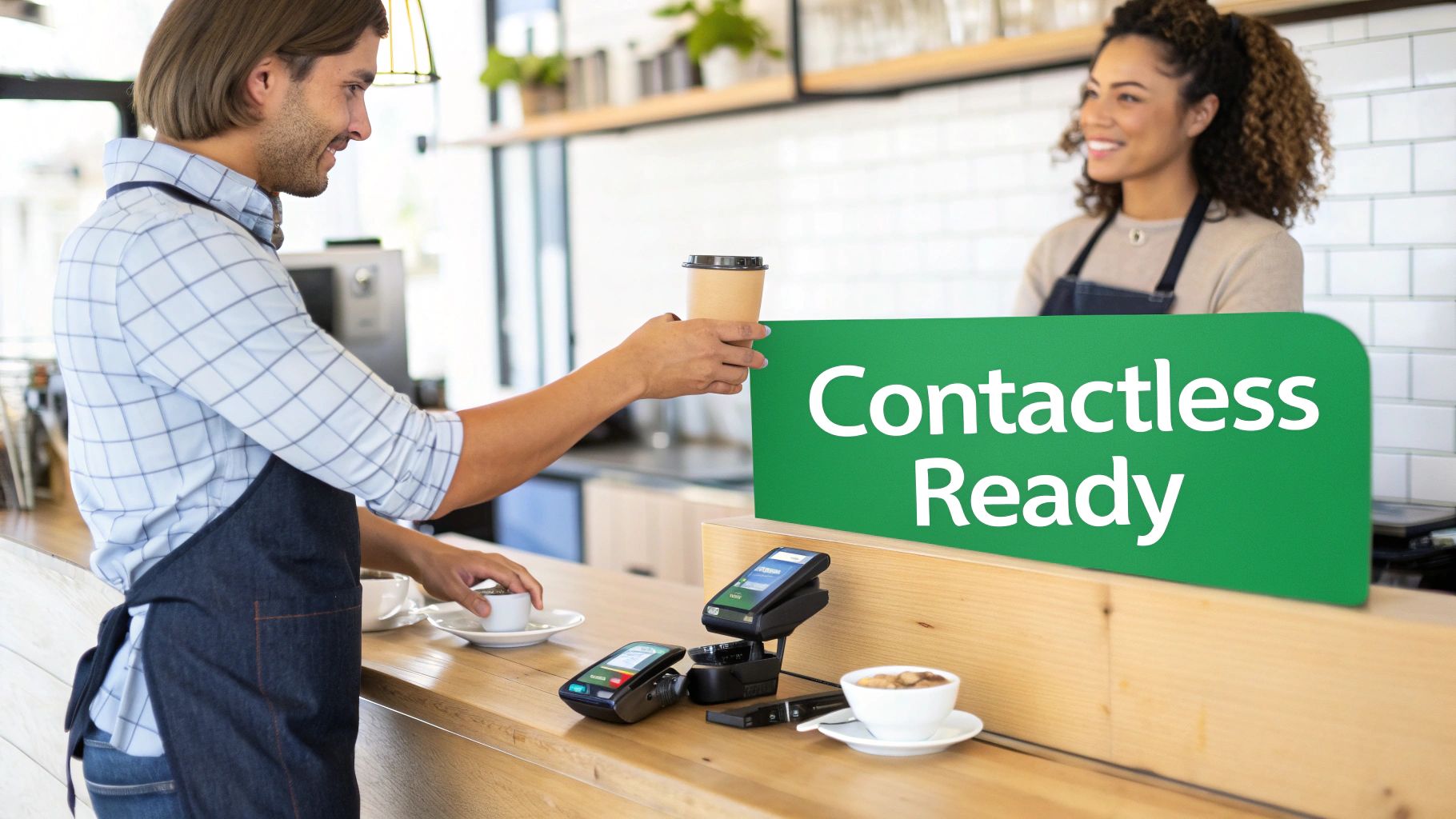
In the restaurant world, every second is precious. Whether you're running a bustling cafe, a full-service dining room, or a popular food truck, the old days of swiping cards and fumbling with cash are over. Today, customers expect the simple tap of a card or a phone. This isn't just a cool feature anymore—it's a baseline expectation.
This shift is all about speed, security, and convenience. Your guests love a checkout process that’s quick and touch-free, which leaves them with a better final impression of their visit. For your business, that translates directly into shorter lines, faster table turns, and a much smoother workflow for your team.
Keeping Pace with a Global Standard
The move to contactless isn't just a local trend; it's how the world pays now. Recent contactless payment statistics show a massive shift in consumer behavior, driven by the demand for faster, safer transactions. Customers have come to expect this convenience everywhere, from grabbing a morning coffee to dining out.
These numbers tell a clear story. If you're not offering tap-to-pay, you're not just missing out on efficiency—you're falling behind what customers consider standard.
At the end of the day, accepting contactless payments is a clear signal to your customers that you value their time and safety. It’s a small adjustment at the counter that has a huge impact on how they view your business.
The Two Core Components for Contactless Payments
Here's a quick summary of the essential tools you need to start accepting tap-to-pay and mobile wallets.
| Component | What It Does | The TackOn Table Advantage |
|---|---|---|
| NFC-Enabled Card Reader | This is the physical hardware that reads the "tap" from a card, smartphone, or smartwatch. It uses Near Field Communication (NFC) to securely exchange payment data over a very short distance. | TackOn Table’s mobile POS devices have NFC readers built right in. There's no separate terminal to buy, connect, or troubleshoot. It's an affordable, all-in-one solution that just works. |
| Compatible POS System | The "brain" of the operation. The POS software takes the payment information from the reader, processes the transaction, and integrates it with your sales reports, inventory, and other business data. | Our platform is designed from the ground up for modern payments. The software and hardware are perfectly synced, eliminating the compatibility headaches that come with mixing and matching different systems. |
By combining these two pieces into one cohesive unit, you simplify everything from setup and training to daily operations.
Making It Easy with an All-in-One Solution
This is where a modern, adaptable system like TackOn Table truly makes a difference. It eliminates the guesswork and complexity by providing an all-in-one mobile POS with contactless functionality already built-in.
Instead of trying to patch together different pieces of hardware and software, you get a single, intuitive platform that your staff can learn in minutes. For restaurants with multiple locations or food trucks constantly on the move, that kind of simplicity, adaptability, and reliability is everything.
Selecting the Right Contactless Payment Hardware
Picking the right hardware for contactless payments is one of those decisions that will shape your daily grind. This isn't just about getting a machine that taps a card; it’s about finding the perfect tool for your unique space. Are you a bustling cafe with a line out the door? A full-service restaurant where servers are constantly on the move? Or a food truck where every inch of counter space counts? Your hardware needs to simplify your workflow, not create new headaches.
The great news is that you've got more options than ever. You’re no longer stuck with a clunky, one-size-fits-all terminal. Now, you can actually choose gear based on what really matters to your business—things like transaction speed, how long a battery lasts for tableside payments, and whether it can survive a busy Saturday night shift.
Key Hardware Types to Consider
As you start looking into how to accept contactless payments, you'll find the hardware generally falls into a few distinct categories. Each one is built for a different kind of service environment, and knowing the difference is the first step to making a smart investment.
Here’s a breakdown of the main players:
-
Stationary Countertop Terminals: Think of these as the reliable workhorses of the payment world. They sit at your checkout counter, plugged in and always ready to go. They're built for speed and are a fantastic choice for quick-service spots or cafes where everyone pays at one central location.
-
Portable Handheld Readers: These little guys give you freedom. They let you take payments anywhere—right at the table, out on the patio, or at a pop-up event. For full-service restaurants, this is a game-changer. It means faster table turns and less running back and forth for your staff.
-
Mobile POS Systems (All-in-One): This is where everything comes together in one device. Your tablet or smartphone becomes your entire POS, complete with a built-in NFC reader for tap-to-pay. It's a sleek, modern solution for businesses that want maximum mobility and simplicity, letting your team take orders and process payments on the very same device.
Escaping the Hardware Trap: Toast vs. Clover Alternatives
I’ve heard this story a hundred times from restaurant owners: they get locked into an expensive, proprietary hardware ecosystem. Systems like Toast and Clover are notorious for this. They often force you to buy their terminals, which can be pricey and leave you with zero flexibility down the road. When a device breaks or just gets old, you’re stuck buying another one from them, usually at a steep markup.
This is exactly why a modern approach is so much better. A truly flexible Restaurant POS should be completely hardware-agnostic.
The software should work for your business, not the other way around. You deserve the freedom to pick the hardware that’s best for your budget and your operations without being punished for it.
We built TackOn Table around this very idea. Our Café Management Software is designed to play nicely with a wide variety of third-party payment readers. That means you can pick a simple mobile reader for your market stall or a heavy-duty countertop terminal for your diner. You get the full power of our platform without being shackled to a single hardware company. It’s a big reason why so many owners are now looking for Toast vs. Clover Alternatives that put them back in control.
This approach doesn’t just save you money upfront; it future-proofs your restaurant. As payment tech changes (and it always does), you can easily swap out your hardware without having to rip out your entire POS system. To see what works best with our platform, you can explore our recommended payment devices in the TackOn Table shop. This kind of flexibility ensures you're never stuck with yesterday's tech.
Ready to build a payment system that actually adapts to your business?
Start Your Free Trial of TackOn Table Today or Book a Personalized Demo to see how simple and affordable it can be.
Connecting Your Hardware to Your Restaurant POS
Getting a new contactless reader is just the first step. The real magic happens when that reader talks seamlessly with the brain of your operation: your Point of Sale (POS) system. This connection is the difference between a smooth, fast checkout and a recurring technical nightmare for your staff.
With a modern, cloud-based system like TackOn Table, this part is surprisingly painless. We designed our platform for the fast-paced reality of a busy restaurant, where nobody has time to troubleshoot clunky software. For us, integration is usually as simple as pairing a device over Bluetooth or Wi-Fi. It takes a few taps on your mobile POS screen, and you're done. No technicians, no driver installations, and zero downtime.
This approach transforms your payment hardware from a clunky box stuck on the counter into a flexible tool you can use anywhere—at the table, at the door, or for a line-busting queue.
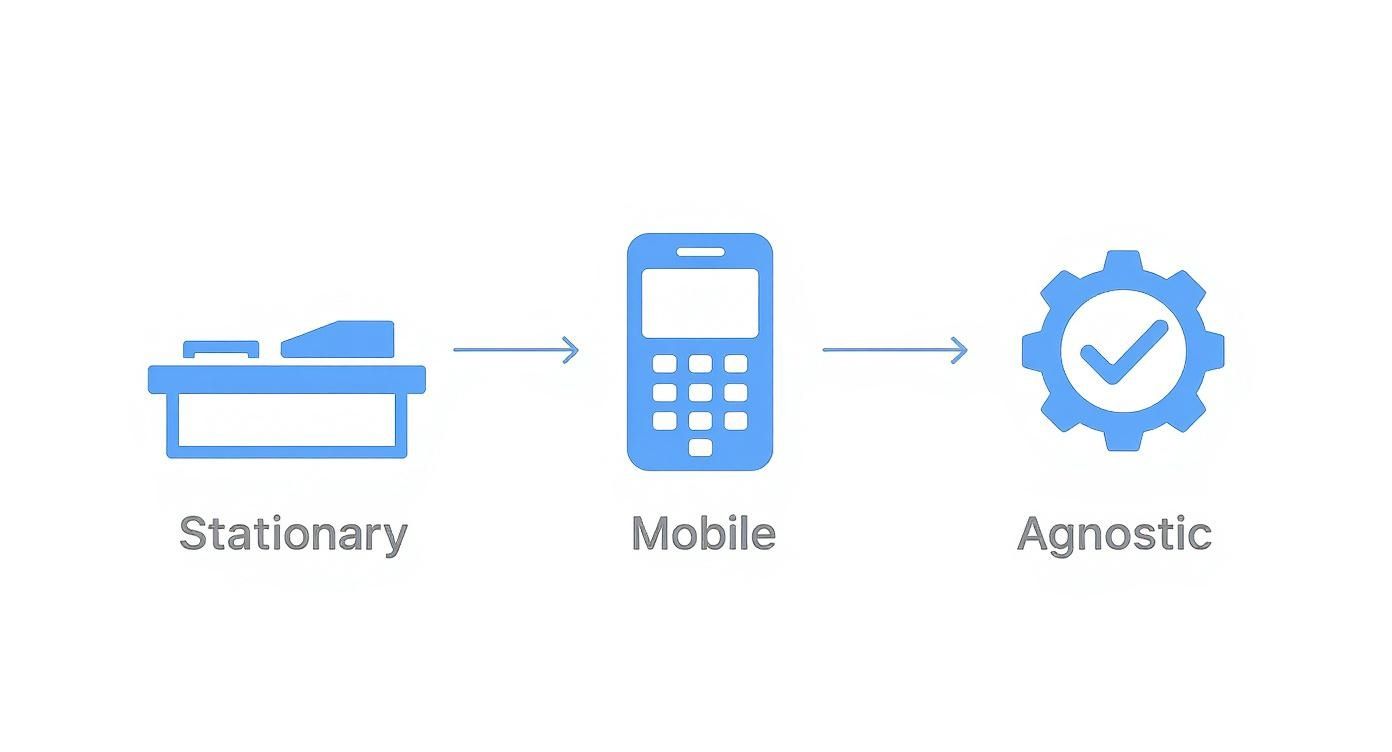
The industry is clearly moving toward these hardware-agnostic solutions, giving you the freedom to pick the tools that actually fit your workflow, not the other way around.
The Headaches of Old-School Systems
Now, let's contrast that with the frustrating world of legacy POS systems. If you're running on an older, on-premise setup, you know the pain. These systems often have rigid hardware requirements that turn a simple upgrade into a full-blown project.
- Manual Setup: Forget simple pairing. You’re often stuck manually punching in IP addresses, port numbers, and other obscure settings just to get the system to recognize the reader.
- Costly Technician Visits: It’s not uncommon for these outdated systems to require a paid service call from a specialist just to connect a new piece of hardware.
- Compatibility Roadblocks: Legacy software rarely keeps up with the latest payment tech, which can force you to use slower, less secure terminals that your customers don't want to use.
This old way of doing things isn't just inefficient—it costs you real money and holds your business back from adapting to new customer expectations.
The Advantage of Unified Café Management Software
A truly integrated system does so much more than just take a payment. When your hardware and software are built to work together from the ground up, you unlock a ton of powerful tools to manage your entire business more effectively. This is where modern Café Management Software really proves its worth, especially if you're running more than one location.
Let's say you own three cafés across town. With a unified platform like TackOn Table, you can manage everything from a single dashboard.
- Deploy New Readers Instantly: Ship a new terminal to any store, have a barista plug it in, and pair it to their POS station in minutes.
- Monitor Health in Real-Time: From your office, you can see which terminals are online, how they're performing, or if one is having an issue—before it impacts service.
- Push Updates Everywhere: When a security patch or new feature is ready, you can deploy it to every single terminal across all your locations with one click.
This kind of multi-location control is a game-changer. It's simply not possible with a patchwork of older systems. You move from fighting fires at each store to managing your entire tech stack from one central, streamlined hub.
The best technology feels invisible. A great POS ensures your hardware just works, so your team can focus on what they do best: taking care of your guests.
If you’re fed up with the limitations of a closed-off system, you’re in good company. Many owners are now looking for more flexible and affordable options. To see how we stack up, you can compare TackOn Table with other popular restaurant POS systems and see what a truly open platform can do for your business.
Keeping Transactions Secure and PCI Compliant
When you start taking digital payments of any kind, you're also taking on the responsibility of handling sensitive customer data. Learning how to accept contactless payments isn't just a tech upgrade—it's a promise to your guests that their information is safe with you. This is where PCI compliance enters the picture.
The Payment Card Industry Data Security Standard (PCI DSS) is the rulebook for keeping cardholder data safe. It sounds a bit technical and intimidating, but it’s really the foundation of customer trust. The great news is that modern payment technology, especially NFC, comes with powerful security features baked right in from the start.
The Layers of Security in Every Tap
Contactless payments are incredibly secure by design, all thanks to a few key technologies working together to protect every transaction. It's not just about speed; it's about giving your customers a genuinely safer way to pay.
Here’s a quick look at what’s happening under the hood:
- Encryption: The instant a customer taps their card or phone, the data gets encrypted. This process scrambles the information into an unreadable code as it travels to the payment processor, making it completely useless to anyone who might try to intercept it.
- Tokenization: This is the real game-changer. Instead of transmitting the actual 16-digit card number, the system creates a unique, one-time-use code (a "token") for that specific transaction. Even if a fraudster somehow got their hands on this token, it’s worthless for making any other purchases.
These two features are a powerful duo. Because the actual card details never even touch your POS system or network, your risk is drastically lower, and your PCI compliance burden becomes much, much simpler.
Your Part in Keeping Things Secure
While the hardware and software do most of the heavy lifting, security is a team sport. As a restaurant owner, your job is to make sure your day-to-day operations are locked down.
Here are a few practical things you should be doing:
- Secure Your Network: Your POS system should only ever connect to a secure, password-protected Wi-Fi network. Never, ever use your public guest Wi-Fi for processing payments—those networks are prime targets for attacks.
- Use Strong Passwords: Make sure every login for your Restaurant POS uses a strong, unique password. This goes for everyone, from managers to servers. It's also a good practice to enforce password changes every few months.
- Limit Staff Access: Your POS should allow you to set role-based permissions. Use them. A server doesn't need access to your financial reports, and limiting what people can see and do minimizes potential internal risks.
Honestly, the smartest thing you can do for both security and compliance is to partner with a modern POS provider that obsesses over this stuff for you. It lets you focus on your food and your customers, not on becoming a cybersecurity expert.
A system like TackOn Table is built from the ground up with security in mind. We manage the end-to-end encryption and are fully PCI DSS compliant, which means most of the technical headaches are already solved for you right out of the box. You get to inherit our secure infrastructure, freeing you from complicated setups and constant worry. For busy restaurant owners looking for a trustworthy alternative to systems like Toast or Clover, this all-in-one simplicity is a huge plus.
Our platform makes sure your business is protected, your customer data is safe, and your compliance duties are as simple as possible. It lets you get back to what you do best.
Ready to run your business with the peace of mind that comes from a secure, compliant, and easy-to-use system?
Start Your Free Trial with TackOn Table or Book a Demo to see how we make security simple.
Training Your Team for a Smooth Customer Experience
Great technology is only one half of the equation—your team is the other. Even the most advanced payment hardware can fall flat if your staff isn't confident using it. The real goal here is to make the whole payment process so seamless that it becomes an invisible, fast, and positive part of the customer's visit.
This is where the human side of your contactless upgrade comes in. Fortunately, with an intuitive mobile POS like TackOn Table, this doesn’t mean weeks of complicated training. Our platform was built for the fast-paced reality of a restaurant, so your team can get the hang of it in minutes, not days.
Building Confidence at the Counter and Table
A well-prepared team doesn't just process payments faster; they build trust. When a guest sees your staff handle a tap-to-pay transaction without missing a beat, it sends a clear message that your restaurant is modern, secure, and professional.
Keep your training checklist simple and laser-focused on what your team will actually encounter day-to-day.
- The Standard Tap: Walk them through initiating a payment on the POS and show them exactly where customers should tap their card or phone. It sounds simple, but you should emphasize waiting for that confirmation beep or checkmark on the screen.
- Mobile Wallets: Let them know that Apple Pay, Google Pay, and Samsung Pay work just like a physical card. There are no extra steps or weird quirks they need to worry about.
- Fielding Questions: Give them quick, easy answers to common questions. For "Is it secure?" they can say, "Absolutely, it uses the same encryption as chip cards." For "Do I need to sign?" the answer is, "Nope, tap-to-pay is designed to be much quicker!"
The key is hands-on practice. Before you go live, run a few test transactions using different cards and phones. This tiny investment of time builds muscle memory and gets rid of that deer-in-the-headlights look during a real dinner rush.
Troubleshooting Common Payment Hiccups
Even the best systems have an off day. A card might not read on the first try, or a customer might hover their phone uncertainly over the reader. Giving your team a simple troubleshooting playbook prevents a minor glitch from turning into a frustrating delay.
Create a little cheat sheet or a quick reference guide covering these basics:
- The "Failed Read" Error: This is the one you'll see most often. The fix is usually just asking the customer to try again, maybe holding their card or phone flat against the reader for a second longer. It's often just a timing issue.
- Card Placement: Sometimes the NFC chip isn't where the customer expects. Advise them to tap the middle of their card or the top half of their phone right over the contactless symbol on the reader.
- Customer Confusion: If a guest is new to this, a friendly, "You can just tap your card right here on the screen," makes the whole thing feel welcoming instead of intimidating.
With TackOn Table’s clean interface, any error messages are in plain English, not cryptic codes. This empowers your staff to solve problems on their own without having to flag down a manager, a huge advantage over clunky, older systems.
Let Your Customers Know
Finally, don't keep your shiny new payment option a secret! You've invested in making things easier for your customers, so make sure they know about it.
Simple, clear signage is all you need. Place a small decal with the universal contactless symbol at the entrance, on the counter, and maybe a small tent card on each table. This visual cue encourages people to use the faster method and helps keep your lines moving.
When you nail these human elements, you ensure your technology investment actually pays off with happier guests and a more efficient team.
Ready to give your team a system that’s powerful yet incredibly easy to learn?
Start a Free Trial of TackOn Table or Book a Demo to see the simplicity for yourself.
Making Your New Contactless System Work for You
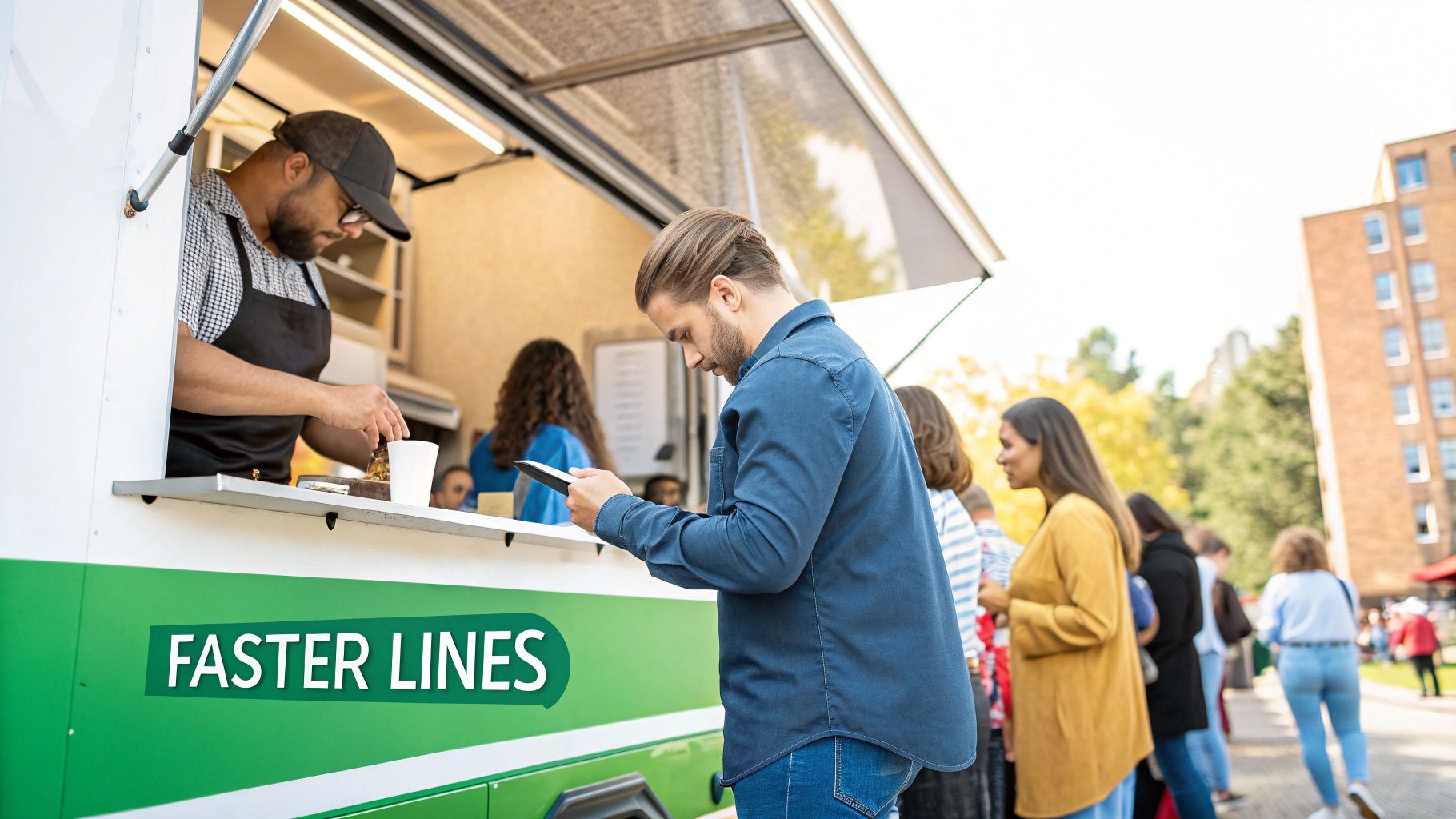
Getting contactless payments up and running is a great first step, but the real magic happens when you start looking at it as more than just a way to take money. It’s a tool. When used correctly, that simple tap of a card or phone can lead to faster lines, better table turnover, and a real impact on your sales.
Think about a busy food truck. Instead of just taking payment at the window, imagine using a mobile POS to take orders and payments right down the line of waiting customers. This isn't just about speed; it's about capturing sales you might have lost when people get tired of waiting. You’re actively busting the line before it even forms. That's how you make the system work for you.
Put Your Terminals Where They Make Sense
Where you place your payment terminals directly affects how fast you can operate. It sounds simple, but you have to think about the natural flow of your space from the customer's perspective.
For a coffee shop, putting a small, customer-facing reader right where people pick up their drinks lets them pay the second their order is ready. No awkward shuffling, no holding up the line. It's a smooth, continuous motion.
In a full-service restaurant, giving servers handheld POS devices completely changes the game. They don't have to make that time-wasting trip to a central terminal and back. That simple switch can shave valuable minutes off every table's payment process, which means you turn tables faster and serve more guests during a packed dinner shift.
The whole point is to make paying feel like an afterthought for the customer—a quick, easy tap, not a clunky process. Smart terminal placement is the key to making that happen.
Connect Payments to Your Loyalty Program
Modern contactless systems are built to do more than just process transactions. They can be a direct pipeline to building better relationships with your regulars. The best Restaurant POS platforms let you weave your loyalty program right into the payment process.
Think about it: a regular pays for their coffee with Apple Pay and instantly earns loyalty points. No fumbling for a punch card, no scanning a separate app. This seamless experience makes it a no-brainer for customers to join and stick with your rewards program, which in turn gives you a goldmine of data about what your best customers love.
Use the Data to Get Smarter
One of the biggest perks of upgrading your POS is the data you get. With a system like TackOn Table, you can finally see the real-world results of your new contactless workflow.
- Transaction Speed: Start tracking your average time-to-pay. You should see it drop pretty quickly as more people get used to tapping.
- Peak Hour Performance: Look at your sales volume during the lunch or dinner rush. A faster checkout process should directly translate to serving more people when it counts.
- Customer Habits: Find out what percentage of your customers are using their phones versus a physical card. That kind of insight can help you decide where to focus your marketing.
This information isn't just "nice to have"—it's essential for making smart decisions. It helps you see exactly how much you're saving in processing fees and how much time your staff is getting back. Curious what that might look like for your business? Our restaurant savings calculator can give you a pretty good estimate.
By thinking strategically about terminal placement, tying in your loyalty program, and actually using your performance data, you can turn your new payment setup into a genuine engine for growth.
Ready to see how an all-in-one, adaptable system can transform your operations?
Start a Free Trial or Book a Demo with TackOn Table to unlock your full potential.
Got Questions About Going Contactless? We’ve Got Answers.
Switching up how you take payments is a big move, and it’s natural to have a few questions. From my experience helping restaurants make the transition, a few key concerns always pop up. Let's walk through them so you can feel confident you’re making the right call.
"Isn't the New Hardware Expensive?"
This is probably the number one question I hear. It's true there's an initial investment for NFC-capable readers, but it's not the budget-breaker it used to be. Modern systems, like TackOn Table, bundle everything into an affordable mobile POS device, which keeps those upfront costs way down. The affordability and simplicity of our solution is a key advantage.
Think about it this way: the time you save with faster checkouts, especially during that chaotic lunch or dinner rush, adds up quickly. Those efficiency gains often pay for the hardware much faster than you’d expect.
"How Secure is Tap-to-Pay, Really?"
It's a fair question, but here’s the good news: contactless payments are actually more secure than the old magstripe swipes. It's all thanks to some clever tech called encryption and tokenization.
In simple terms, when a customer taps their card or phone, a one-time-use code (a token) is sent to your system, not their actual card number. This means their sensitive data is never stored on your POS, which dramatically cuts down your risk and makes staying PCI compliant a whole lot easier.
"What Happens If My Internet Goes Down?"
Ah, the dreaded internet outage. This is a critical point for any cloud-based Restaurant POS. The last thing you need is your entire operation grinding to a halt because of a Wi-Fi hiccup.
Leading platforms are built for this reality. TackOn Table, for example, has an offline mode that lets you keep taking payments even when you're disconnected. As soon as your internet is back, all the transactions sync up securely. You don't lose a single sale.
The best Café Management Software is built for the real world. It anticipates problems like network outages so you can keep serving customers without a hitch. That kind of reliability is non-negotiable.
"Will My Customers Even Use It?"
A few years ago, this might have been a valid concern. Today? Not at all. The answer is a resounding yes.
Customers don't just prefer tap-to-pay; they now expect it everywhere they go. It's fast, it's easy, and it's what they're used to. By offering it, you're not just adding a shiny new feature—you're meeting a basic customer expectation and making their visit that much smoother.
Ready to give your customers the fast, secure payment options they want? TackOn Table makes it simple with an affordable, all-in-one platform designed for the speed of your business. Book a Demo to see how easy it is to get started or Start Your Free Trial with TackOn Table.
See how TackOn Table works for your restaurant. Same-day call →