

To get a real handle on your restaurant's profitability, you first need to nail down your Cost of Goods Sold, or COGS. The classic formula is pretty straightforward: Beginning Inventory + Purchases – Ending Inventory = COGS. This simple calculation reveals the direct cost of the food and drinks you actually sold over a specific period, making it one of the most important health checks for your business.
What Is Cost of Goods Sold in a Restaurant?
Understanding your COGS is the first real step toward mastering your restaurant's finances. Simply put, it's the raw cost of everything that went into the dishes and drinks your customers bought. This isn't just some abstract accounting term—it's a powerful number that should drive your menu pricing, inventory management, and overall financial game plan with authority and clarity.
Think of it this way: every burger patty, bun, slice of cheese, and drop of ketchup that you sold has a direct cost. COGS bundles all of those direct costs together so you can see exactly how much you spent to generate your sales.
The Core Components of COGS
The formula might look basic, but each piece of the puzzle gives you critical insight into your daily operations. Let's break down what each part really means for your restaurant.
Breaking Down the Core COGS Formula
| Component | What It Means for Your Restaurant | Why It Is a Critical Metric |
|---|---|---|
| Beginning Inventory | This is the total dollar value of all your food and beverage stock on hand when you start a new period (like the first of the month). | It sets the baseline for your calculations. An inaccurate starting number throws off everything that follows. |
| Purchases | This covers all the new ingredients you bought during that period. Don't forget to include extras like freight charges—they add up. | This figure shows your spending and how well you’re managing supplier costs and ordering frequency. |
| Ending Inventory | This is the dollar value of all the ingredients you have left when the period ends. A physical count is key here. | This tells you what you didn't sell. A high ending inventory could signal over-ordering or slow-moving items. |
When you subtract what you have left (Ending Inventory) from what you started with plus what you bought, you're left with the precise cost of the ingredients that walked out the door in your customers' hands.
Why COGS Is a Critical Metric for Restaurant POS Systems
It’s crucial to separate COGS from your other business expenses. COGS is a variable cost, meaning it moves up or down directly with your sales. When you sell more burgers, your costs for beef and buns naturally go up. It’s a direct relationship.
Your other expenses, like rent, manager salaries, and insurance, are typically operating expenses—or fixed costs. These bills stay pretty much the same whether you have a dead Tuesday or a slammed Saturday night. Keeping these two categories separate gives you a much clearer picture of your restaurant's operational efficiency.
By isolating the direct cost of your ingredients, you can accurately calculate your gross profit on every single menu item. This is the foundation for smart menu engineering and pricing strategies that ensure you're not just busy, but actually profitable.
Think about a bustling café. Every burger flipped and every coffee poured directly impacts the bottom line. Calculating COGS is your secret weapon for staying in the black. In 2023, industry reports showed that food costs for U.S. restaurants hovered between 28% and 35% of total sales, with quick-service spots landing around 30%. If you don't know this number for your own business, you're flying blind. You can learn more about how COGS impacts restaurant profitability.
How TackOn Table’s Café Management Software Simplifies COGS
Let's be honest, manually tracking inventory on spreadsheets is a nightmare. It’s slow, tedious, and a recipe for human error. This is exactly where modern Café Management Software like TackOn Table comes in, turning a dreaded accounting task into an automated, insightful process with all-in-one simplicity.
Our platform is built to track your ingredient levels in real time, deducting inventory with every order punched into the mobile POS. This automation gives you an accurate, up-to-the-minute COGS figure and, more importantly, the data you need to make smarter decisions. You can finally pinpoint waste, optimize your purchasing schedule, and adjust menu prices with total confidence.
Unlike some of the more rigid Toast vs Clover alternatives, TackOn Table was designed for affordability, adaptability, and an easy setup. We believe powerful financial tools should be accessible to everyone, from a single food truck to a growing multi-location franchise.
Ready to take control of your costs and boost your bottom line?
Book a demo of TackOn Table today!
A Practical Walkthrough for Calculating Restaurant COGS
Knowing the formula is one thing, but actually putting it to work in a busy kitchen is another beast entirely. To get a real handle on your restaurant's financial health, you need a disciplined way to calculate your COGS. Let's walk through it, starting with a single menu item and then scaling up to a full month.
The basic idea is pretty simple: you figure out what you started with, add what you bought, and then subtract what you have left. The result is what it cost you to produce the food you sold.
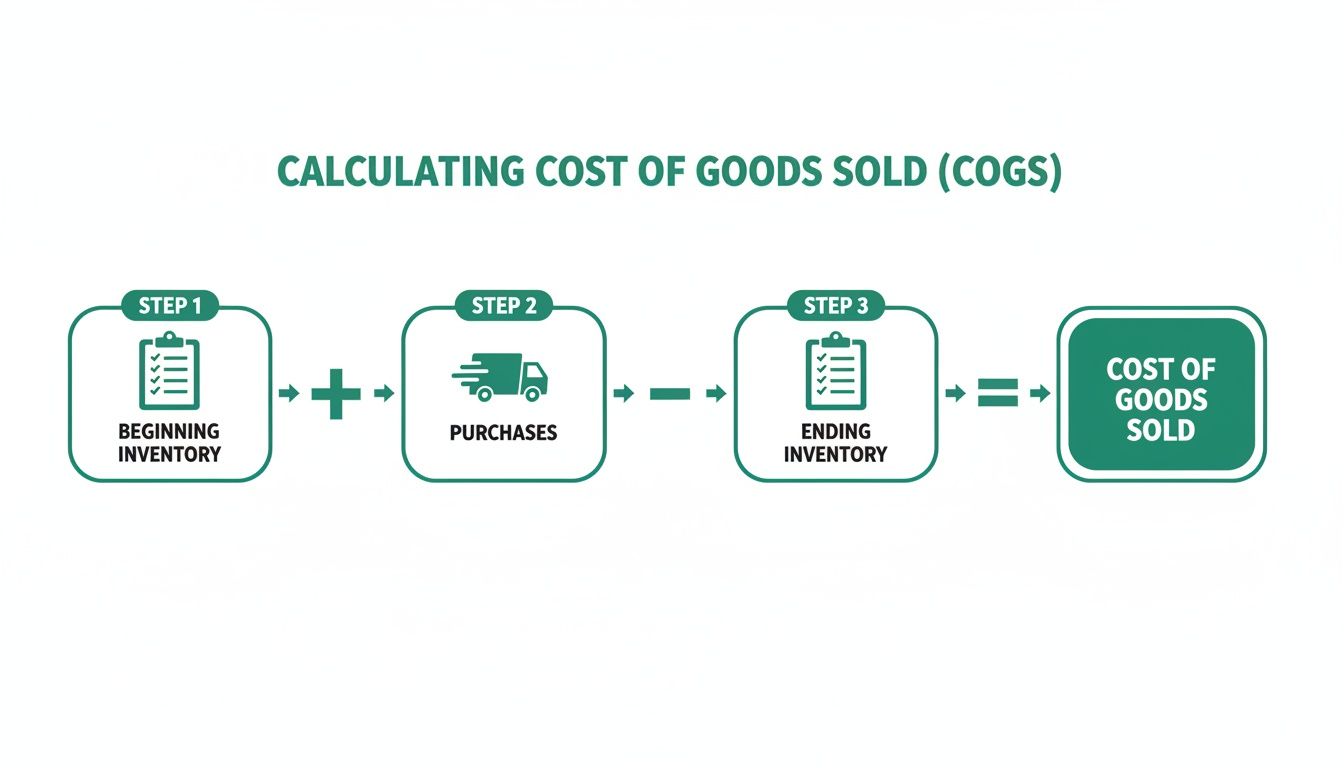
This visual shows how your inventory and purchases flow together to give you that final, crucial number.
Start with Your Beginning Inventory
Everything kicks off with your beginning inventory. This is the total dollar value of every single food and beverage ingredient you have on hand at the start of your accounting period—say, at the close of business on the last day of the month, which becomes the start of the next.
You can't afford to guess here. A sloppy count will poison your numbers from the very beginning. This means you have to do a full physical count of everything in your storerooms, walk-ins, and freezers. You'll multiply the quantity of each item by its unit cost to get its value.
For instance, if you have 50 lbs of ground beef that you bought for $4.00 per pound, that's $200 of inventory value. You have to do this for every single item—from flour and spices to produce and proteins—to find your total beginning inventory.
Don't Forget to Track All Purchases
Next up, you need a bulletproof system for tracking every purchase made during that period. And I mean every purchase. This isn't just about the big invoices from your main suppliers. It's about capturing all the little costs that are directly tied to getting ingredients into your kitchen.
Here’s what you absolutely must track:
- Food and Beverage Invoices: This is the obvious one—the primary cost from your suppliers.
- Freight and Delivery Charges: A classic mistake is forgetting shipping costs. They are a direct cost of acquiring your goods and have to be in the calculation.
- Direct Supplies: What about that emergency run to the local market for specialty produce or spices? It all counts.
Keeping a meticulous log is essential. A modern Restaurant POS like TackOn Table makes this so much easier by centralizing purchase orders and tracking every dollar spent, saving you from a pile of paper invoices.
I've seen so many operators only count their big food distributor invoices. Forgetting to add a $50 freight charge here or the $100 spent at the farmers' market there will give you an understated COGS and a dangerously inflated sense of profitability.
Nail Your Ending Inventory Count
When the period ends, you do it all over again. The physical count you perform now gives you the ending inventory—the dollar value of all the stock you still have on your shelves. Consistency is everything. You must use the same counting methods and the same unit costs you used for your beginning inventory.
A precise ending inventory is critical. If your count is too high, your COGS will look artificially low, making you think you're more profitable than you really are. If it's too low, your COGS will be inflated, which might send you into a panic about food costs when there's no real issue. You can use our savings calculator to see just how much these small inaccuracies can impact your bottom line.
Putting It All Together: The Bistro Burger
Let's bring this down to a single menu item. Imagine your signature "Bistro Burger" has the following recipe costs:
- Beef Patty (8 oz): $2.00
- Brioche Bun: $0.50
- Cheddar Cheese (1 slice): $0.25
- Lettuce, Tomato, Onion: $0.30
- House Sauce: $0.15
It costs you exactly $3.20 to make one Bistro Burger. That’s the COGS for that single item.
From One Burger to a Full Month
Now, let's apply the main COGS formula for a full month at our fictional bistro.
- Beginning Inventory (June 1): You’ve done the count and have $15,000 worth of ingredients on hand.
- Purchases (June 1-30): Throughout June, your new orders and deliveries total $10,000. This includes $300 in freight charges that you made sure to track.
- Ending Inventory (June 30): At the end of the month, your new physical count shows you have $12,000 worth of stock remaining.
Let’s plug those numbers into the formula:
$15,000 (Beginning Inventory) + $10,000 (Purchases) – $12,000 (Ending Inventory) = $13,000
Your Cost of Goods Sold for the month of June was $13,000.
This whole process is straightforward on paper, but in the real world, it’s incredibly time-consuming and ripe for human error. This is exactly where an all-in-one system like TackOn Table proves its worth. Our mobile POS and inventory tools automate stock depletion as you sell items and make purchase tracking a breeze, giving you accurate COGS data without those late-night spreadsheet marathons.
Choosing the Right Inventory Valuation Method
Once you've got the basic COGS formula down, the next step is deciding how to value the inventory you have on hand. This isn't just an accounting detail—it's a strategic decision that directly affects your final COGS number, your reported profit, and even how much you owe in taxes.
Essentially, the method you choose determines which costs you assign to the food you sold versus the food still sitting on your pantry shelves. Getting this right helps you manage cash flow, make smarter purchasing calls, and see a much clearer picture of your restaurant's financial health.
For most restaurants, it boils down to one of three methods: FIFO, LIFO, or Weighted Average Cost.
Let's break down how each one works in a real-world kitchen.
FIFO (First-In, First-Out)
The FIFO (First-In, First-Out) method is the most common and logical approach for anyone working with food. The principle is simple: the first ingredients you buy are the first ones you assume you've used.
Think about how you already run your walk-in cooler. When a new case of milk arrives, you instinctively move the older cartons to the front so they get used before they expire. That's FIFO in action, and the accounting works the same way.
This method is a natural fit for perishable goods. By matching the cost of your oldest inventory to your revenue, your COGS accurately reflects how ingredients physically move through your kitchen. When prices are rising, FIFO gives you a lower COGS and a higher reported profit because you're expensing the older, cheaper goods first.
LIFO (Last-In, Last-Out)
On the other end of the spectrum is the LIFO (Last-In, Last-Out) method. This one assumes that the newest items you purchased are the first ones you sold. It feels a bit backward for managing fresh produce, but it can offer some unique financial advantages.
During a period of inflation, when your food costs are climbing, LIFO matches your most recent—and most expensive—costs against your current revenue. This leads to a higher COGS, which in turn means a lower reported net income and, potentially, a smaller tax bill.
A word of caution, though: LIFO is more complicated to manage and isn't permitted under International Financial Reporting Standards (IFRS), though it is allowed under U.S. GAAP. For most restaurants, the administrative headache often outweighs the potential tax savings.
Weighted Average Cost (WAC)
Looking for a middle ground? The Weighted Average Cost (WAC) method smooths everything out by calculating a single average cost for all similar items in your inventory. You're not tracking every single purchase price.
This approach is perfect for bulk items where individual batches get mixed together—think flour, sugar, or cooking oil. It protects your COGS from sudden price spikes from a supplier, giving you a more stable and predictable cost metric from month to month.
The WAC method can be a lifesaver for managing volatile commodity prices, like dairy, which saw a 15% price jump in 2024. The calculation is straightforward: divide the total cost of goods available for sale by the total number of units available. Research has shown that foodservice businesses using WAC achieved 12% better pricing consistency—a huge plus for food trucks and caterers dealing with daily cost changes. Want to learn more? You can explore a deeper dive into inventory cost methods from our partners.
The valuation method you choose isn’t just for your accountant. It's a strategic decision that should align with your physical inventory flow, your financial goals, and the kind of ingredients you handle most.
Comparing Inventory Valuation Methods for Restaurants
Choosing the right inventory valuation method is a critical decision. The table below breaks down the key differences to help you decide which approach best suits your restaurant's operations and financial strategy.
| Method | Best For | Impact on COGS | Pros & Cons |
|---|---|---|---|
| FIFO | Restaurants with perishable goods (fresh produce, dairy). | In times of rising prices, results in lower COGS and higher profit. | Pro: Matches the actual physical flow of inventory. Con: Can result in a higher tax liability during inflation. |
| LIFO | Non-perishable goods and businesses seeking tax advantages during inflation. | In times of rising prices, results in higher COGS and lower profit. | Pro: Potential tax savings during inflation. Con: Complex to manage; doesn't reflect real inventory flow. |
| WAC | Businesses with bulk, non-perishable items (flour, sugar, oil) or fluctuating prices. | Smooths out price volatility, creating a stable, average cost. | Pro: Simple to calculate and provides cost stability. Con: May not accurately reflect the cost of the most recently purchased items. |
Ultimately, the best method depends on your specific inventory and business goals. FIFO is the most common and logical for food service, but WAC offers valuable stability for certain types of ingredients.
Why TackOn Table is a Better Toast vs Clover Alternative
Many older POS systems force you into a single, rigid inventory method. This is a major limitation and a key area where modern Café Management Software like TackOn Table shines, especially when you're looking at Toast vs Clover alternatives. We believe your tools should be flexible enough to support the financial strategy that actually works for your business.
Our platform was designed with this adaptability built-in. Whether you need the straightforward logic of FIFO for your fresh produce or the stabilizing effect of WAC for your dry goods, TackOn Table gives you the power to manage inventory your way.
This flexibility, combined with our transparent pricing, all-in-one simplicity, and easy setup, puts you in precise control of your cost of goods sold. With TackOn Table, you're not just ringing up sales—you're building a smarter, more resilient financial foundation for your restaurant.
Ready to use a system that molds to your business needs?
Start your free trial today and see the difference.
How Waste, Comps, and Employee Meals Skew Your Numbers
An accurate COGS calculation tells you the cost of ingredients for food you actually sold. But what about all the food that walks out of your kitchen without ringing the register? We're talking about spoiled produce, comped dishes for unhappy guests, and staff meals. If you're not tracking these items properly, they can seriously warp your financial picture.
Ignoring these costs is like having a silent partner who only takes from the business. It artificially inflates your COGS, squeezes your gross profit, and, worst of all, masks the real operational issues that are bleeding you dry. The trick is to account for them separately, not just bury them in your general cost of goods sold.
This isn't just about cleaner books; it's about turning those losses into data you can actually use to improve your restaurant.
Why You Absolutely Must Separate These Costs from COGS
When you lump waste, comps, or employee meals into your COGS, you're muddying the waters. You're essentially telling your financial story wrong, claiming those items were part of your normal sales activity.
This creates a completely misleading picture. For example, a sky-high COGS might make you think your supplier prices are out of control, when the real culprit is a faulty walk-in cooler that's causing constant spoilage.
By tracking these things as their own distinct expenses, you get clarity. You can see exactly how much each category is costing you, which is always the first step toward getting those numbers down. It allows your COGS to remain a pure, unadulterated measure of your menu's profitability.
Treating waste and comps as separate line items on your P&L statement isn't just accounting jargon—it's a powerful management strategy. It helps you diagnose problems in your operations, training, or even menu design before they spiral out of control.
Tracking Food Waste the Smart Way
Food waste pops up everywhere: a burnt steak, over-prepped produce that goes bad, or sloppy portioning. Every single instance is a direct hit to your bottom line. Trying to track this with a pen and a clipboard on the wall is a recipe for failure—it’s the first thing that gets ignored during a busy service.
This is where a modern Restaurant POS comes in. With a system like TackOn Table’s mobile POS, your staff can log any wasted item in just a few seconds. Even better, they can attach a reason for the waste.
- Spoilage: A sudden spike here can help you pinpoint issues with your purchasing frequency or storage practices.
- Kitchen Error: If you see this reason code popping up for one specific dish, it might be a sign that the team needs more training.
- Over-portioning: Consistent waste coming from the grill station could mean your portioning tools or recipes need a second look.
Suddenly, every mistake becomes a data point you can act on. You’re no longer just guessing where the money went; you're seeing it clearly and can take immediate steps to fix the leak.
Accounting for Comps and Voids
Comping a meal to make up for a bad guest experience is just part of the business. Voids are bound to happen when an order is punched in by mistake. Both result in food being used without bringing in any revenue. And just like waste, they need to be tracked with precision.
TackOn Table lets managers process comps and voids with mandatory reason codes. This data is gold. It helps you spot trends you'd otherwise miss. Is one server constantly making order entry errors? Is a particular menu item getting sent back by guests more often than others? Answering these questions helps you tighten up service and refine your menu.
Handling Employee Meals
Feeding your team is a fantastic perk, but it’s still an expense that needs to be accounted for. The cost of those employee meals should be recorded as a labor-related benefit or an employee welfare expense—never as COGS. This ensures your food cost percentage is a true reflection of customer sales.
With TackOn Table, setting up a system for employee meals is simple. You can create a specific "Employee Meal" payment type or a unique discount code. This automatically pulls the cost of those ingredients out of your COGS calculation and puts the expense in the right category on your financial reports. Your books stay clean and your data stays accurate.
As a superior Toast vs Clover alternative, TackOn Table gives you this level of granular control without the usual complexity or high costs. Our all-in-one platform means you can manage every piece of your restaurant's finances, from sales to waste, from a single, intuitive dashboard.
Ready to turn those operational leaks into opportunities for growth?
Book a demo to see how TackOn Table tracks every dollar.
Take COGS Calculations Off Your Plate with an Integrated Restaurant POS
Let’s be honest. Nobody gets into the restaurant business because they love spending late nights hunched over spreadsheets, trying to make sense of a pile of invoices. Manually calculating your cost of goods sold is more than just a headache; it's a real business risk. That old-school method is slow, riddled with potential for human error, and only gives you a backward glance at your finances. In this industry, you need real-time data to make smart moves.
This is where automation becomes your secret weapon. It’s not a luxury—it’s how you turn COGS from a historical number into a strategic tool that actively boosts your bottom line.
An all-in-one system like TackOn Table completely changes the game. By connecting every single sale directly to your inventory levels, it gives you a COGS figure that’s always accurate and always up to date. You can finally see exactly where your money is going, make menu and purchasing decisions backed by hard data, and win back the hours you used to lose to paperwork.
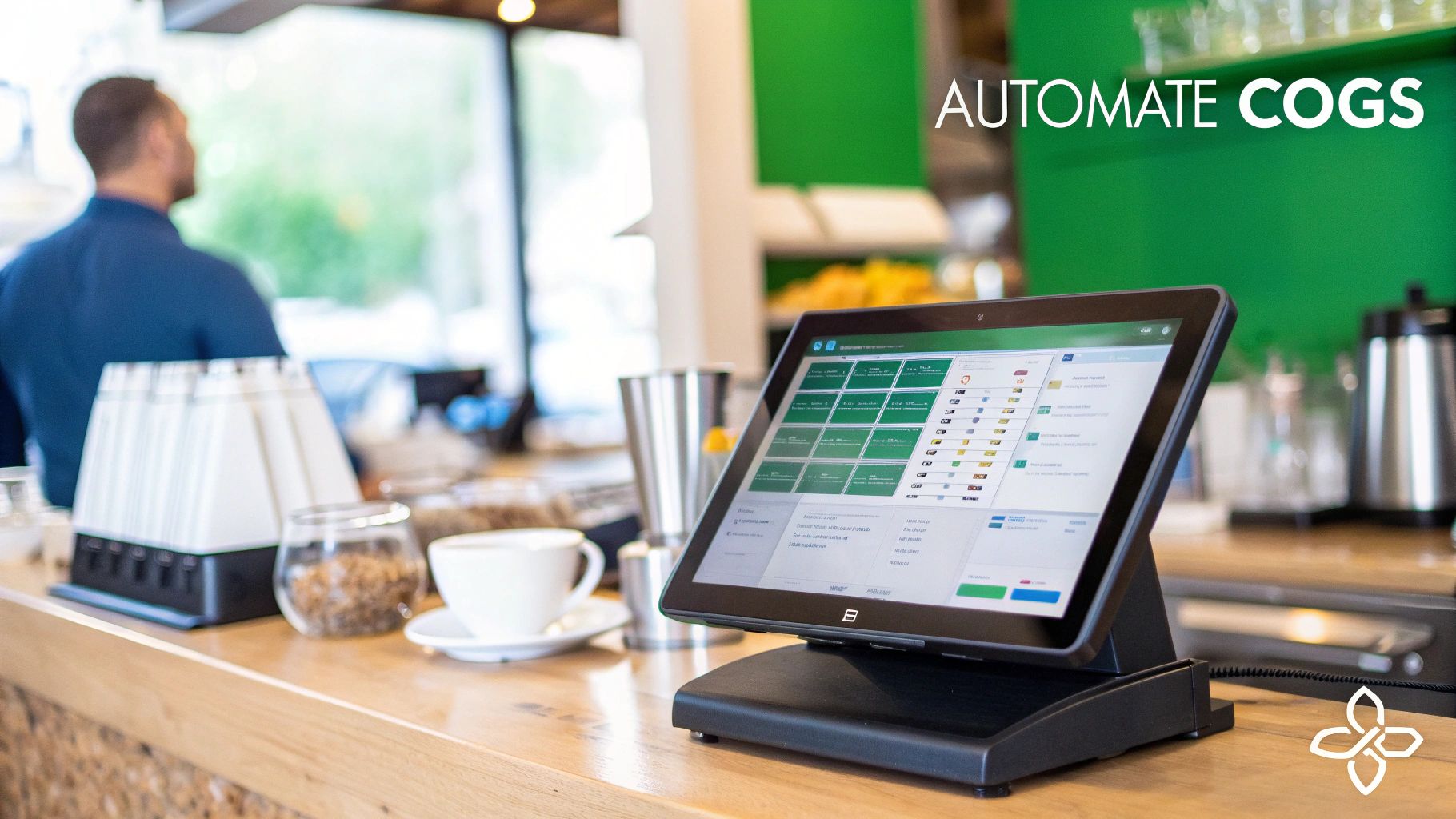
See Your Inventory Deplete in Real Time
The real magic of an integrated Restaurant POS happens the second an order is placed. When a server rings up a "Bistro Burger," the system does more than just add $15 to your sales report. In that same instant, it automatically deducts the precise ingredients for that recipe from your digital inventory count—one beef patty, one brioche bun, a slice of cheese, and the exact portion of lettuce and tomato.
This live depletion gives you an incredibly accurate, up-to-the-minute view of your ingredient levels, which directly translates to your COGS. You're no longer waiting for a month-end report to find out you have a problem. You can spot potential issues as they unfold.
By linking recipe costs directly to sales data, a modern POS provides a dynamic, constantly updated COGS percentage. This turns a once-monthly accounting task into a daily operational advantage, allowing you to react to food cost fluctuations instantly.
This kind of precision is simply out of reach with manual tracking. It’s the difference between navigating with a live GPS versus a map you printed out last week.
Get Smart Alerts and Streamline Your Purchasing
Knowing your inventory counts in real time is about more than just clean accounting; it’s about preventing lost sales. With a system like TackOn Table, you can set low-stock alerts for your most critical ingredients. You’ll get an automated heads-up long before you run out of avocados and have to 86 your best-selling brunch item on a busy Sunday.
This proactive approach naturally leads to smarter, more efficient ordering. The system can even help generate purchase orders based on sales trends and current stock, making sure you order just what you need. That means less waste and a lower risk of stockouts. It's a core function of our Café Management Software—it learns to anticipate your needs. To see everything it can do, feel free to explore our full suite of restaurant management solutions.
Control Multiple Locations from a Single Dashboard
For restaurant groups or franchises, trying to wrangle COGS across several locations can feel like an impossible puzzle. When you have disconnected systems and inconsistent reporting, getting a clear, consolidated view of your financial health is a constant struggle. This is exactly where TackOn Table’s multi-location control becomes a game-changer.
From one centralized dashboard, you have the power to:
- Monitor COGS for each restaurant individually or for the entire group.
- Compare performance between locations to spot your top performers and identify any operational outliers.
- Standardize recipes and pricing across the whole brand to lock in consistency.
- Centralize your purchasing to get better pricing from suppliers and keep costs down.
This unified command center removes the guesswork and lets you execute brand-wide strategies with confidence. And because we designed TackOn Table for an easy setup with all-in-one simplicity, you can roll these powerful tools out to all your locations without the usual IT headaches. We built it to be an affordable and adaptable platform, making it a smarter alternative to rigid systems like Toast or Clover. We believe powerful financial control shouldn't be complicated or break the bank.
At the end of the day, learning how to calculate the cost of goods sold isn't just about filling out a P&L statement. It's about gaining the crucial insight you need to run a more profitable, efficient, and resilient restaurant. When you automate the process, you free yourself to focus on what really matters: crafting incredible food and giving your guests an experience they won’t forget.
Ready to see how effortless COGS management can be?
Book a demo and discover the TackOn Table difference.
COGS Calculation FAQs for Your Restaurant
If you're wrestling with the numbers behind your restaurant, you're not alone. The Cost of Goods Sold is a critical metric, but it often brings up a lot of questions. Let's tackle some of the most common ones we hear from operators.
How Often Should a Restaurant Calculate Its COGS?
Technically, your accountant will want a COGS calculation for your monthly P&L statement. But if you're only looking at it once a month, you're leaving money on the table.
In our experience, the best operators track COGS weekly.
A week is short enough to let you jump on problems right away. Did your produce supplier just jack up their prices? Is there a sudden spike in kitchen waste? A weekly check will catch it. Waiting a whole month means you've been bleeding profit for weeks without even knowing. This is where a modern POS really shines—systems like TackOn Table can give you a daily snapshot of your inventory, so you can make smart adjustments on the fly.
What Is a Good COGS Percentage for a Restaurant?
This is the million-dollar question, and the answer is… it depends. The industry benchmark for a healthy COGS is typically between 28% and 35% of your total revenue.
But don't treat that as gospel. A fine-dining steakhouse will have a much different food cost reality than a neighborhood coffee shop. What's more important is knowing your ideal number. Figure out a benchmark for your specific concept and then track it religiously. Using the analytics dashboard in a system like TackOn Table makes it easy to see trends over time and spot where you can tighten things up.
Does COGS Include Labor Costs?
A hard no on this one. COGS is strictly for the direct costs of the ingredients—the food and beverages that go into the dishes you sell.
Things like your chef's salary, your line cooks' wages, and your servers' pay are all separate operating expenses. You absolutely have to keep these two categories separate for your financial reporting to be accurate. It’s the only way to get a true picture of your restaurant's efficiency. TackOn Table is designed to keep food and labor costs in their own lanes, so you always have a crystal-clear view of your finances.
How Can I Lower My Restaurant's Cost of Goods Sold?
Bringing down your COGS is one of the fastest ways to boost your bottom line. It's not about being cheap; it's about being smart.
Here are a few strategies that always work:
- Get better pricing. Don't be afraid to negotiate with your suppliers. Loyalty is great, but your margins matter more.
- Attack food waste. This is a huge one. Tighter inventory management is your best weapon here.
- Engineer your menu. Figure out which items have the best margins and make them irresistible to your guests.
- Master portion control. A little extra here and there adds up to a lot of lost profit by the end of the month.
Your POS system should be your best friend in this fight. The data you get from a platform like TackOn Table will point you directly to the biggest cost-saving opportunities. For more practical advice, check out our general restaurant FAQs.
Ready to stop guessing and start knowing your numbers? TackOn Table provides the all-in-one simplicity and powerful tools you need to automate COGS, control costs, and drive profitability.
Book a demo and see how easy it can be.