

Your Point of Sale (POS) system is the operational heart of your restaurant. It's far more than a digital cash register; it's the central command center that processes orders, manages payments, tracks inventory, and builds customer relationships. Choosing a system with the right point of sale system features is one of the most critical decisions you'll make. The right features can slash order times, eliminate costly errors, and provide the crucial data needed to grow your business profitably. Conversely, the wrong system creates operational bottlenecks, frustrates staff, and directly impacts your bottom line.
This comprehensive guide breaks down the essential feature sets that modern quick-service restaurants, cafes, food trucks, and full-service establishments need to thrive. We will provide a prioritized, in-depth checklist covering everything from core functions and payment security to advanced inventory management and multi-location controls. We'll explore the top platforms on the market, including Square, Toast, and Clover, while also highlighting powerful Toast vs Clover alternatives that offer unique advantages.
Throughout this roundup, we will showcase how an all-in-one, mobile-first system like TackOn Table provides a distinct edge. Its focus on easy setup, powerful multi-location control, and all-in-one simplicity presents a modern solution that prioritizes affordability and adaptability for today's dynamic food and beverage industry. Each platform analysis will include screenshots and direct links, giving you a clear, actionable path to finding the perfect POS to drive your restaurant's success.
1. TackOn Table: The All-in-One Restaurant POS
TackOn Table has established itself as a premier, all-in-one POS and restaurant management platform by focusing on three core pillars: speed, accuracy, and unified control. Designed for the dynamic needs of modern food service, from bustling multi-location bistros to agile food trucks, its cloud-first architecture streamlines every aspect of the business. The platform’s standout quality is its ability to deliver enterprise-grade point of sale system features within a surprisingly intuitive and accessible package, eliminating the fragmentation common with legacy systems.
This unified approach means orders, payments, inventory, staff management, and analytics all sync in real time across every channel. Whether an order comes from the dining room, a tableside handheld device, or your integrated online ordering site, it flows into one cohesive system. This eliminates manual data entry, reduces communication errors, and gives operators a single source of truth for decision-making.
Why TackOn Table Stands Out as a Leading Restaurant POS
TackOn Table excels by delivering a robust feature set that directly addresses the most pressing challenges in restaurant management. Its design philosophy prioritizes efficiency and security, ensuring that operations run smoothly even during peak hours.
- Speed and Accuracy: The platform claims to boost order processing speeds by up to 40% while reducing errors by 95%. This is achieved through an optimized interface and near-instant (<3s average) data transfers between terminals, kitchen displays, and handheld devices. For a high-volume café or quick-service restaurant, this translates directly to shorter lines, faster table turns, and higher customer satisfaction.
- True All-in-One Simplicity: Unlike systems that require costly third-party add-ons, TackOn Table provides a comprehensive suite of tools out of the box. This includes cloud POS, integrated online ordering, menu and inventory management, employee time tracking, and powerful built-in analytics. For multi-location groups, the ability to manage all sites from a single dashboard provides unparalleled operational control.
- Mobile-First Service: The lightweight mobile POS empowers staff to take orders and payments anywhere, from tableside to curbside. This mobility untethers servers from fixed terminals, allowing them to spend more time with guests and accelerate the entire service cycle.
- Enterprise-Grade Security: With end-to-end encryption and compliance with PCI DSS and SOC 2 standards, TackOn Table ensures that every transaction is secure. Automatic cloud backups and a focus on 99.9% uptime provide peace of mind, protecting critical business data against loss or breaches.
Pricing and Onboarding
TackOn Table offers transparent, tiered pricing designed to scale with a restaurant's growth, making it an affordable alternative to competitors like Toast or Clover.
| Plan | Monthly Price (Billed Annually) | Key Features |
|---|---|---|
| Starter | $49/month | 1 terminal, basic reporting, menu management |
| Professional | $99/month | Up to 5 terminals, advanced analytics, online ordering |
| Enterprise | $199/month+ | Multi-location support, custom integrations, dedicated manager |
The platform is notably low-risk to adopt. A 30-day free trial and no long-term contracts allow you to test its capabilities thoroughly. Furthermore, their white-glove onboarding and easy setup (a limited-time offer, normally $299) ensure a smooth transition, with many businesses going live in under 24 hours.
Pros:
- Substantially faster and more accurate service with near-instant data sync.
- Truly all-in-one platform covering POS, online orders, inventory, staff, and analytics.
- Top-tier security features (PCI DSS, SOC 2) protect business and customer data.
- Low-risk adoption with a free trial, no long-term contracts, and guided onboarding.
Cons:
- Pricing is per location, which can become costly for large franchise groups without volume discounts.
- While compatible with existing hardware, the best experience is achieved with TackOn’s recommended devices, which can add to the initial investment.
For restaurants seeking a powerful, secure, and user-friendly system that combines essential point of sale system features into one platform, TackOn Table is a definitive choice.
Website: https://www.tackontable.com
2. Square for Restaurants
Square is a dominant force in the point of sale (POS) market, renowned for its end-to-end ecosystem that combines user-friendly software, integrated payment processing, and a diverse line of proprietary hardware. Its core strength lies in its accessibility, offering a free entry-level plan that allows new businesses, from food trucks to small cafes, to start accepting payments with minimal upfront investment. This "start free and add on" model makes it an incredibly popular choice for new ventures.
The platform is designed for rapid onboarding, featuring a clean, intuitive user interface that new staff can learn in minutes. This simplicity is a key differentiator, reducing training time and operational friction. Square offers specialized versions of its software tailored for different industries, including Square for Restaurants, which includes essential features like table mapping, coursing, and check splitting.
Core Offerings and Unique Features
Square’s value proposition is its modular, all-in-one system. As a business grows, it can seamlessly add functionalities without overhauling its core POS. These paid add-ons transform the basic system into a comprehensive restaurant management tool.
- Hardware Versatility: Square supports a wide range of hardware, from a simple mobile card reader to the all-in-one Square Register and the handheld Square Terminal for tableside orders and payments. This allows businesses to build a setup that precisely fits their space and workflow.
- Integrated Add-Ons: The ecosystem extends beyond payments. Users can add modules for loyalty programs, email and SMS marketing campaigns, advanced team management with payroll capabilities, and sophisticated inventory tracking.
- Transparent Pricing: For its free plan, Square operates on a straightforward pay-per-transaction model. While paid tiers unlock lower processing rates and more advanced point of sale system features, the initial transparency is a major draw for budget-conscious owners. For a detailed breakdown of how it compares to other systems, you can explore this in-depth analysis of Square's restaurant POS.
Pros and Cons
| Pros | Cons |
|---|---|
| Very low barrier to entry with a robust free POS plan. | Advanced features and best rates require upgrading to paid tiers. |
| Intuitive UI that simplifies staff training and daily use. | Hardware costs can accumulate quickly as you add more stations. |
| Scalable system with a wide range of first-party add-ons. | Support can be less personalized compared to smaller competitors. |
| Unified ecosystem for payments, software, and hardware. | Transaction fees can be higher for high-volume businesses on the free plan. |
Who It's Best For
Square is an excellent fit for new and small-to-medium-sized restaurants, cafes, and food trucks that prioritize ease of use, low startup costs, and a scalable platform. Its modular design allows businesses to invest in advanced features only when they are ready, providing a clear growth path.
Website: https://squareup.com/
3. Shopify POS for Café Management Software
Shopify POS is the go-to solution for retailers and hybrid businesses looking to seamlessly merge their e-commerce presence with their brick-and-mortar operations. Its greatest strength is the native integration with the Shopify e-commerce platform, creating a truly unified system. This allows businesses, from boutique cafes with online merchandise to full-scale restaurants selling meal kits online, to manage a single product catalog, customer database, and inventory across all sales channels.
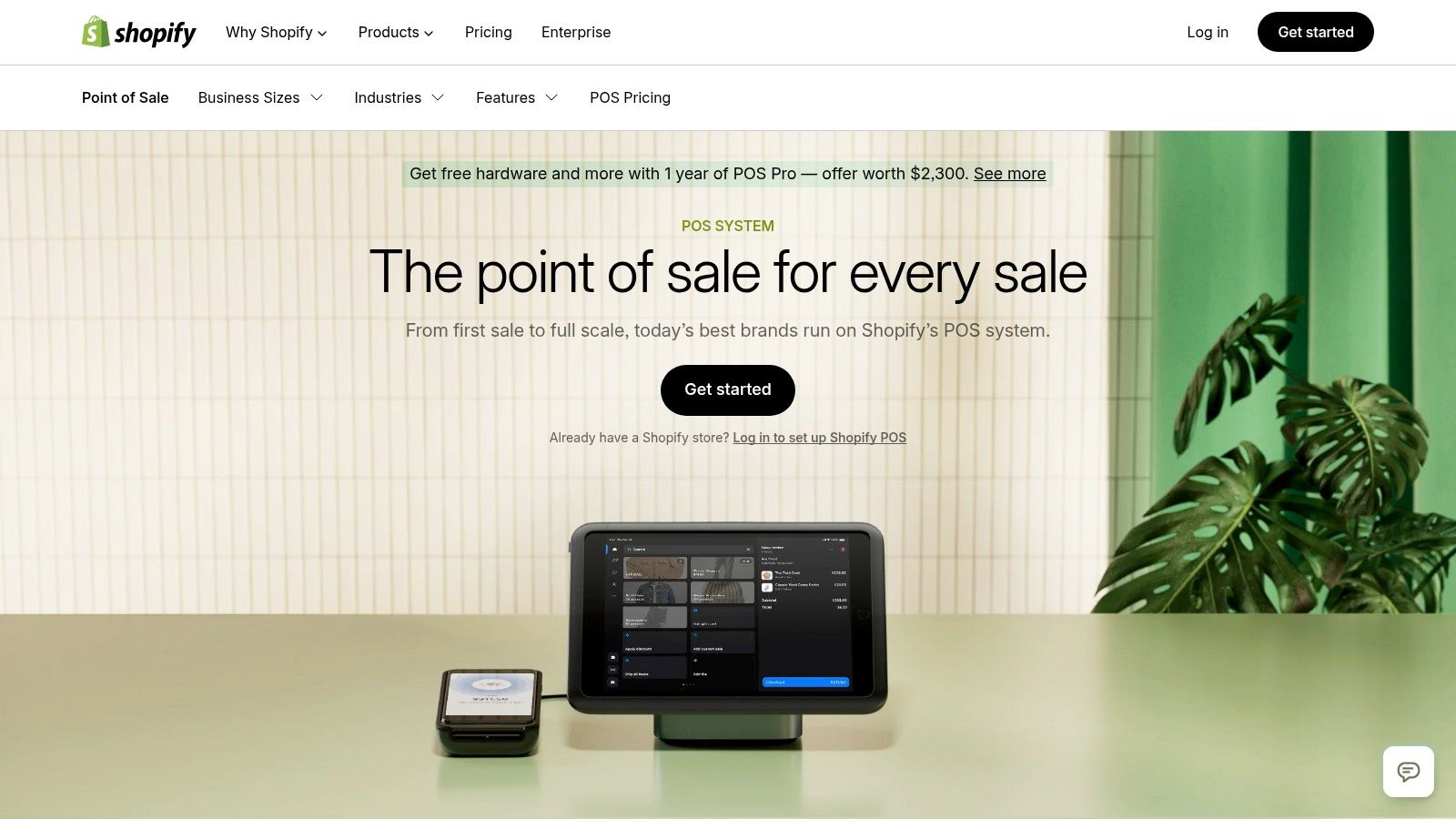
The platform is built on the concept of omnichannel commerce, where the line between online and in-person shopping disappears. Customers can buy online and pick up in-store, or browse in-store and have items shipped to their home, all tracked within a single system. This unified approach provides a consistent brand experience and rich customer data, regardless of where the transaction occurs.
Core Offerings and Unique Features
Shopify’s core value lies in its unified commerce ecosystem. By default, every Shopify e-commerce plan includes Shopify POS Lite, which covers basic in-person payment acceptance and order management. For more advanced retail or restaurant workflows, businesses can upgrade to POS Pro.
- True Omnichannel Management: The system offers a single, unified view of products, inventory, orders, and customer profiles. An item sold in-store is instantly updated on the online store, preventing overselling and ensuring data accuracy.
- Tiered POS Plans: The included POS Lite is perfect for pop-ups or simple retail. POS Pro is a paid add-on that unlocks advanced point of sale system features like smart inventory management, unlimited staff accounts with role-based permissions, and in-depth analytics.
- Extensive App Ecosystem: One of Shopify’s biggest advantages is its massive app store. Users can integrate hundreds of third-party apps for loyalty programs, advanced marketing, appointment booking, and specialized restaurant management functions.
- Integrated Shopify Payments: Using Shopify Payments streamlines transaction processing with competitive, flat-rate pricing and simplifies financial reconciliation by consolidating online and in-person sales into a single payout.
Pros and Cons
| Pros | Cons |
|---|---|
| Best-in-class omnichannel for unified e-commerce and retail. | Requires a base Shopify e-commerce subscription to function. |
| POS Lite is included with all Shopify plans at no extra cost. | POS Pro is a significant additional monthly fee per location. |
| Vast ecosystem of third-party apps for endless customization. | Primarily designed for retail; restaurant features often require apps. |
| Clean, modern interface that is easy for staff to learn. | Some users have reported performance slowdowns after software updates. |
Who It's Best For
Shopify POS is the ideal choice for businesses that already use or plan to use Shopify for their e-commerce store. It is perfect for cafes, bakeries, and hybrid restaurants that sell both prepared food and retail merchandise (like coffee beans, branded apparel, or sauces) and want a single platform to manage everything.
Website: https://www.shopify.com/pos
4. Toast POS for Restaurants
Toast is a powerful, all-in-one platform built from the ground up exclusively for the restaurant industry. Its key distinction is its laser focus on hospitality, offering a deeply integrated ecosystem of software, purpose-built hardware, and payment processing designed to handle the demanding pace of full-service restaurants, quick-service establishments, and bars. Unlike more generalized systems, every Toast feature is designed with a restaurant workflow in mind.
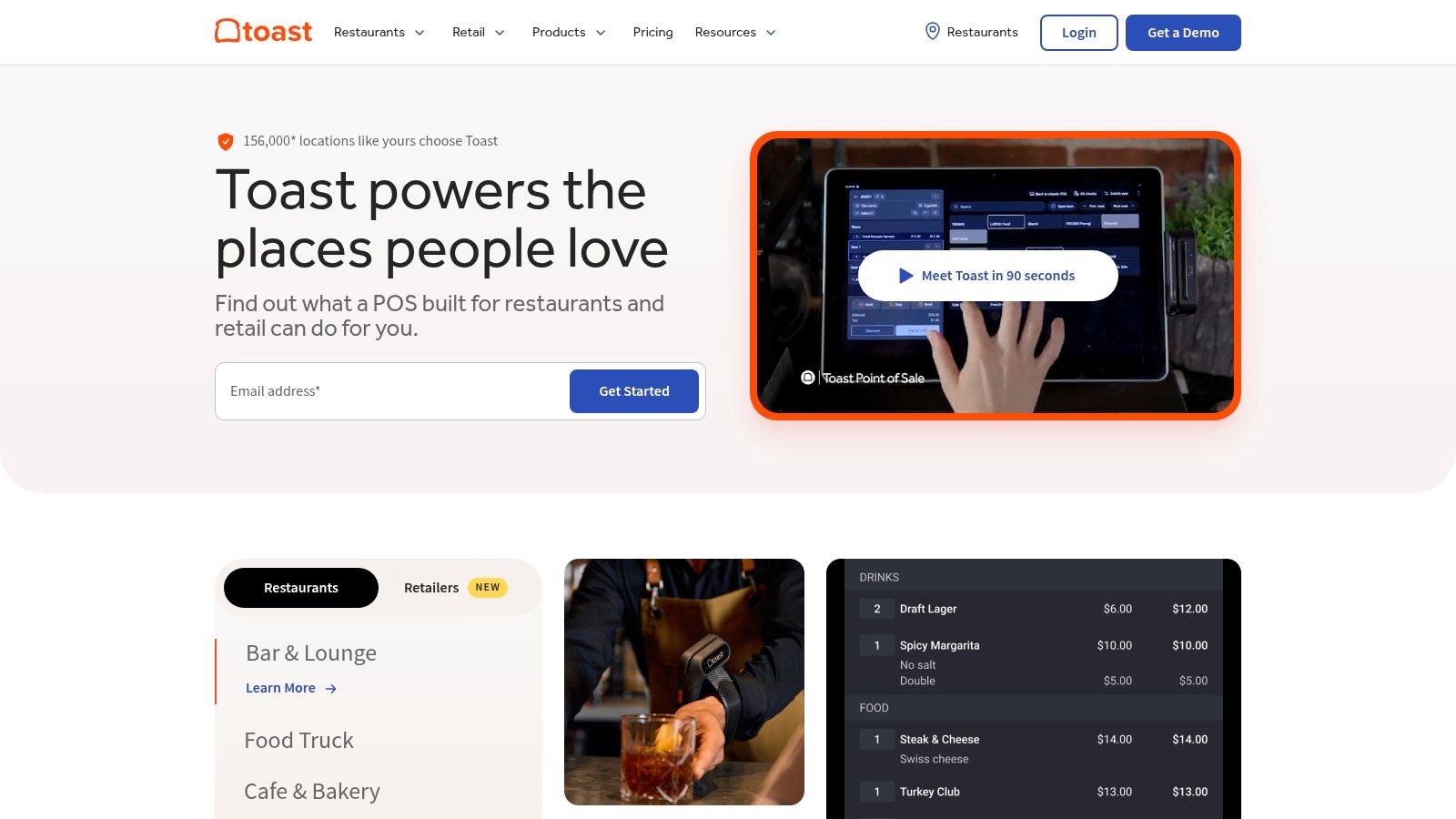
The platform is engineered for resilience, with restaurant-grade hardware that can withstand spills and heat, and an offline mode that keeps operations running even if the internet goes down. Toast provides a full suite of tools that extend beyond the POS, including native online ordering, marketing automation, loyalty programs, and employee management, aiming to be the single technology partner a restaurant needs.
Core Offerings and Unique Features
Toast's main value proposition is its comprehensive, restaurant-first design. This specialized approach means businesses get robust, out-of-the-box functionalities that others might only offer through third-party integrations. As a restaurant scales, Toast provides a clear upgrade path with advanced modules and enterprise-level services.
- Restaurant-Grade Hardware: Toast offers a complete line of durable hardware, including the Toast Flex terminals, handheld Go 2 devices for tableside ordering, and integrated Kitchen Display Systems (KDS) that streamline communication between front and back of house.
- Native Online & Delivery Integrations: The system includes a commission-free online ordering platform and direct integrations with major third-party delivery services, consolidating all orders into a single dashboard.
- Comprehensive Management Suite: Beyond the POS, Toast offers add-on modules for payroll, team management, email marketing, loyalty programs, and gift cards, creating a unified operational hub. To see how these features compare directly to other industry leaders, you can review this detailed comparison of Toast's restaurant POS.
- Dedicated Support & Onboarding: Toast is known for its robust customer support, offering 24/7 assistance and professional implementation services to ensure a smooth setup process.
Pros and Cons
| Pros | Cons |
|---|---|
| Deep, restaurant-specific features reduce the need for other software. | Pricing is not transparent and requires a custom quote, which can be complex. |
| Durable, purpose-built hardware designed for kitchen environments. | Add-on modules and per-device subscription fees can increase the total cost significantly. |
| Excellent offline mode ensures continuous operation. | Some hardware and pay-as-you-go plans may come with higher payment processing rates. |
| All-in-one platform for POS, online ordering, and marketing. | Can feel overly complex for very small or simple operations like coffee carts. |
Who It's Best For
Toast is an ideal choice for established small, medium, and large-scale restaurant operations, including full-service dining, busy quick-service restaurants, bars, and multi-location chains. Its extensive set of point of sale system features and scalable architecture make it a top contender for businesses that are serious about growth and want a single, powerful platform to manage every aspect of their operation.
Website: https://pos.toasttab.com/
5. Clover: A Common Toast vs Clover Alternative
Clover, backed by Fiserv, is a versatile POS platform that combines sleek, modern hardware with adaptable software. It has a significant presence in the market, largely due to its wide distribution through a vast network of banks and merchant service resellers. This often means businesses can source their POS system directly from their existing financial partners, simplifying the initial setup and payment processing integration.
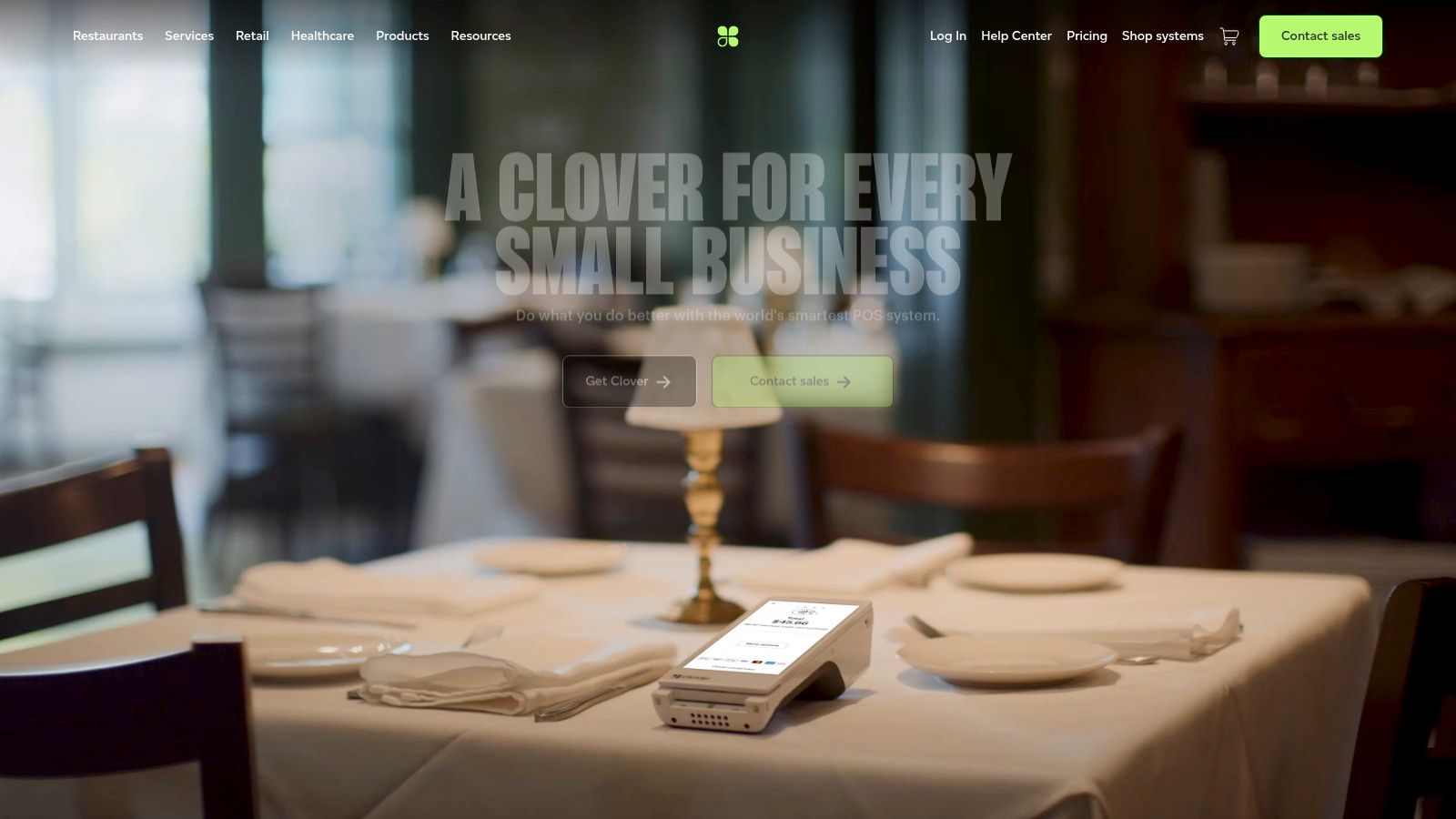
The platform is designed to serve a broad range of businesses, including retail and service industries, but it offers specialized software plans for restaurants. Its key appeal lies in the balance it strikes between a robust, out-of-the-box feature set and the potential for customization through its expansive App Marketplace. This allows restaurants to build a system that meets their immediate needs and then add new functionalities as they scale.
Core Offerings and Unique Features
Clover’s strength is its flexible ecosystem, giving businesses choices in hardware, software, and even their sales provider. This hardware-centric approach provides a reliable, integrated experience where the software is optimized for the device.
- Diverse Hardware Options: Clover offers a full suite of proprietary devices, from the countertop Clover Station and compact Mini to the handheld Clover Flex for tableside ordering and payments, and the mobile Clover Go for off-site sales. This allows for a tailored physical setup.
- App Marketplace: A major differentiator for Clover is its extensive app market. Restaurant owners can add third-party apps for specialized functions like advanced accounting integrations, online ordering, loyalty programs, and enhanced employee scheduling, creating a highly customized POS environment.
- Tiered Industry Plans: Clover provides specific software tiers for restaurants that include essential point of sale system features like menu and inventory management, real-time analytics, and employee permissions. Higher tiers add functionalities like online ordering and loyalty programs. You can see how its features compare to alternatives by exploring this detailed comparison of Clover's restaurant POS.
Pros and Cons
| Pros | Cons |
|---|---|
| Balanced feature set for both restaurants and retail. | Pricing and contract terms can vary significantly between resellers. |
| Broad reseller network for potential on-site setup and service. | Advanced setups require a notable upfront investment in hardware. |
| Extensive App Marketplace for high-level customization. | Can be locked into long-term payment processing agreements. |
| Sleek, all-in-one hardware that is built for the software. | Core software may lack the deep, native features of restaurant-only POS systems. |
Who It's Best For
Clover is a strong contender for small to medium-sized restaurants, cafes, and quick-service establishments that want a reliable, all-in-one hardware and software solution. It is particularly well-suited for business owners who value the convenience of sourcing their POS through their bank or a local reseller and appreciate the ability to extend their system's functionality over time via the App Marketplace.
Website: https://www.clover.com/
6. Amazon (POS hardware marketplace)
While not a POS software provider itself, Amazon has become an indispensable marketplace for sourcing the physical components that bring a point of sale system to life. For restaurants, cafes, and food trucks needing to purchase or replace hardware, Amazon offers a massive, brand-agnostic catalog that includes everything from receipt printers and cash drawers to barcode scanners and handheld POS devices. Its core strength is providing unparalleled choice, competitive pricing, and logistical speed.
This platform empowers restaurant owners to build a custom hardware setup or quickly replace a broken component without being locked into a single vendor's ecosystem. Whether you're looking for a budget-friendly receipt printer to get a food truck started or a specific model of barcode scanner compatible with your existing inventory software, Amazon’s vast network of sellers makes it a go-to resource for a la carte hardware procurement.
Core Offerings and Unique Features
Amazon’s value proposition for restaurant owners is its role as a one-stop hardware superstore, offering speed and selection that are difficult for individual POS providers to match. It separates the hardware decision from the software decision, giving businesses more control and flexibility.
- Massive Hardware Catalog: The platform features an enormous range of POS hardware from countless brands like Star Micronics, Epson, Zebra, and many more. This allows for direct comparison of specs, prices, and form factors in one place.
- Rapid Shipping and Availability: For businesses facing a critical hardware failure, such as a broken kitchen printer during peak hours, Amazon Prime’s fast shipping options can be a lifesaver. This rapid availability minimizes operational downtime.
- Buyer Reviews and Q&A: User-generated reviews and questions are a crucial resource for gauging real-world performance and, most importantly, compatibility. A quick search can often reveal if a specific printer or scanner works with popular point of sale system features and software like TackOn Table.
- Competitive Pricing: With numerous third-party sellers competing for the same products, pricing is often highly competitive. This allows businesses to find deals or source lower-cost alternatives to proprietary hardware, helping manage startup or replacement costs effectively.
Pros and Cons
| Pros | Cons |
|---|---|
| Unmatched selection of brands, models, and price points. | Listing quality can be inconsistent and sometimes lacks technical detail. |
| Fast, reliable shipping for urgent hardware replacements. | Compatibility with your specific POS software is not guaranteed. |
| Competitive pricing due to a high volume of sellers. | Support and warranties are handled by third-party sellers or manufacturers, not Amazon. |
| Extensive user reviews provide valuable compatibility insights. | Returns for defective items can be more complex than with a direct vendor. |
Who It's Best For
Amazon is the ideal hardware marketplace for restaurant owners who need flexibility, speed, and cost-effectiveness. It’s perfect for businesses that have already chosen a hardware-agnostic software like TackOn Table and want to build a custom setup, as well as for any established restaurant needing to quickly replace a single piece of equipment without going through their primary POS provider.
Website: https://www.amazon.com/
7. POSGuys
POSGuys carves out a unique niche in the point of sale landscape, operating not as a software developer but as a specialist retailer and solutions provider. Their core value is providing expert-guided access to a massive inventory of POS hardware, supplies, and complete, pre-configured system bundles. This approach is ideal for businesses that have selected their software but need a reliable partner to source compatible, high-quality hardware and ensure everything works together seamlessly right out of the box.
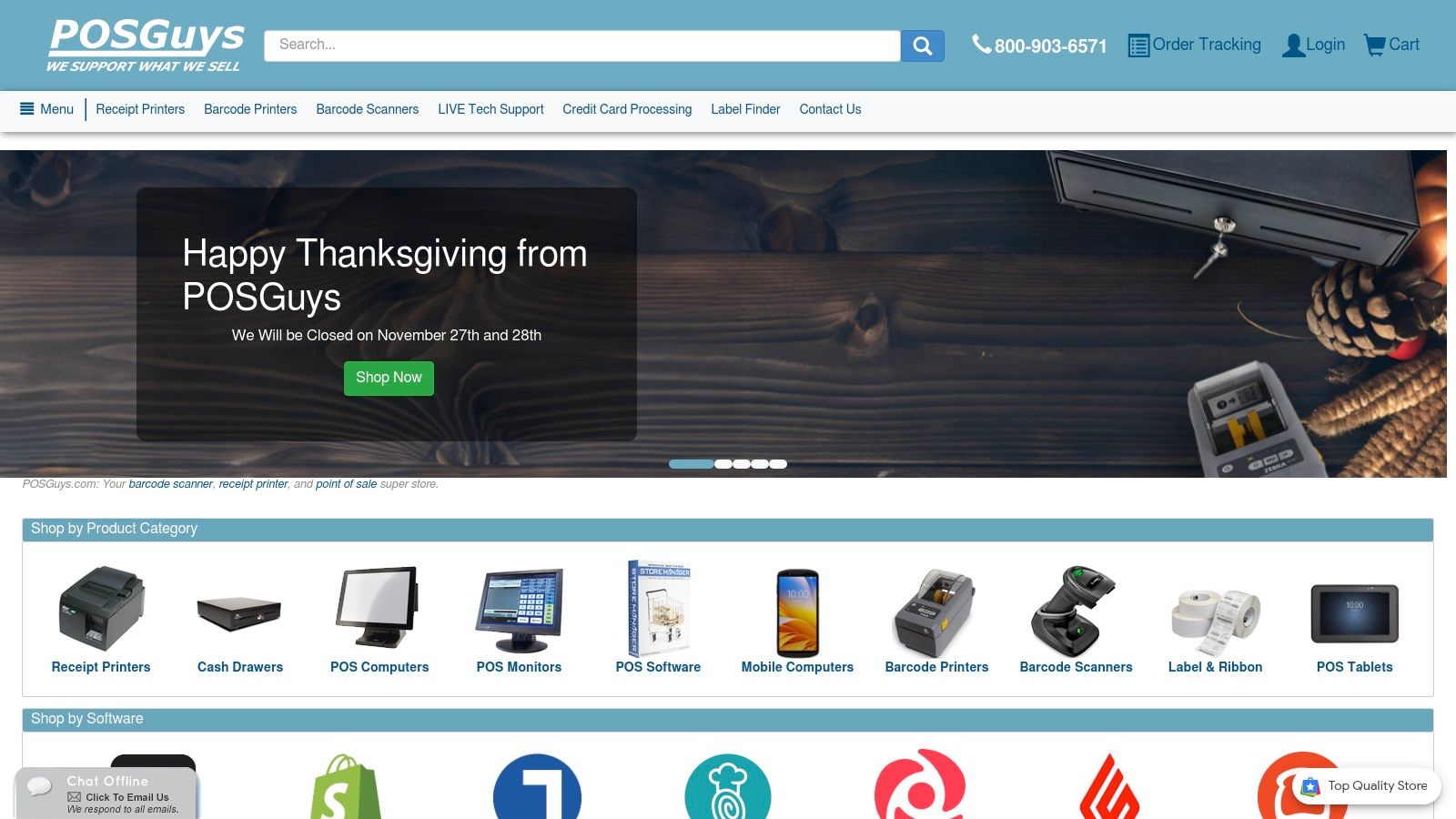
Unlike buying from a generic online marketplace, POSGuys offers pre-sale consultation and US-based post-sale support. This human element helps restaurant owners avoid costly incompatibility mistakes and ensures they get the right receipt printers, cash drawers, and barcode scanners for their specific software and operational needs. For new restaurants, their turnkey bundles are a significant advantage, arriving pre-configured and ready for immediate deployment.
Core Offerings and Unique Features
POSGuys stands out by demystifying the often-complex process of building a physical POS setup. They bridge the gap between software providers and hardware manufacturers, offering a curated and validated selection of products. Their focus on service and compatibility makes them a crucial resource for both single-location cafes and expanding multi-site franchises.
- Turnkey System Bundles: POSGuys offers complete retail and restaurant POS bundles that include a computer, monitor, cash drawer, printer, and scanner. These systems are pre-configured with chosen software, saving owners significant setup time and technical headaches.
- Expert Guidance and Support: Customers can call and speak with a knowledgeable US-based representative to validate hardware choices against their software or get recommendations for their specific use case, a service not offered by large online retailers.
- Broad Brand Selection: They are an authorized reseller for major hardware brands like Epson, Star Micronics, Zebra, Honeywell, and APG. This ensures access to reliable, business-grade equipment and accessories that might be hard to find elsewhere.
- Procurement Assistance: For multi-location restaurant groups, POSGuys simplifies the rollout process by managing hardware procurement, staging, and shipping to various business addresses, ensuring consistency across all sites.
Pros and Cons
| Pros | Cons |
|---|---|
| Expert human guidance prevents hardware incompatibility issues. | Prices can be higher than no-name brands on marketplaces. |
| Wide selection of business-grade hardware and niche accessories. | Some returns may be subject to restocking fees from the manufacturer. |
| Pre-configured turnkey bundles save setup time and effort. | Primarily focused on hardware, not an all-in-one software provider. |
| US-based support for both pre-sale and post-sale inquiries. | Not a direct replacement for a software solution like TackOn Table. |
Who It's Best For
POSGuys is the perfect partner for restaurant owners who have a clear software choice but need a trusted source for building the physical side of their POS system. It is particularly valuable for new businesses seeking an easy-to-deploy turnkey solution and for multi-location franchises that require standardized, reliable hardware procurement and support for all their locations.
Website: https://www.posguys.com/
Top 7 POS Systems Feature Comparison
| Product | Implementation complexity | Resource requirements | Expected outcomes | Ideal use cases | Key advantages |
|---|---|---|---|---|---|
| TackOn Table | Low — cloud-first with white‑glove onboarding and fast setup (often <24 hrs) | Per-location subscription, lightweight handheld or recommended TackOn hardware, 24/7 support | Faster order processing ( |
Quick‑service, full‑service bistros, cafes, food trucks, multi‑location restaurants | All‑in‑one cloud POS, mobile‑first, enterprise security, concierge onboarding |
| Square | Very low — simple onboarding; free basic POS available | Pay‑per‑transaction or paid tiers, optional hardware (Reader, Stand, Register) and add‑ons | Rapid launch, scalable via modular add‑ons, good for single‑site growth | Retail, restaurants, mobile sellers, services | Low barrier to start, clean UI, extensive hardware and add‑ons |
| Shopify POS | Moderate — requires Shopify store and plan; POS Lite/Pro tiers | Shopify subscription, compatible hardware, apps from ecosystem | Unified online/offline catalog and customer data; streamlined omnichannel sales | Retailers selling online and in‑store | Seamless omnichannel, unified inventory/customers, large app marketplace |
| Toast | Moderate–high — restaurant‑grade deployment with specialized hardware | Purpose‑built hardware, native integrations, optional add‑ons and services, implementation support | Deep restaurant workflows, native online ordering, fewer third‑party tools | Hospitality: QSR, full‑service restaurants, bars, cafes | Restaurant‑first features, robust hardware, integrated delivery/ordering |
| Clover | Moderate — hardware variety and reseller/install options can add steps | Multiple device form factors (Station, Flex, Go), app marketplace, possible reseller contracts | Balanced retail/restaurant functionality with on‑site support options | Small to mid businesses needing bundled hardware and resellers | Flexible hardware lineup, app marketplace, broad distribution network |
| Amazon (POS hardware marketplace) | Low — straightforward purchasing; no software setup provided | Purchase of hardware/peripherals from many sellers; fast shipping and returns | Quick replacements or trials of hardware; cost comparison across brands | Urgent hardware replacement, testing low‑cost alternatives, sourcing peripherals | Huge selection, fast delivery, competitive pricing and user reviews |
| POSGuys | Low–moderate — turnkey bundles and preconfiguration reduce setup risk | Preconfigured bundles, phone support, expert compatibility guidance, US shipping | Ready‑to‑run deployments and fewer compatibility issues for rollouts | Businesses needing preconfigured systems or multi‑site procurement | Expert pre‑sale guidance, preconfigured systems, business procurement support |
The Right POS is Your Partner in Growth: Take the Next Step
Navigating the landscape of modern restaurant technology can feel overwhelming, but making an informed decision about your point of sale system is one of the most impactful choices you'll make for your business. As we've explored, the right combination of point of sale system features moves far beyond simple transaction processing. It becomes the central nervous system of your operation, connecting your front of house, back of house, and back office into a single, cohesive unit.
From core payment processing and security to advanced inventory management, tableside ordering, and robust analytics, each feature serves a strategic purpose. It's about empowering your staff to deliver faster, more accurate service, giving you the data-driven insights needed to optimize your menu, and creating a seamless experience that keeps customers coming back. The goal isn't just to find a system that works; it's to find a partner that actively contributes to your growth.
From Checklist to Action: Choosing Your Ideal Restaurant POS
The journey from understanding these features to implementing them requires a clear strategy. While legacy systems like Toast and Clover have established themselves in the market, they often present challenges with complex, multi-year contracts, proprietary hardware, and tiered feature sets that can quickly become expensive. Your evaluation process should prioritize flexibility, scalability, and transparency.
Consider the unique needs of your establishment:
- For quick-service restaurants and cafes: Speed is paramount. Features like a user-friendly mobile POS for line-bustin, integrated online ordering, and simple menu modifiers are critical. You need a system that supports rapid transactions without sacrificing accuracy.
- For full-service restaurants and bistros: The focus is on the complete guest experience. Tableside ordering and payment, advanced table management, staff performance tracking, and deep CRM integrations are essential to providing personalized and efficient service.
- For food trucks and multi-location groups: Centralized control is non-negotiable. Look for a cloud-based solution that offers robust multi-location management, allowing you to update menus, track sales, and manage staff across all sites from a single dashboard.
This is where a modern, adaptable solution like TackOn Table offers a significant advantage. It was built to provide the powerful point of sale system features you need without the burdensome contracts and hardware lock-in common with many Toast vs. Clover alternatives. The focus is on an all-in-one, intuitive platform that is easy to set up and even easier to use, ensuring your team can get up and running quickly. With its powerful mobile POS capabilities and straightforward multi-location control, it’s designed to scale with you.
Your Next Step Towards a Smarter Operation
Choosing your next POS system is a commitment to your restaurant's future efficiency and profitability. Don't settle for a system that just gets the job done. Instead, seek a solution that actively solves your biggest challenges, whether that's reducing order errors, speeding up table turnover, or gaining clearer insight into your sales trends. By investing in a system that is both powerful and affordable, you are equipping your business with the tools it needs not just to compete, but to thrive.
The features we've detailed are the building blocks of a more efficient, profitable, and customer-focused restaurant. TackOn Table integrates all of these essential tools into one simple, powerful, and affordable platform designed for growth. See for yourself how our all-in-one system can streamline your operations by starting a free trial or booking a personalized demo today.
See how TackOn Table works for your restaurant. Same-day call →