

Restaurant inventory management is the process of tracking every single item in your restaurant—from the box of tomatoes that just arrived to the final dish that hits the customer's table. It’s about knowing exactly what you have, how fast you're using it, and when you need to order more. Getting this right is the single most powerful way to protect your profit margins and is a core feature of any modern restaurant, café, or food truck management software.
Why Inventory Management Is Your Secret Ingredient for Profitability
Think about your kitchen at home right before a big holiday dinner. You need to know what’s in the pantry, what you have to buy, and what’s about to expire, right? If you don't, you end up with too much of one thing, not enough of another, and a stressful, expensive last-minute trip to the store.
Restaurant inventory management is the same idea, just on a much bigger scale where every little mistake costs you real money. This isn’t just a tedious counting chore; it's a fundamental part of your business strategy. When you have a solid handle on your stock, you can start making smarter decisions that actually drive growth. At TackOn Table, we've designed our all-in-one system to make this process simple and effective, highlighting our commitment to affordability and adaptability.
Connect Stock Control to Your Bottom Line
It’s simple: the connection between what's on your shelves and what's in your bank account is direct and undeniable. Every pound of flour, every bottle of wine, and every stack of to-go boxes is cash just sitting there. Without a system to track it all, that cash can easily vanish due to spoilage, over-portioning, or even theft.
When you manage your inventory effectively, you unlock some serious benefits that put money back in your pocket:
- Slash Food Costs: You stop ordering more than you need and cut down on waste, making sure the ingredients you pay for end up on a customer's plate.
- Boost Profit Margins: With tight ingredient tracking, you can price your menu with confidence, knowing that every dish you sell is profitable.
- Prevent Stockouts: There’s nothing worse than telling a customer you're out of their favorite dish. Good inventory management helps you see what's selling and keep the right amount of everything on hand.
The global market for restaurant inventory management software hit USD 2,184.6 million in 2024 and is expected to grow by 10.60% each year. Why the boom? Restaurants are finally getting serious about tackling food waste, which has historically eaten up nearly 30% of food costs due to poor stock tracking. Explore the latest market trends and insights.
From Manual Headaches to Automated Advantage
Not too long ago, "inventory" meant a clipboard, a spreadsheet, and hours spent in a cold walk-in. Besides being a massive time suck, this old-school method is riddled with human error.
Today, a modern, all-in-one system like TackOn Table completely changes the game. Our platform ties your inventory directly to your Restaurant POS, so stock levels are updated automatically with every single order. Our easy setup and all-in-one simplicity mean you can be up and running without a massive learning curve.
This turns a dreaded task into a powerful tool. Instead of guessing what your food costs are, you see them in real-time. Curious about how much you could be saving? Play around with our free restaurant savings calculator to see the impact. It's the first step toward making your inventory work for you, not against you.
Choosing the Right Inventory Tracking Method: A Restaurant POS Perspective
Picking the right inventory tracking method is a lot like choosing the right knife in a busy kitchen. A paring knife won't do the job of a cleaver, and a one-size-fits-all approach to inventory just doesn't cut it. You need a system that fits the unique rhythm of your restaurant, whether you're running a corner café or a multi-location food truck group.
Simply counting what's on the shelf isn't enough. The real goal is to turn that raw data into smart decisions that protect your bottom line. Let's break down three of the most effective methods that form the foundation of great inventory management. These aren't mutually exclusive—in fact, the sharpest operators often blend them together to create a rock-solid strategy.
This decision tree perfectly illustrates the central question of inventory control: are you actively managing your stock for profit, or are you letting money slip through your fingers?
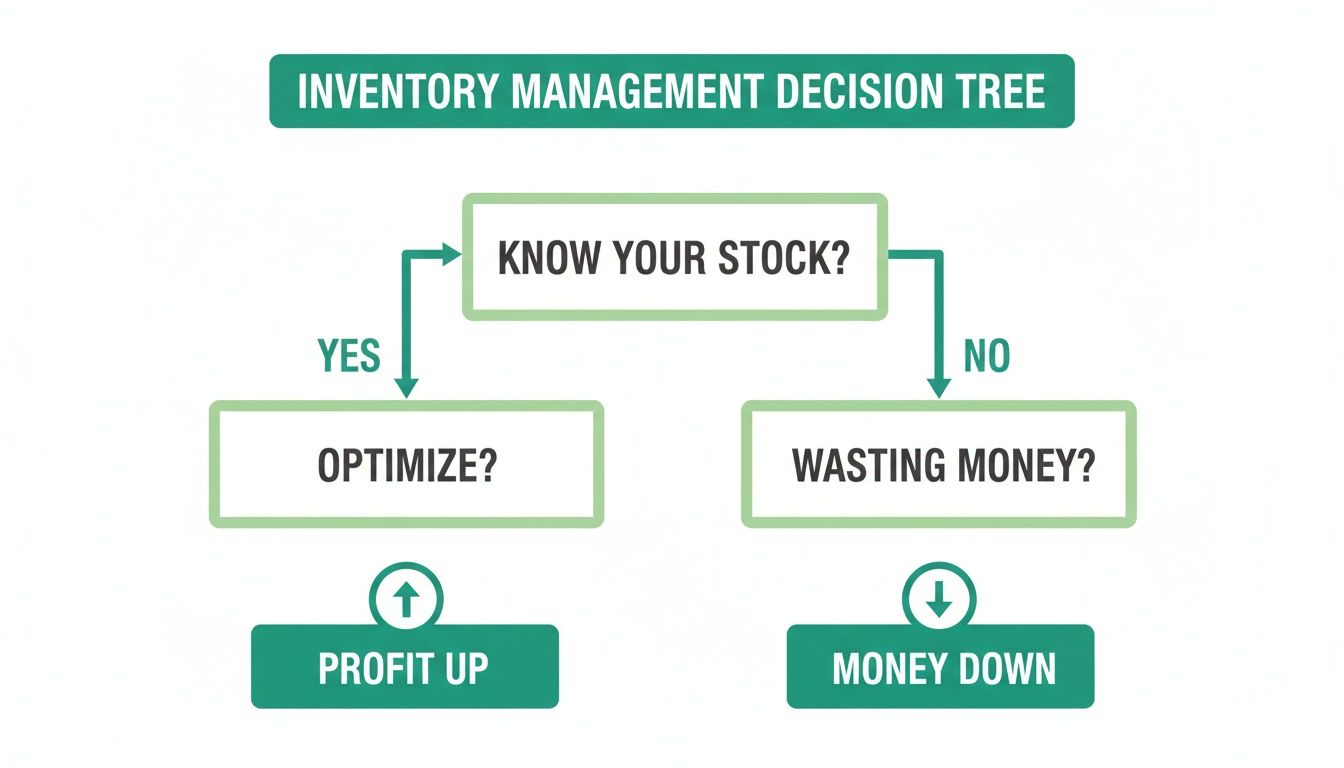
As you can see, knowing what you have is the first step toward optimization and growth. Flying blind is a direct path to waste.
First In, First Out for Peak Freshness
The First-In, First-Out (FIFO) method is the absolute golden rule for any kitchen that cares about freshness and quality. The concept is beautifully simple: the first items that come through your door are the first ones you use. It's a system of constant rotation.
Think about it this way: when a new delivery of milk arrives, your team stocks it behind the cartons already in the fridge. This small habit ensures the milk with the closest expiration date gets used first, which drastically cuts down on spoilage. FIFO isn't just a good idea; it's essential for ingredients like:
- Dairy, eggs, and fresh produce
- All meats, poultry, and seafood
- Freshly baked goods and pastries
Par Level Inventory for Smarter Reordering
Par Level Inventory is your best defense against the twin headaches of overstocking and running out of a key ingredient mid-service. A "par level" is simply the minimum amount of an item you need to have on hand to make it to your next delivery.
When your stock drops below this predetermined number, it’s an automatic signal to reorder. For example, if your café goes through 10 pounds of espresso beans between deliveries and you want a 2-pound safety cushion, your par level is 12 pounds. The moment you have 11 pounds left, you know it’s time to call your supplier.
This approach takes the guesswork out of purchasing and is perfect for shelf-stable staples like flour, sugar, oils, and spices. A modern Café Management Software can even automate this, sending you low-stock alerts when an item dips below its par.
Cycle Counting for Consistent Accuracy
Instead of the dreaded all-hands-on-deck, once-a-month physical inventory count that grinds your operation to a halt, Cycle Counting breaks the task into small, manageable pieces. You just count a small section of your inventory every day or every week.
By counting specific high-value items or categories on a rotating schedule—say, liquor on Monday, produce on Tuesday, and dry goods on Wednesday—you maintain a constantly accurate picture of your stock levels without the major disruption.
This ongoing process helps you catch problems like waste, incorrect portioning, or even theft almost as soon as they happen, not weeks later when the financial damage is already done. When you're looking at your options and comparing Toast vs Clover Alternatives, make sure the system you choose can easily support these different inventory methods.
Choosing the right mix of these methods is key to unlocking a more profitable and less stressful operation. To make the decision easier, here's a quick comparison of how each approach works best.
Comparing Popular Inventory Management Methods
| Method | Best For | Key Benefit | TackOn Table Feature |
|---|---|---|---|
| First-In, First-Out (FIFO) | Restaurants with perishable goods like produce, dairy, and meat. | Dramatically reduces spoilage and waste, ensuring peak freshness for guests. | Track item purchase dates and receive alerts for aging stock to enforce proper rotation. |
| Par Level Inventory | High-volume staples and non-perishables like flour, sugar, oils, and bar mixers. | Prevents stockouts and over-ordering by automating reorder triggers. | Set custom par levels for every ingredient and get automatic low-stock notifications. |
| Cycle Counting | High-value items (e.g., premium liquor, prime cuts) or problem areas. | Provides continuous accuracy and spots issues like theft or waste in near real-time. | Use a mobile POS to conduct quick counts by section, updating inventory instantly. |
Ultimately, the best strategy often involves a hybrid approach. You'll likely use FIFO for your walk-in cooler, set par levels for your dry storeroom, and run cycle counts on your top-shelf spirits. The key is finding a flexible system that adapts to you.
With TackOn Table's mobile POS, these inventory methods are woven directly into your daily workflow. Our straightforward interface makes it easy to manage FIFO, set par levels, and perform quick cycle counts right from a tablet. Ready to see how simple inventory control can be? Start your free trial and take command of your stock today.
How a Modern Restaurant POS Transforms Inventory Control
Let's be honest, the days of managing inventory with a clipboard and a spreadsheet are over. Or at least, they should be if you want to stay profitable. A modern Point of Sale (POS) system with built-in inventory management isn't just a shiny new toy; it's the central nervous system of your entire operation. It takes the guesswork and soul-crushing manual entry out of the equation and replaces it with data-driven precision.
Think about it this way: a server rings up your famous cheeseburger on a TackOn Table mobile POS. The system doesn't just print a ticket for the kitchen. In that same instant, it automatically subtracts one beef patty, one brioche bun, and two slices of cheddar from your digital stock count. Just like that, you have a live, up-to-the-second view of what's actually on your shelves.
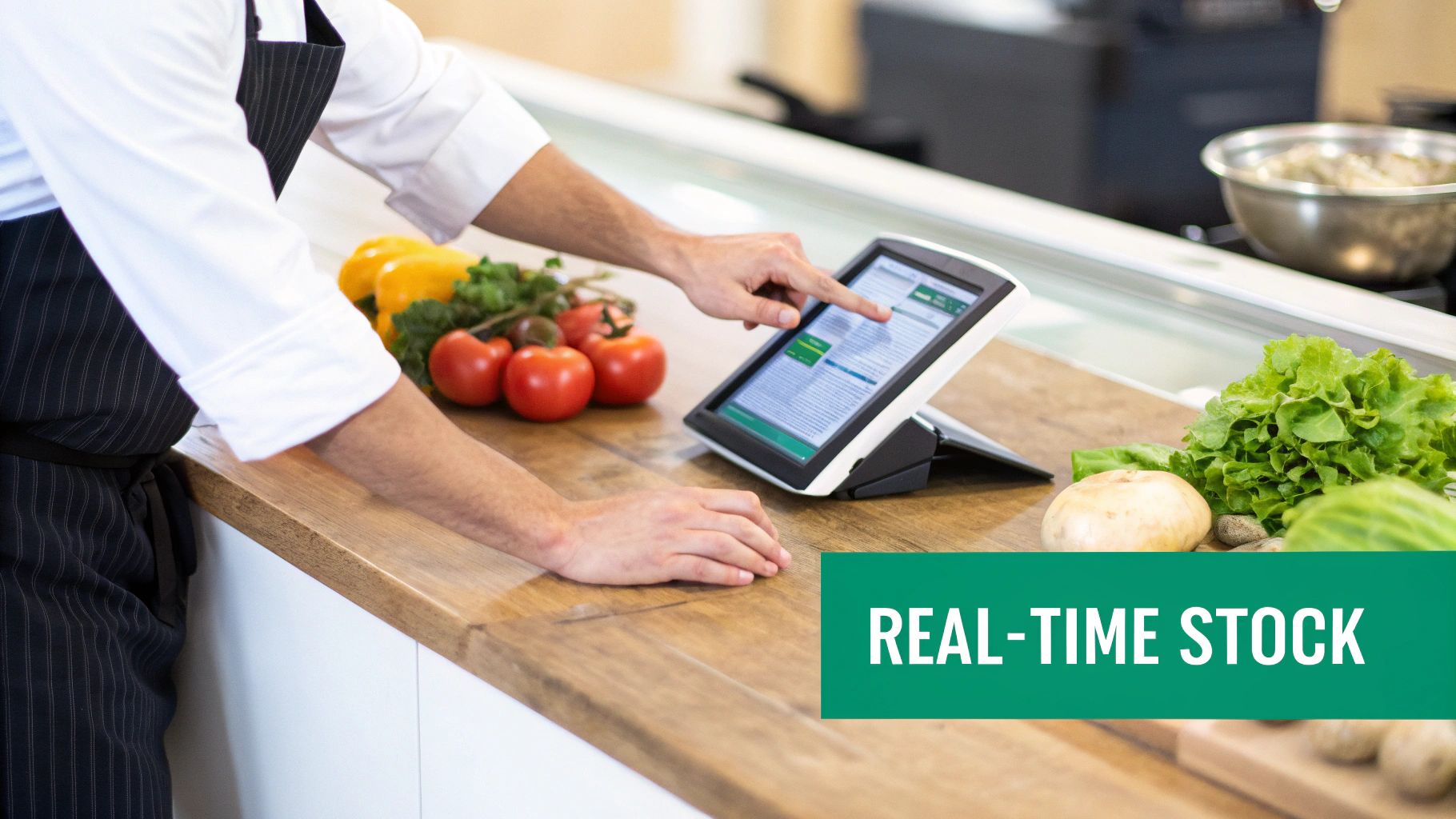
This real-time depletion is the magic ingredient. It’s the difference between proactively managing your stock and reactively scrambling when you run out of a key item during the dinner rush. Those manual entry errors and outdated counts from last week's spreadsheet? Gone.
The Power of Automated, Real-Time Data
When your sales data and your stock levels talk to each other, you unlock some seriously powerful tools that directly protect your revenue. It's not just about counting things faster; it's about making smarter decisions.
With an integrated system like TackOn Table, you get features that make a real difference to your bottom line:
- Low-Stock Alerts: Get an automatic heads-up when you’re running low on key ingredients, based on the par levels you set. No more 86'ing your best-seller on a busy Saturday night.
- Recipe Costing: See your exact profit margin on every single dish by linking ingredient costs to your menu items. When the price of avocados skyrockets, you'll know immediately how it’s hitting your guacamole's profitability.
- Sales-Driven Forecasting: The system uses your past sales data to help you predict what you'll need in the future. It spots trends so you can order intelligently for an upcoming holiday or a seasonal menu change.
This kind of automation is a game-changer. The global restaurant management market, valued at $5,787.1 million in 2024, relies heavily on this. The purchasing and inventory segment is where costs are controlled, and modern POS software dominates this space with a 39.27% share. Why? Because it offers up to 95% error reduction and real-time tracking—a critical feature, especially since 56% of operators now manage delivery orders that demand perfectly synced stock levels. You can explore more on the restaurant tech market here.
Multi-Location Control for Growing Brands
For restaurant groups with more than one location, consistency is everything—and it's incredibly difficult to maintain. An all-in-one platform gives you a single source of truth, letting you oversee inventory across all your sites from one place.
With TackOn Table’s centralized multi-location control, you can see stock levels, sales trends, and food costs for each location, side-by-side. This allows you to spot issues, transfer stock between restaurants, and make sure every kitchen is running just as efficiently as the next.
Trying to get that kind of overview with separate spreadsheets or disconnected systems is a nightmare. Instead of chasing down individual managers for reports, you can pull up a complete picture in just a few clicks. It's a major reason so many growing brands are looking for better tech. If you're weighing your options, understanding how the top players stack up is a good place to start; our TackOn Table vs Toast comparison breaks it down clearly.
At the end of the day, a modern Restaurant POS shifts your inventory management from a reactive chore to a proactive strategy. It handles the data so you can get back to focusing on what you love: creating incredible food and growing your business.
Ready to see how it works in your restaurant? Book a personalized demo and we'll show you how TackOn Table can bring clarity and control to your inventory.
The Essential Inventory KPIs You Need to Track
Just counting your inventory is only half the battle. The real magic happens when you turn that raw data into meaningful insights—the kind of information that tells the true story of your restaurant's financial health. Think of Key Performance Indicators (KPIs) as your financial dashboard. They transform long lists of ingredients into a clear, concise picture of your profitability, helping you spot small problems before they become big headaches.
Instead of getting bogged down in endless spreadsheets, a modern all-in-one system like TackOn Table can handle these calculations for you automatically. It serves up the numbers in clean, easy-to-read dashboards so you can spend less time crunching numbers and more time making smart decisions that actually grow your business.
Calculating Your Cost of Goods Sold
Your Cost of Goods Sold (COGS) is the absolute bedrock of your restaurant's finances. In simple terms, it's the direct cost of all the ingredients you used to make the food you sold over a certain period. Without a firm handle on this number, you're essentially flying blind on profitability.
The formula itself is pretty straightforward:
COGS = (Beginning Inventory + Purchases) – Ending Inventory
Let's say you started the month with $10,000 worth of ingredients, bought another $8,000, and ended the month with $7,000 left on the shelves. Your COGS for that month would be $11,000. A good Restaurant POS like TackOn Table's tracks every purchase and sale, giving you an accurate COGS without you ever having to touch a calculator.
Mastering Your Food Cost Percentage
While COGS tells you the total dollar amount you spent, Food Cost Percentage tells you how efficiently you spent it. This metric shows your COGS as a percentage of your revenue, and it's one of the most important health indicators for any kitchen. A good target for most restaurants is somewhere between 28-35%.
Here’s the calculation:
- Food Cost Percentage = (COGS / Total Food Sales) x 100
Using our example, if your COGS was $11,000 and you brought in $35,000 in food sales, your food cost percentage would be a healthy 31.4%. Keeping a close eye on this number helps you price your menu effectively and alerts you when ingredient costs are creeping up or waste is getting out of control.
Gauging Efficiency with Inventory Turnover Rate
How fast are you actually using the inventory you buy? That's what the Inventory Turnover Rate tells you. A high turnover rate is usually a great sign—it means your cash isn't tied up in stock that’s just sitting there, and more importantly, your ingredients are fresh.
To figure this out, you first need your average inventory value:
- Average Inventory = (Beginning Inventory + Ending Inventory) / 2
Then, you can calculate the turnover rate:
- Inventory Turnover Rate = COGS / Average Inventory
A high turnover rate for fresh produce is fantastic; it means strong sales and minimal spoilage. On the flip side, a low turnover rate for your frozen goods might be a red flag that you're over-ordering, tying up both your capital and valuable freezer space.
This is a critical metric for a busy cafe, where a Café Management Software needs to ensure that milk, coffee beans, and pastries are always moving. When you're weighing Toast vs Clover alternatives, look for a system that puts this data right at your fingertips.
Getting these metrics right can have a massive impact. Restaurants that get serious about precise, regular tracking can see their profits jump by as much as 24%. In 2023, as the U.S. restaurant industry edged toward $1 trillion in sales, operators spent $15 billion on technology. A huge chunk of that went to inventory tools to manage the staggering $86 billion in online orders. You can discover more insights about these restaurant industry statistics to see the bigger picture.
At the end of the day, tracking these KPIs isn't about creating more work—it's about working smarter. Ready to let technology do the heavy lifting so you can focus on what you do best? Book a free demo and see how TackOn Table’s analytics can make a difference.
An Actionable Plan for Implementing Your Inventory System
Knowing the theory behind restaurant inventory management is one thing; actually putting it into practice is a whole different ball game. The good news is that you don't have to tackle this all at once. By breaking the process down into clear, manageable steps, you can move away from guesswork and start making data-driven decisions.
Think of it like setting up your kitchen for the first time—everything needs a logical place. This methodical approach cuts through the chaos and lays the groundwork for long-term accuracy and, most importantly, profitability. The goal here is to build a system that your entire team can understand and stick with.
Step 1: Organize Your Stockroom Systematically
Before you even touch a spreadsheet or a screen, get your physical space in order. A clean, well-organized stockroom, walk-in cooler, and dry storage area are non-negotiable. If your team can't find what they need quickly, your counts will be wrong and service will drag. It’s that simple.
Start by grouping similar items together—all your dairy in one section, dry goods in another, and so on. Use clear, durable labels for every shelf and container. This creates a logical map that makes counting much faster and naturally encourages everyone to follow the First-In, First-Out (FIFO) method.
Step 2: Build Your Master Inventory Sheet
Next up, it’s time to create a comprehensive list of every single item you stock. This master sheet is the backbone of your entire system. For each item, you’ll need to track:
- Item Name: Be specific (e.g., "Roma Tomatoes," not just "Tomatoes").
- Unit of Measurement: How you count it (e.g., Pounds, Ounces, Each, Case).
- Supplier: Who you buy it from.
- Cost Per Unit: What you pay for that specific unit.
You can start this in a simple spreadsheet or go straight into a POS system. Either way, this list becomes your single source of truth for everything you own.
Step 3: Choose and Implement Your Tracking Method
With your stock organized and every item logged, you can start putting your chosen tracking methods into action. This is where you decide on the rules for FIFO, par levels, or cycle counting and make them official.
For example, you might decide to use strict FIFO for all perishables in the walk-in, set par levels for all non-perishable bar mixers and dry goods, and conduct weekly cycle counts on high-cost proteins and liquor.
Defining these rules clearly ensures everyone on your team handles inventory the same way. Consistency is absolutely critical for maintaining accurate data over time.
Step 4: Empower Your Team with Proper Training
Your inventory system is only as strong as the people who use it. Don't just hand your staff a clipboard or a tablet and expect perfect results—that’s a recipe for failure. Real training is essential.
Walk your team through the entire process: how to receive and properly store new deliveries, how to conduct counts accurately using the shelf-to-sheet method, and, most importantly, how to log every bit of waste. When your team understands why this matters to the restaurant's financial health, they become active partners in protecting your bottom line. A great system provides restaurant management solutions that are intuitive enough for everyone to use without a fuss.
Step 5: Integrate and Automate with Your POS
Finally, it’s time to connect all the dots by integrating your inventory directly with your POS system. This is the game-changing step that turns a manual chore into a powerful, automated process.
When you use an all-in-one platform, every sale automatically depletes the correct ingredients from your master sheet in real time. This is where you stop guessing and start knowing. The right technology removes the friction that often comes with new systems and brings your inventory to life, giving you the live data you need to make smarter purchasing decisions and drive profitability.
Keeping Your Inventory Counts Honest: Best Practices
Getting an inventory system set up is one thing. Keeping it accurate day-in and day-out is where the real magic—and the real work—happens. Think of it less like a one-time project and more like a daily discipline. The goal is to build a culture where everyone, from the prep cook to the manager, understands their role in protecting your bottom line.
Sharp inventory control isn't just about one big monthly count. It's a mix of smart routines, solid supplier relationships, and looking ahead. These small, consistent actions are what stop tiny discrepancies from snowballing into big financial headaches.
Run Regular Audits to Spot Problems Early
Don't wait for a month-end report to tell you that your numbers are off. You need to be doing regular spot checks, or "cycle counts," on your most important items. Think high-cost ingredients like your prime cuts of steak or that top-shelf tequila.
Doing these quick counts weekly helps you catch issues like over-portioning, theft, or spoilage almost immediately. It’s a proactive habit that keeps your data clean and your team on their toes. When you find a problem, you can fix it right away instead of trying to solve a mystery from three weeks ago.
Use Your Sales Data to Buy Smarter
Your sales history is a treasure map pointing directly to what you'll need next. A modern Restaurant POS is so much more than a cash register; it’s constantly collecting data on what you sell, when you sell it, and how fast it flies off the shelf. That data is the key to smarter ordering.
By digging into the sales trends inside TackOn Table's built-in reports, you can get a real feel for what to expect for an upcoming holiday weekend or how that new seasonal special will perform. This stops you from guessing and helps prevent over-ordering perishables that will spoil or under-ordering the key ingredient for your most popular dish.
Get Serious About Tracking Waste
Every spoiled onion, every dropped plate, every burnt burger—it all comes directly out of your profit. You absolutely need a strict, no-excuses process for tracking waste. This can be as simple as a clipboard with a waste log sheet near the trash can or a feature within your POS. The important part is that staff can quickly note what was tossed and why.
This isn't about pointing fingers; it's about collecting incredibly valuable data. A good waste log will shine a light on problems you might not see otherwise:
- Supplier Issues: Is that case of avocados from your new vendor always arriving overripe?
- Kitchen Habits: Is one particular station generating way more waste than the others? Maybe a piece of equipment needs servicing or a cook needs retraining.
- Over-prepping: Are you prepping 50 portions of a sauce that doesn't hold well, only to sell 30?
For anyone running more than one spot, TackOn Table’s multi-location control makes it easy to roll out these practices everywhere. You can make sure every single one of your locations is auditing, forecasting, and tracking waste the exact same way, bringing a consistent level of efficiency across the board.
Ready to see how an all-in-one platform can help you keep your inventory perfectly in check? Book a demo to discover how TackOn Table can become your partner in running a tighter, more profitable operation.
Frequently Asked Questions About Restaurant Inventory Management
Digging into inventory management always brings up a few questions. We hear them all the time from owners of restaurants, cafes, and food trucks. Let's tackle the most common ones.
How often should a restaurant do a full inventory count?
While you should be doing quick spot-checks on your high-cost items daily or weekly, the big "wall-to-wall" physical count is usually a monthly task. This gives you the hard data you need to calculate your food cost and see where your numbers are really at for the month.
That said, when your POS system is depleting inventory in real time with every order—like TackOn Table does—that monthly count becomes a much faster process. It's less of a massive, weekend-ruining project and more of a quick double-check to make sure everything lines up.
What’s the biggest inventory mistake restaurants make?
Honestly, it’s inconsistency. So many operators start out with a great system, but then life happens. The daily counts stop, waste logs get forgotten, and new staff aren't trained properly on the procedures. Before you know it, the data is useless, you're 86-ing items on a busy Friday, and your food costs are creeping up.
This is where integrating inventory into your daily operations from the start is a game-changer. When tracking is just part of ringing up sales through your POS, consistency becomes second nature instead of a chore you have to remember.
Is inventory management software overkill for a small cafe or food truck?
Not at all—in fact, it’s arguably more critical for smaller spots. When you're running on tight margins, every single dollar you save by not letting ingredients spoil or over-ordering makes a huge difference.
- For Food Trucks: A good mobile POS is your lifeline. It helps you track what's selling like crazy in real time so you don't run out of your most popular dish in the middle of a festival rush. TackOn Table's easy setup is perfect for on-the-go operations.
- For Cafes: Think about the short shelf life of everything you sell—milk, fresh pastries, coffee beans. Nailing your inventory means you're drastically cutting down on waste and putting that money right back into your pocket.
How does restaurant inventory connect to menu pricing?
It’s the absolute bedrock of smart menu pricing. You can't price a dish for profit if you don't know exactly how much it costs to make.
Proper inventory management gives you the precise cost of every single ingredient. That lets you calculate the true Cost of Goods Sold (COGS) for every item on your menu. Without that number, you're just guessing at your food cost percentage, and you could be losing money every time someone orders your best-selling burger.
Tools that link your ingredient costs directly to your menu recipes ensure every dish is priced to be profitable. It's a level of control that makes a real difference, and a key reason operators look for a flexible Toast vs Clover alternative that can keep up with their business.
Ready to stop letting inventory headaches eat into your profits? TackOn Table brings everything together in one simple platform to help you control costs, slash waste, and run a more profitable restaurant. Our unique blend of affordability, simplicity, and adaptability makes us the solution-focused partner you need.
Book a personalized demo and let us show you how it works, or start your free trial today